
Last Updated: October 23, 2026
Agents are services that run on an external server. Agents act as a liaison between the server and the D3 platform to ensure security and stability for data ingestion.
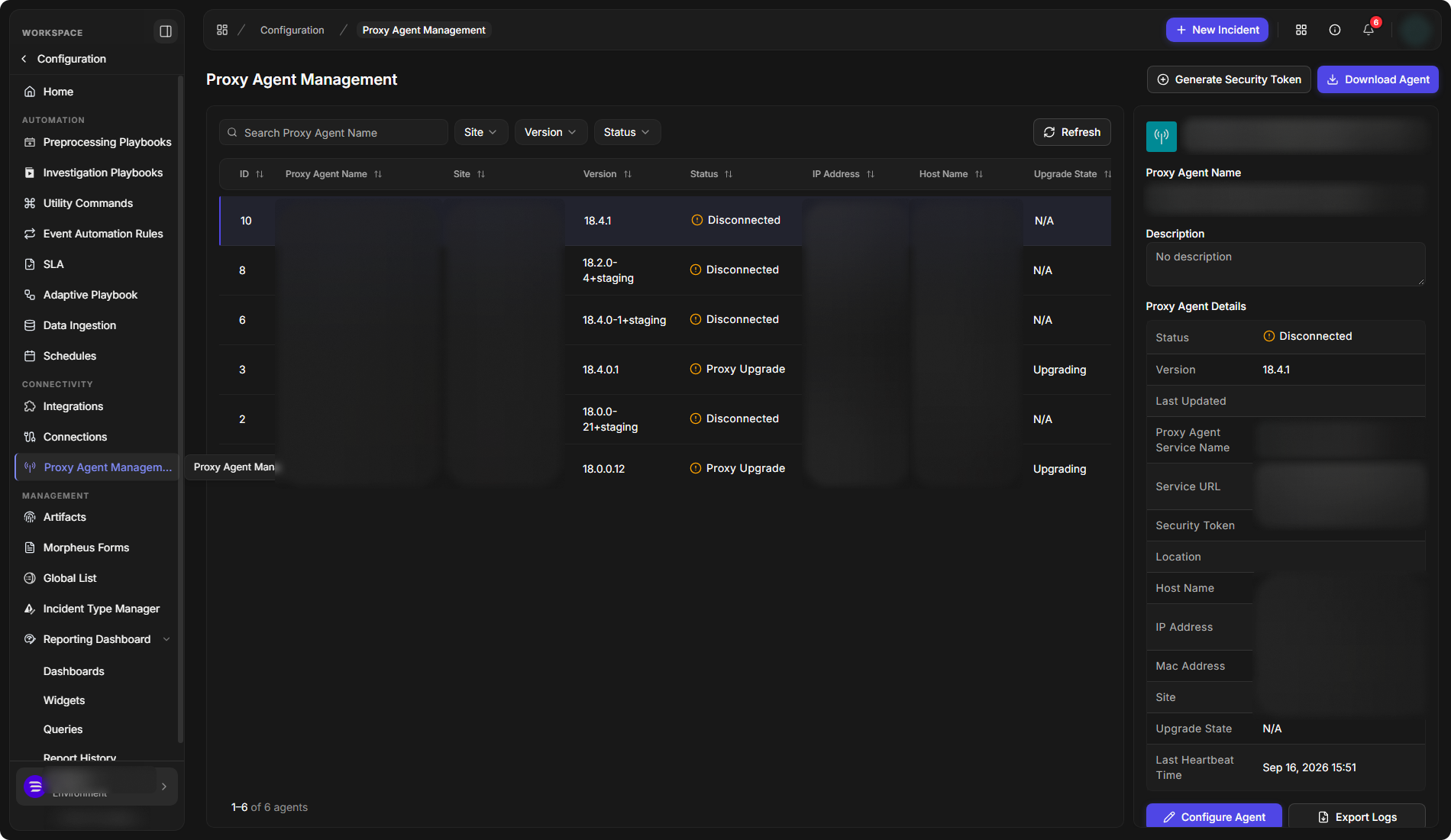
Agents are managed on the Proxy Agent Management page: select Configuration, then Proxy Agent Management under CONNECTIVITY. After installation, each agent appears in the list with its ID, Proxy Agent Name, Site, Version, Status, IP Address, Host Name, Upgrade State and Last Updated (UTC). Select an agent to see its Proxy Agent Details on the right: Status, Version, Proxy Agent Service Name, Service URL, Location, Host Name, IP Address, Mac Address, Site, Upgrade State and Last Heartbeat Time. Use Configure Agent to change the agent's name and description, and Export Logs to export its logs. The Generate Security Token and Download Agent buttons at the top of the page are used to install new agents.
Proxy Agent Overview
D3 proxy agent is used to assist the communication (1) between D3 Web Server and certain integrations sitting in a local environment for the SaaS solution or (2) between D3 Web Server and certain integrations sitting in a separate environment disconnected from the environment (via Internet) where Web Server is sitting for the On-Premises solution.
.drawio%20(8)-20250124-031503.png?cb=b1752bc93557ac50f63093ef1a09d24d)
.drawio%20(4)-20250124-024312.png?cb=2d8f356510dca14fbb447017817593d0)
D3's proxy agent needs to be installed in the local environment to initiate the connection to the D3 web server. After a connection has been established, the D3 web server will be able to send a request to the proxy agent, then pass the request to integrations installed on a separate environment. The integrations will send responses back to the D3 web server via the proxy agent.
D3 proxy agent was previously hosted in a Windows container. From v15 onwards, it is hosted in a Linux container. D3 is supporting the docker installed on Ubuntu or Red Hat.
Proxy Agent Version Compatibility
ALERT
It is important to avoid installing incompatible versions of the agent and executor when updating your instance of D3, as it may lead to issues. Ensure you update the agent (applicable to both SaaS and on-premises deployments) and executor (only for on-premises deployments) versions to the matching D3 release version. This release version can be found on the sign-in page of D3.