
Last Updated: October 23, 2026
A webhook lets another system send data into D3, or run a D3 command, over HTTP, for example from Postman or a script. Each webhook request is authenticated with a webhook key. Webhook keys are set up in three places:
-
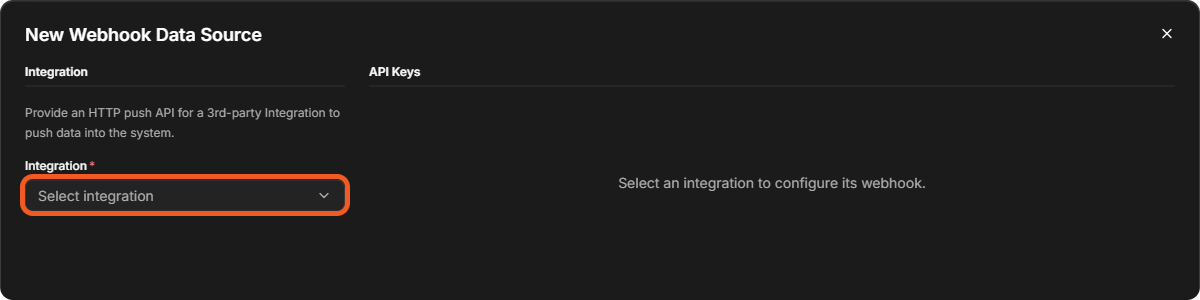
Data Ingestion: go to Configuration > Data Ingestion, select New > Webhook, then choose the Integration in the New Webhook Data Source window. Its keys are set up on the right, under API Keys.
-
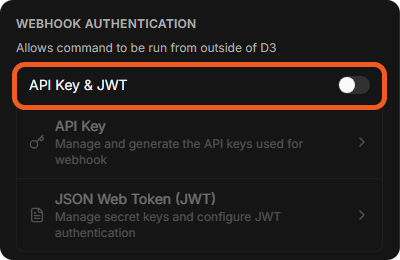
Integrations: open an integration command. On its Settings tab, under WEBHOOK AUTHENTICATION ("Allows command to be run from outside of D3"), switch on API Key & JWT, then select API Key or JSON Web Token (JWT).
-
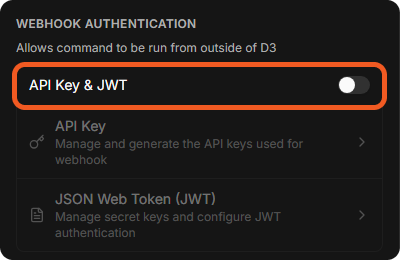
Utility Commands: open a utility command. Its Settings tab has the same WEBHOOK AUTHENTICATION section.
READER NOTE
Switching API Key & JWT on or off is saved at once. API Key and JSON Web Token (JWT) can be selected only while it is on. Every webhook key you can see is also listed on Configuration > Connections > Webhook Keys; see Connections.
Authentication Options
To ensure secure transmission of webhook data, D3 supports the following authentication methods:
The setup process for these authentication methods varies based on the method used (API Key vs. JSON Web Token) and the intended use of the webhook—such as ingesting data (event or incident intake from an integration) or executing D3 commands externally.
Event/Incident Intake
READER NOTE
For more information regarding ingesting events and incidents into D3, refer to Data Ingestion.
The webhook ingestion method allows an integration to push event or incident data (in JSON format) into D3. Refer to the following documentation for guidance on authenticating webhook requests using API Keys and JSON Web Tokens.
Authenticating with API Keys
Authenticating with JWT
Remote Commands
Users can leverage D3 API to execute utility and integration commands from outside the platform, such as via Postman. Refer to the following documentation for guidance on authenticating webhook requests using API Keys and JSON Web Tokens.
Authenticating with API Keys