
Last Updated: October 26, 2026
When configured with "groupBy": "Playbook Instance", the Merge task consolidates all arriving upstream execution lineages into a single merged result. Each completed upstream lineage reaching the Merge task contributes one execution-lineage object.
Unlike grouping by "Path" and grouping by "Task Instance", a Merge task that groups by "Playbook Instance" will only have one execution instance with a Raw Data tab containing the merge result array.
Merge Condition Format
To enable grouping by playbook instance, configure the Merge task's condition as:
{
  "groupBy": "Playbook Instance"
}
Core Concepts
The examples below demonstrate how variations in task structure, path specification, and output availability influence merge.
Example 1 - Merging Parallel Lineages
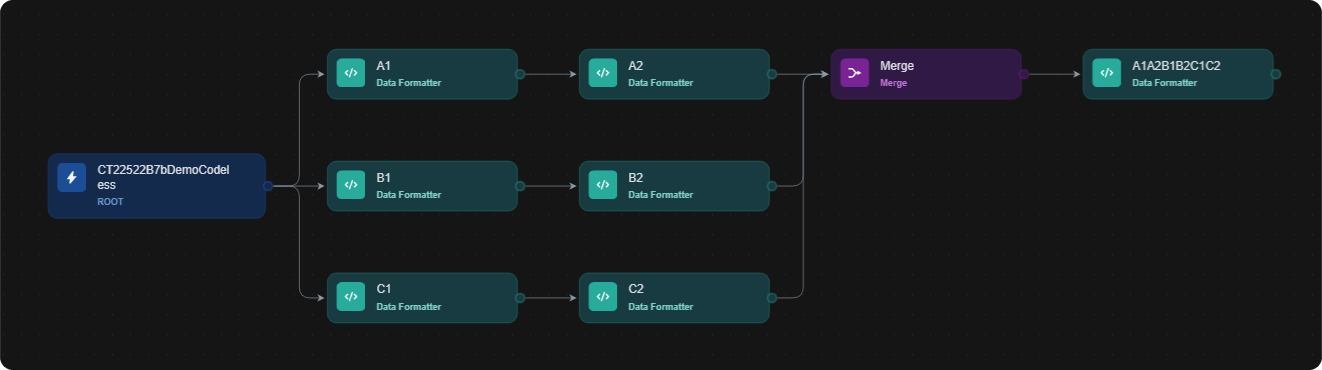
objective – Learn that groupBy: "Playbook Instance" aggregates all upstream lineages converging at the Merge task into a single result array.
Tip: you can also generate this playbook with AI. See Generating with AI.
-
Build the following playbook:
-
Use the default merge condition:
JSON{ "groupBy": "Playbook Instance" } -
Test run the playbook.
-20250602-235821.png?cb=c032453eece5586bf925821cb0e65b3b)
-
Click on the status icon within the Merge task.
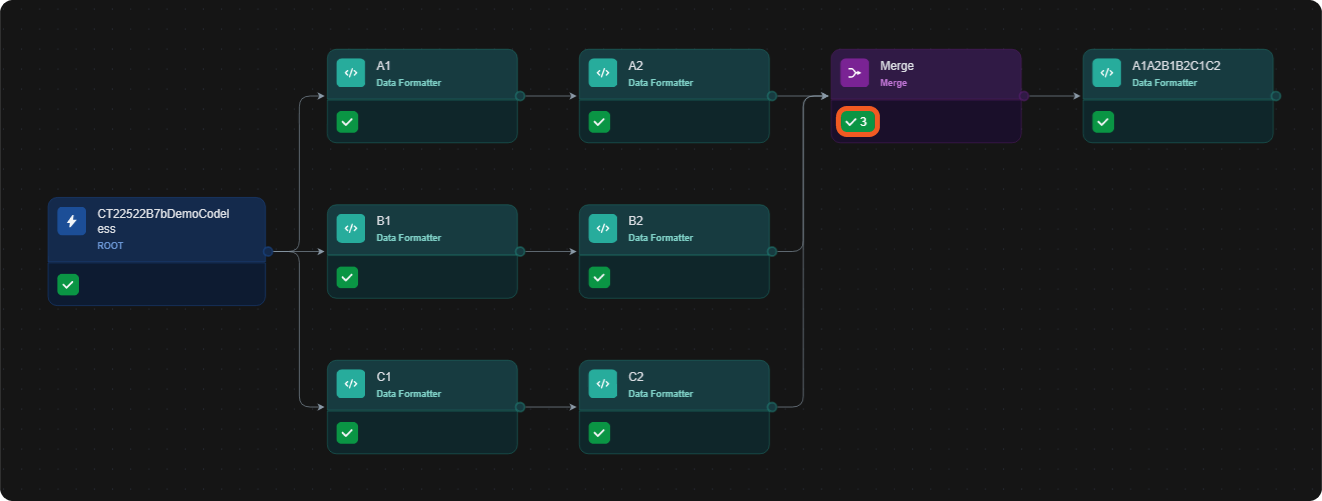
-
Observe the execution results for the Merge task in the Raw Data tab.
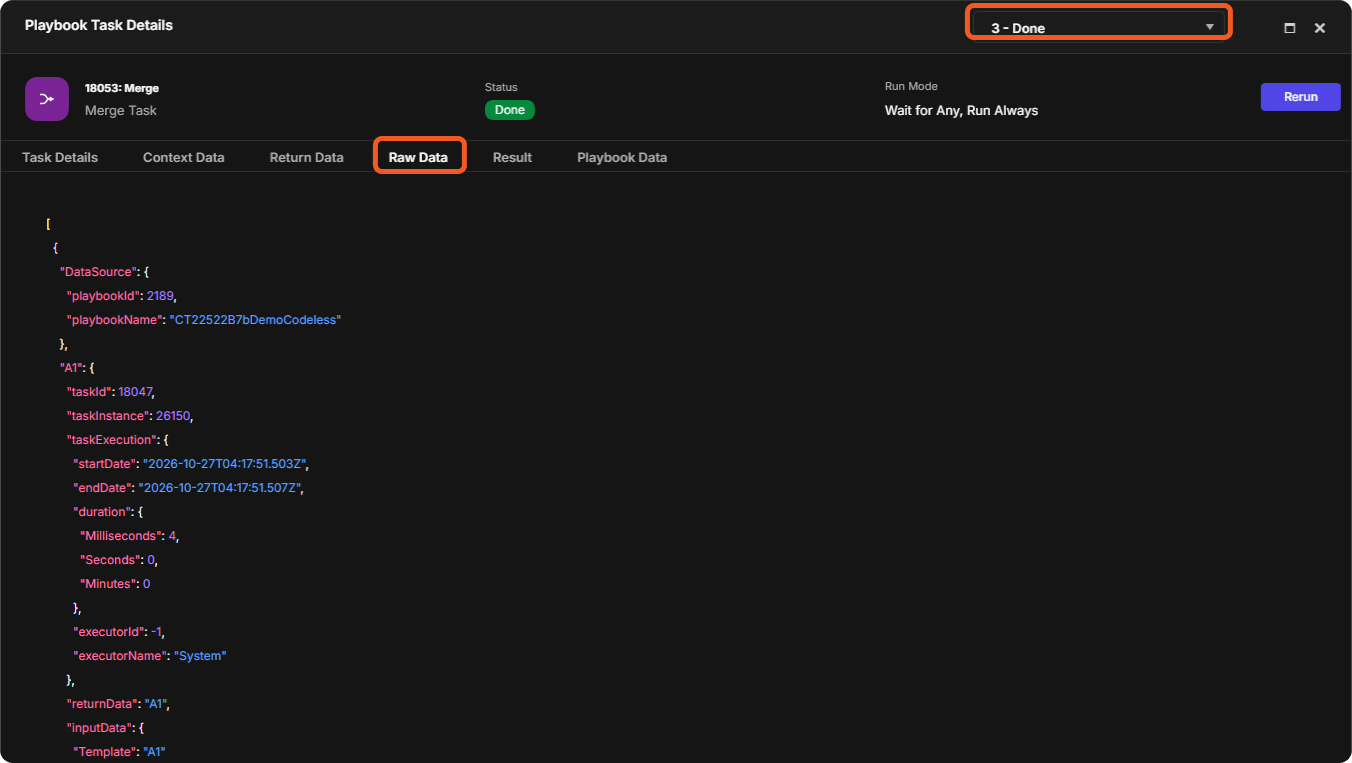
Merge result
JSON[ { "DataSource": { ... }, "A1": { ... }, "A2": { ... } }, { "DataSource": { ... }, "B1": { ... }, "B2": { ... } }, { "DataSource": { ... }, "C1": { ... }, "C2": { ... } } ]
TAKEAWAYS
-
Each parallel execution lineage that converges at the Merge task contributes a separate object to the result array in the Merge task's Raw Data tab.
-
Among multiple executions of the Merge task, only one contains this consolidated result.
Example 2 - Merging Parallel Lineages Involving Unwind Tasks
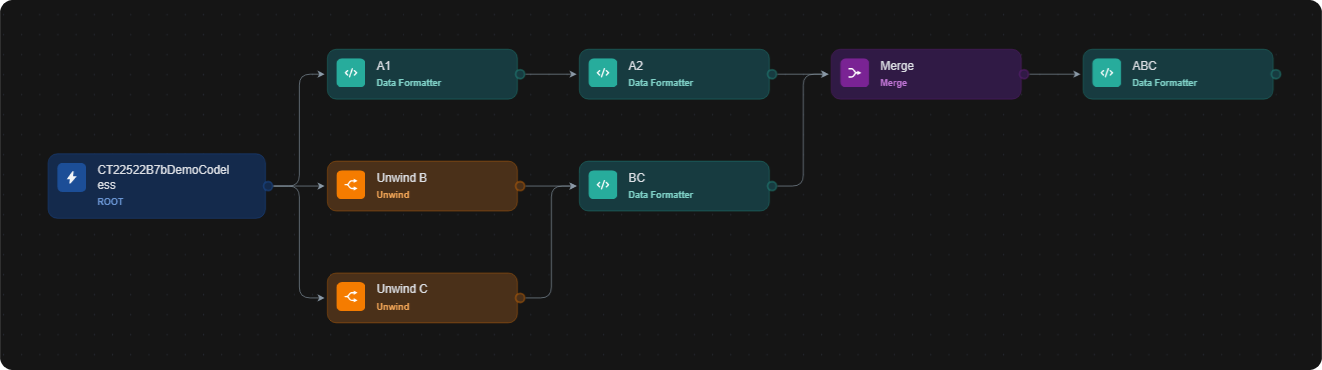
objective – Understand how both non-repeating task flows and Unwind-driven executions contribute individual execution-lineage objects to the result of a Merge task.
-
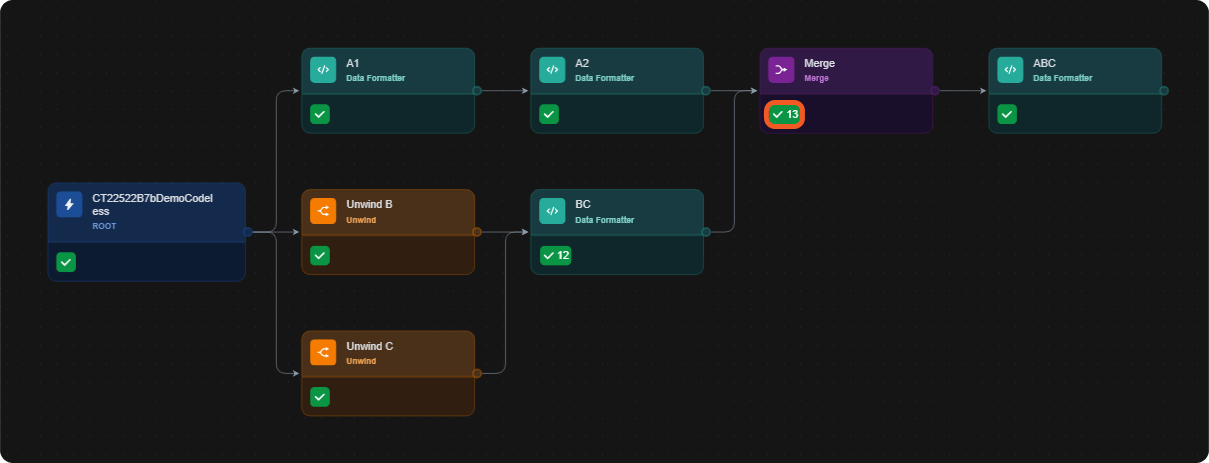
Build the following playbook:
-
Input the following JSON data for the Unwind B task:
JSON[ { "demoKey1": "value1" }, { "demoKey2": "value2" } ]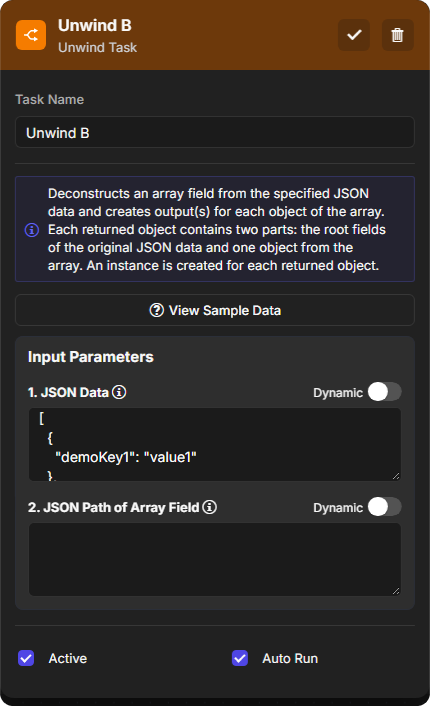
-
Input the following JSON data for the Unwind C task:
JSON[ { "demoKey3": "value3" }, { "demoKey4": "value4" }, { "demoKey5": "value5" }, { "demoKey6": "value6" }, { "demoKey7": "value7" }, { "demoKey8": "value8" }, { "demoKey9": "value9" }, { "demoKey10": "value10" }, { "demoKey11": "value11" }, { "demoKey12": "value12" } ]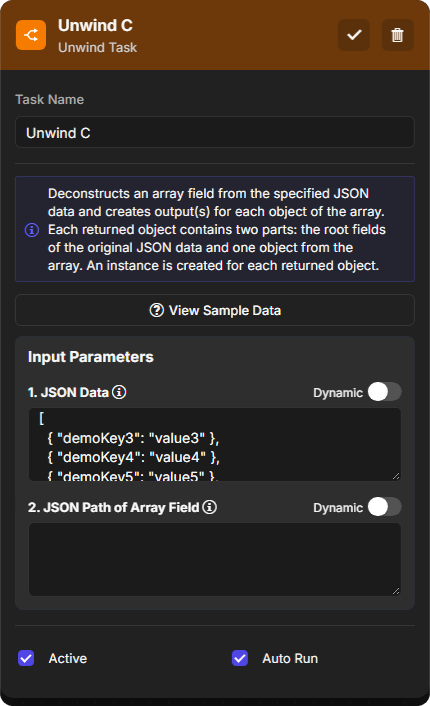
-
Use the default merge condition:
JSON{ "groupBy": "Playbook Instance" }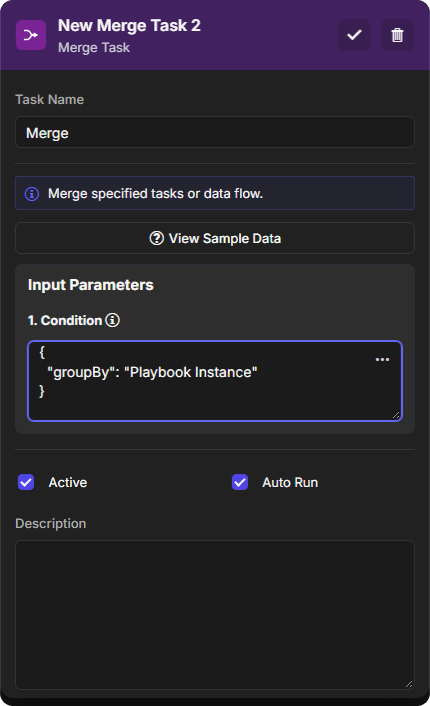
-
Test run the playbook.
-
Click on the status icon within the Merge task.
-
Observe the execution results for the Merge task in the Raw Data tab.
Merge resultJSON[ { "DataSource": { ... }, "A1": { ... }, "A2": { ... } }, { "DataSource": { ... }, "Unwind B": { ... }, "BC": { ... } }, { "DataSource": { ... }, "Unwind B": { ... }, "BC": { ... } }, { "DataSource": { ... }, "Unwind C": { ... }, "BC": { ... } }, { "DataSource": { ... }, "Unwind C": { ... }, "BC": { ... } }, { "DataSource": { ... }, "Unwind C": { ... }, "BC": { ... } }, { "DataSource": { ... }, "Unwind C": { ... }, "BC": { ... } }, { "DataSource": { ... }, "Unwind C": { ... }, "BC": { ... } }, { "DataSource": { ... }, "Unwind C": { ... }, "BC": { ... } }, { "DataSource": { ... }, "Unwind C": { ... }, "BC": { ... } }, { "DataSource": { ... }, "Unwind C": { ... }, "BC": { ... } }, { "DataSource": { ... }, "Unwind C": { ... }, "BC": { ... } }, { "DataSource": { ... }, "Unwind C": { ... }, "BC": { ... } } ]
TAKEAWAY
-
Each completed upstream lineage reaching the Merge task—whether originating from a linear sequence of distinct task nodes or from repeated executions triggered by Unwind-based element deconstruction—results in a distinct execution-lineage object in the merge result.
Example 3 - Merge Tasks in Sequential Levels
objective – Demonstrate how Merge tasks behave when used in sequential levels.
-
Build the following playbook:
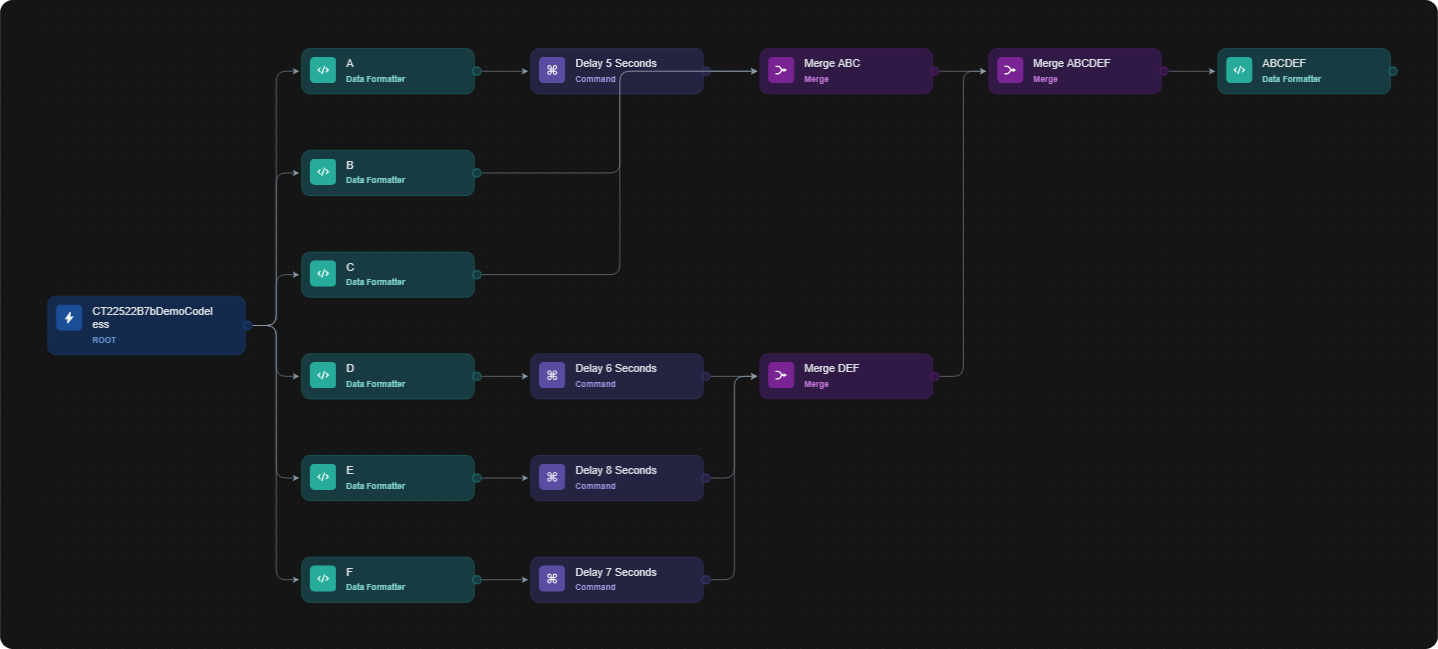
-
Configure the delay tasks appropriately.
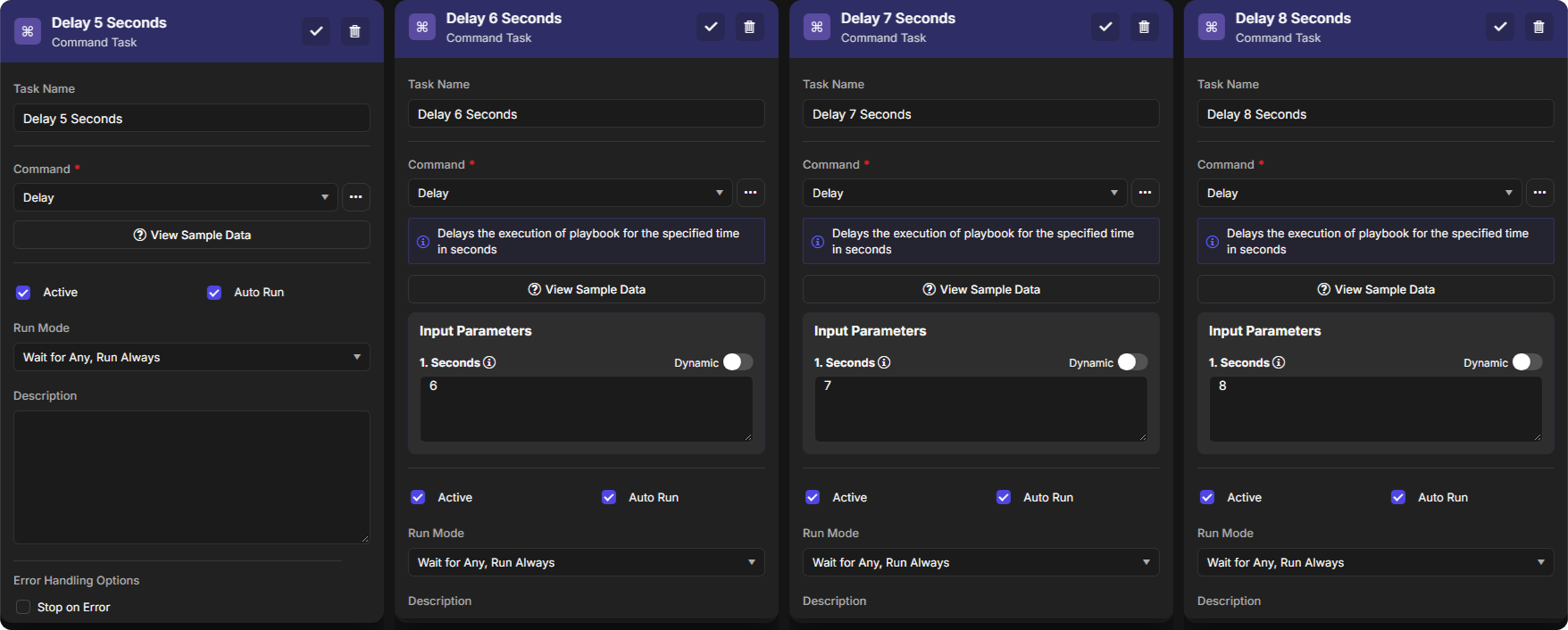
-
Use the default merge condition for all Merge tasks:
JSON{ "groupBy": "Playbook Instance" } -
Test run the playbook.
-
Check the merge results.
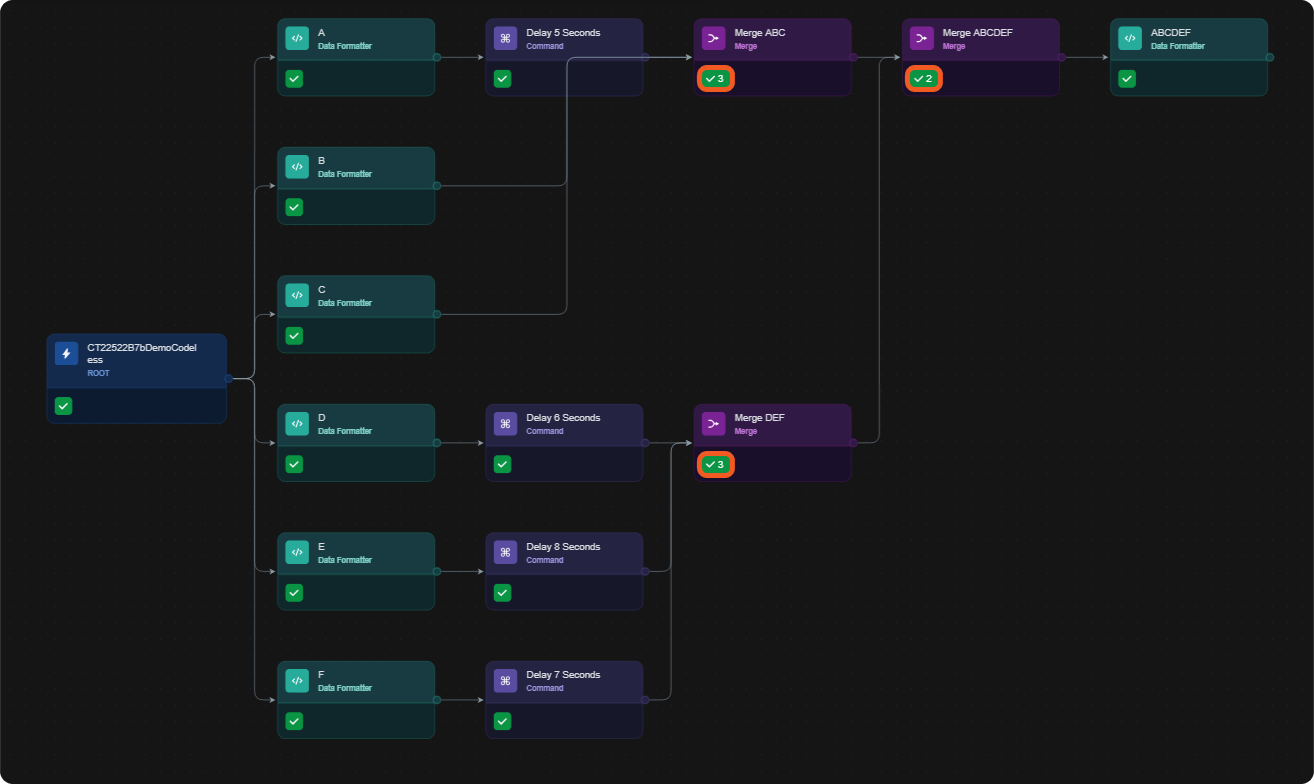
merge ABC result
JSON[ { "DataSource": { ... }, "B": { ... } }, { "DataSource": { ... }, "C": { ... } }, { "DataSource": { ... }, "A": { ... }, "Delay 5 Seconds": { ... } } ]merge DEF result
JSON[ { "DataSource": { ... }, "D": { ... }, "Delay 6 Seconds": { ... } }, { "DataSource": { ... }, "F": { ... }, "Delay 7 Seconds": { ... } }, { "DataSource": { ... }, "E": { ... }, "Delay 8 Seconds": { ... } } ]merge ABCDEF result
JSON[ { "DataSource": { ... }, "A": { ... }, "Delay 5 Seconds": { ... }, "Merge ABC": { ... "rawData": [ { "DataSource": { ... }, "B": { ... } }, { "DataSource": { ... }, "C": { ... } }, { "DataSource": { ... }, "A": { ... }, "Delay 5 Seconds": { ... } } ], ... } }, { "DataSource": { ... }, "E": { ... }, "Delay 8 Seconds": { ... }, "Merge DEF": { ... "rawData": [ { "DataSource": { ... }, "D": { ... }, "Delay 6 Seconds": { ... } }, { "DataSource": { ... }, "F": { ... }, "Delay 7 Seconds": { ... } }, { "DataSource": { ... }, "E": { ... }, "Delay 8 Seconds": { ... } } ], ... } } ] -
Re-run the playbook with the following Data Formatter tasks inserted:
-
Format ABC between
Merge ABCandMerge ABCDEF -
Format DEF 1 between
Merge DEFandMerge ABCDEF -
Format DEF 2 between
Merge DEFandMerge ABCDEF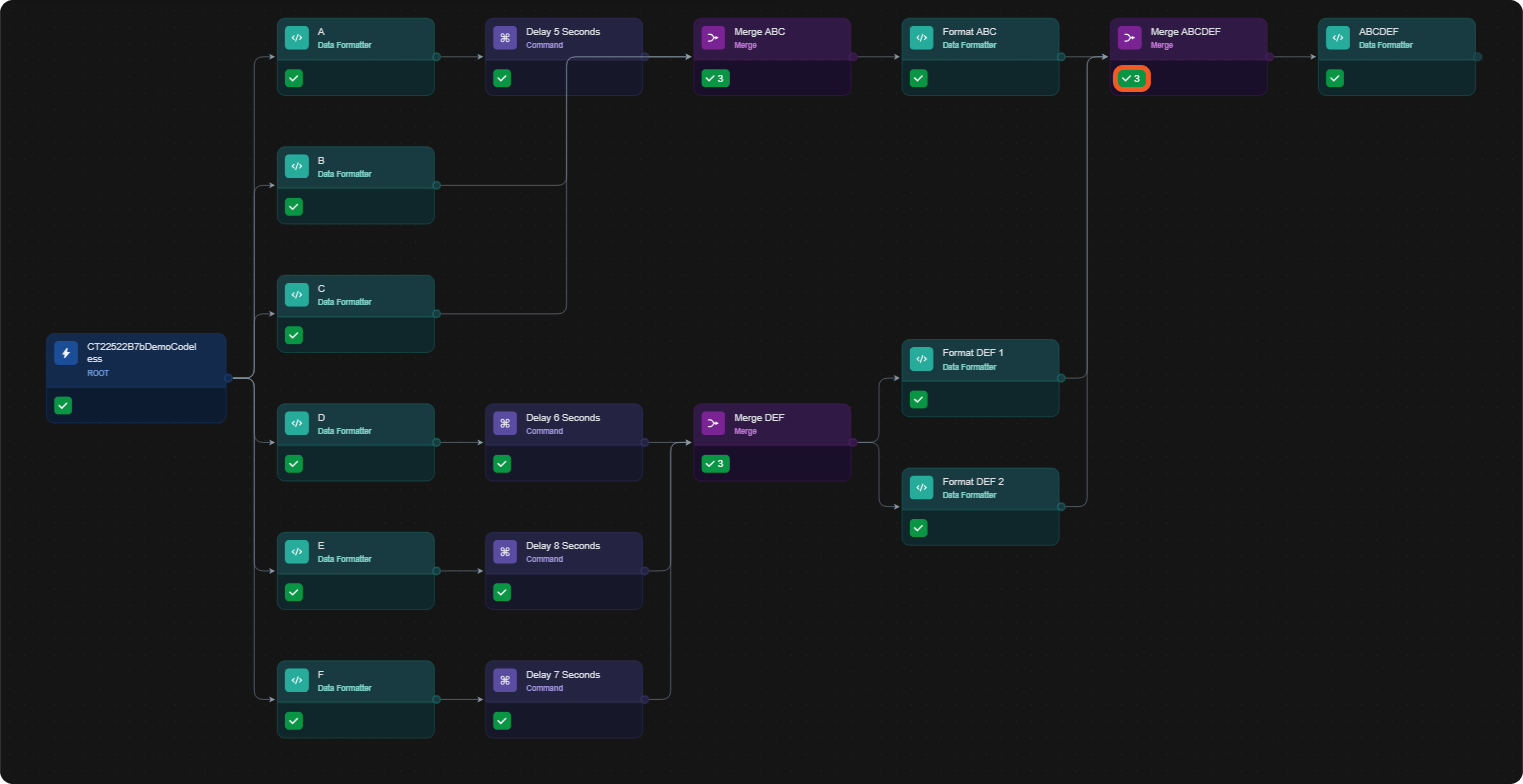
-
-
Check the merge results of the Merge ABCDEF task.
merge ABCDEF resultJSON[ { "DataSource": { ... }, "A": { ... }, "Delay 5 Seconds": { ... }, "Merge ABC": { ... "rawData": [ { "DataSource": { ... }, "B": { ... } }, { "DataSource": { ... }, "C": { ... } }, { "DataSource": { ... }, "A": { ... }, "Delay 5 Seconds": { ... } } ], ... }, "Format ABC": { ... } }, { "DataSource": { ... }, "E": { ... }, "Delay 8 Seconds": { ... }, "Merge DEF": { ... "rawData": [ { "DataSource": { ... }, "D": { ... }, "Delay 6 Seconds": { ... } }, { "DataSource": { ... }, "F": { ... }, "Delay 7 Seconds": { ... } }, { "DataSource": { ... }, "E": { ... }, "Delay 8 Seconds": { ... } } ], ... }, "Format DEF 1": { ... } }, { "DataSource": { ... }, "E": { ... }, "Delay 8 Seconds": { ... }, "Merge DEF": { ... "rawData": [ { "DataSource": { ... }, "D": { ... }, "Delay 6 Seconds": { ... } }, { "DataSource": { ... }, "F": { ... }, "Delay 7 Seconds": { ... } }, { "DataSource": { ... }, "E": { ... }, "Delay 8 Seconds": { ... } } ], ... }, "Format DEF 2": { ... } } ]
TAKEAWAYS
-
In subsequent merges (e.g., Merge ABCDEF), only the last-arriving lineage from each prior merge is included as a top-level object in the merged result.
-
The number of execution lineage objects in any merge result is equal to the number of inbound connectors feeding that Merge task.
RELATED ARTICLES