
Last Updated: October 23, 2026
Overview
Every integration command has sample output data: an example of what the command returns. Use it to see the format of a command's output before you use the command in a playbook, for example to choose the data a later task should read, or to troubleshoot a task's result.
Steps to Access Sample Data
-
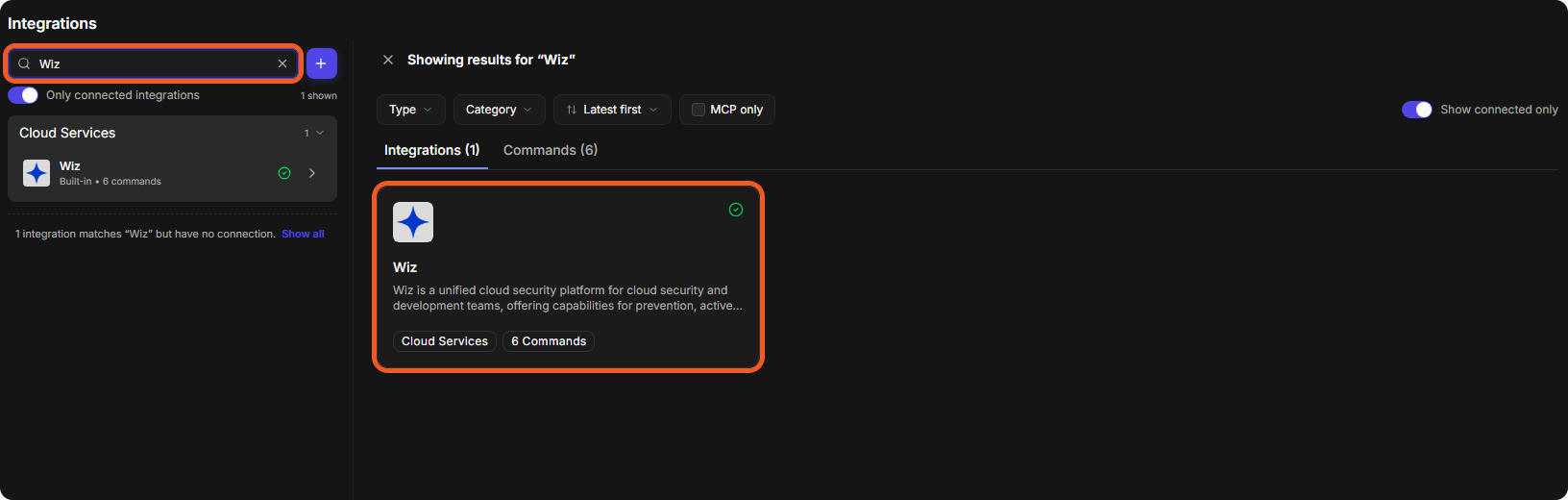
Go to Configuration > Integrations, and enter the name of the integration in Search integrations and commands. Press Enter, then select the integration.
-
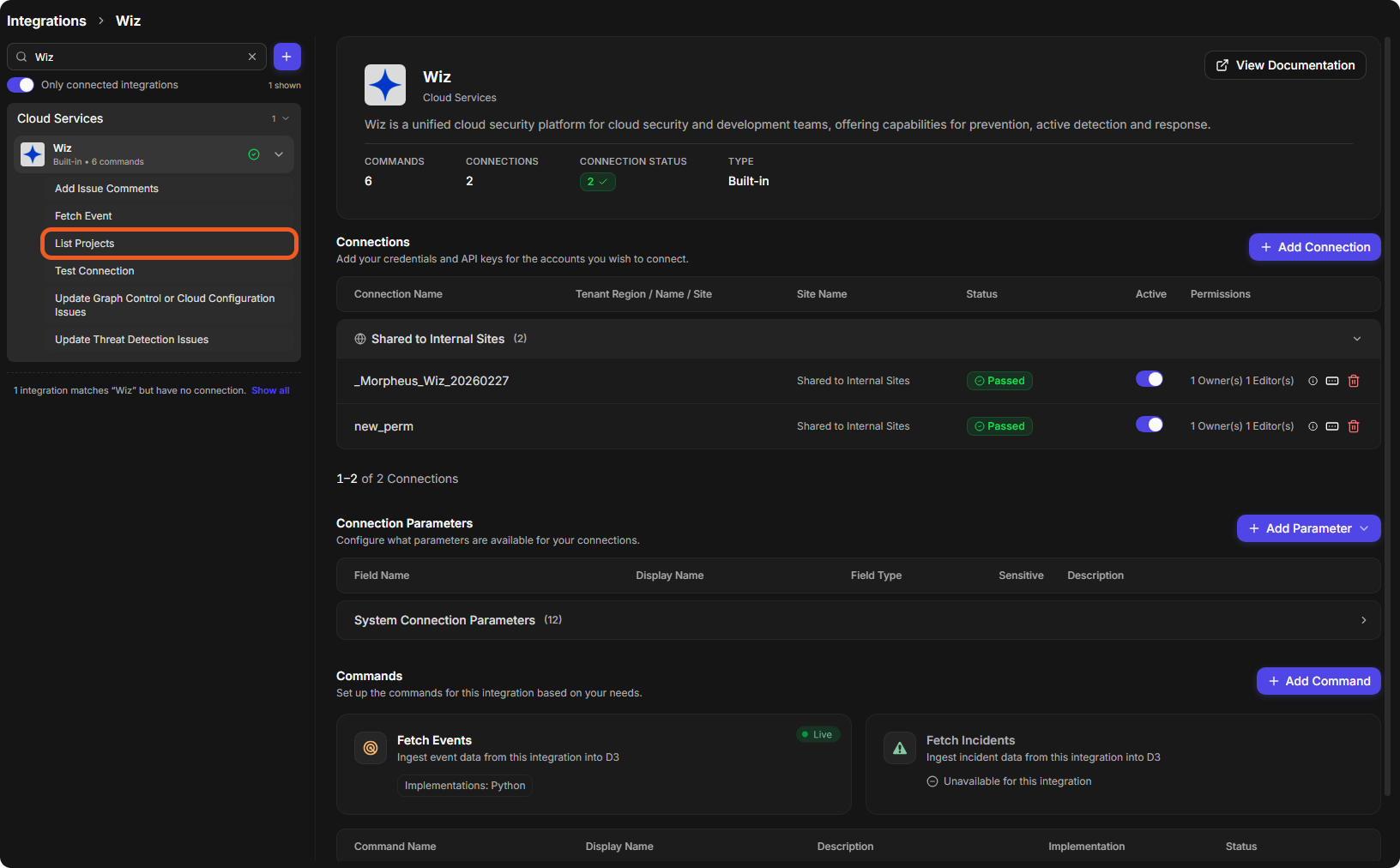
Select a command, either under the integration's name on the left or in the Commands section of the integration's page.
-
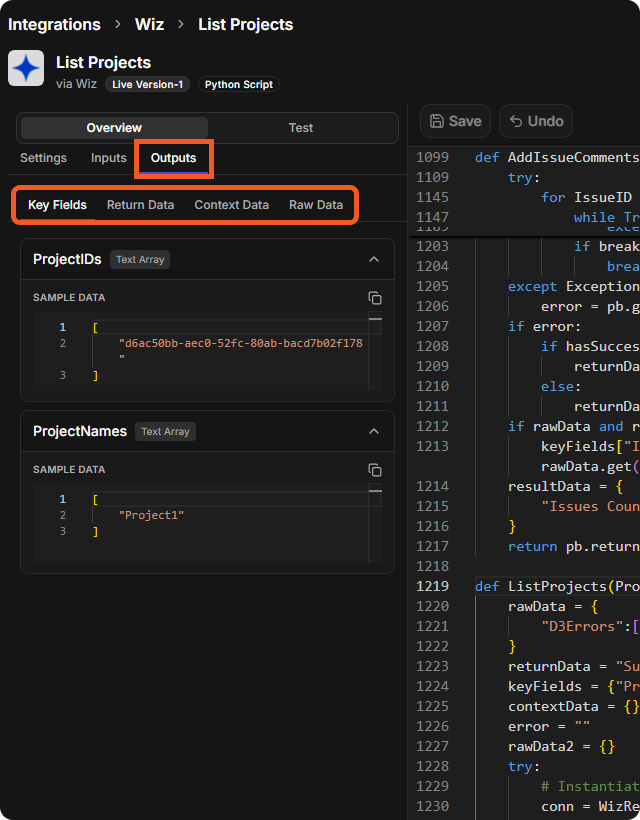
On the command's Overview, select the Outputs tab. The sample output data is split into four tabs: Key Fields, Return Data, Context Data and Raw Data. Each key field shows its data type, such as Text Array, and its SAMPLE DATA, with a copy icon.
READER NOTE
-
Not every command has sample data on every tab. A tab with no sample says so, for example No key fields defined.
-
For example, the Test Connection command of an integration has sample data only on its Return Data tab (Successful).
Testing Commands
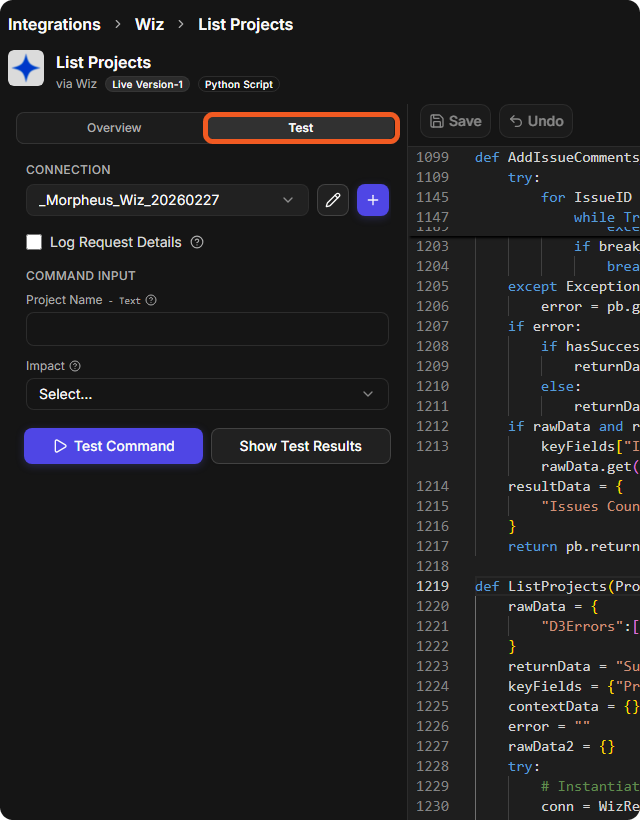
To run a command and see its real output, select Test at the top of the command, choose the CONNECTION, fill in the COMMAND INPUT fields as needed, and select Test Command. Show Test Results shows the results. Testing runs the command against the external system of the chosen connection.
To use a command in a playbook, see Command Tasks.
Additional Notes
-
For an overview of integrations and how to set them up, see Integrations.
-
For the documentation of each integration, see Integration Docs.