
Last Updated: October 23, 2026
PREREQUISITES
-
Knowledge of field mapping.
-
Knowledge of artifact instantiation.
-20250919-220908.png?cb=8ee6c2b5d1122b47d5c754408c8fa349)
Viewing Related Events
-
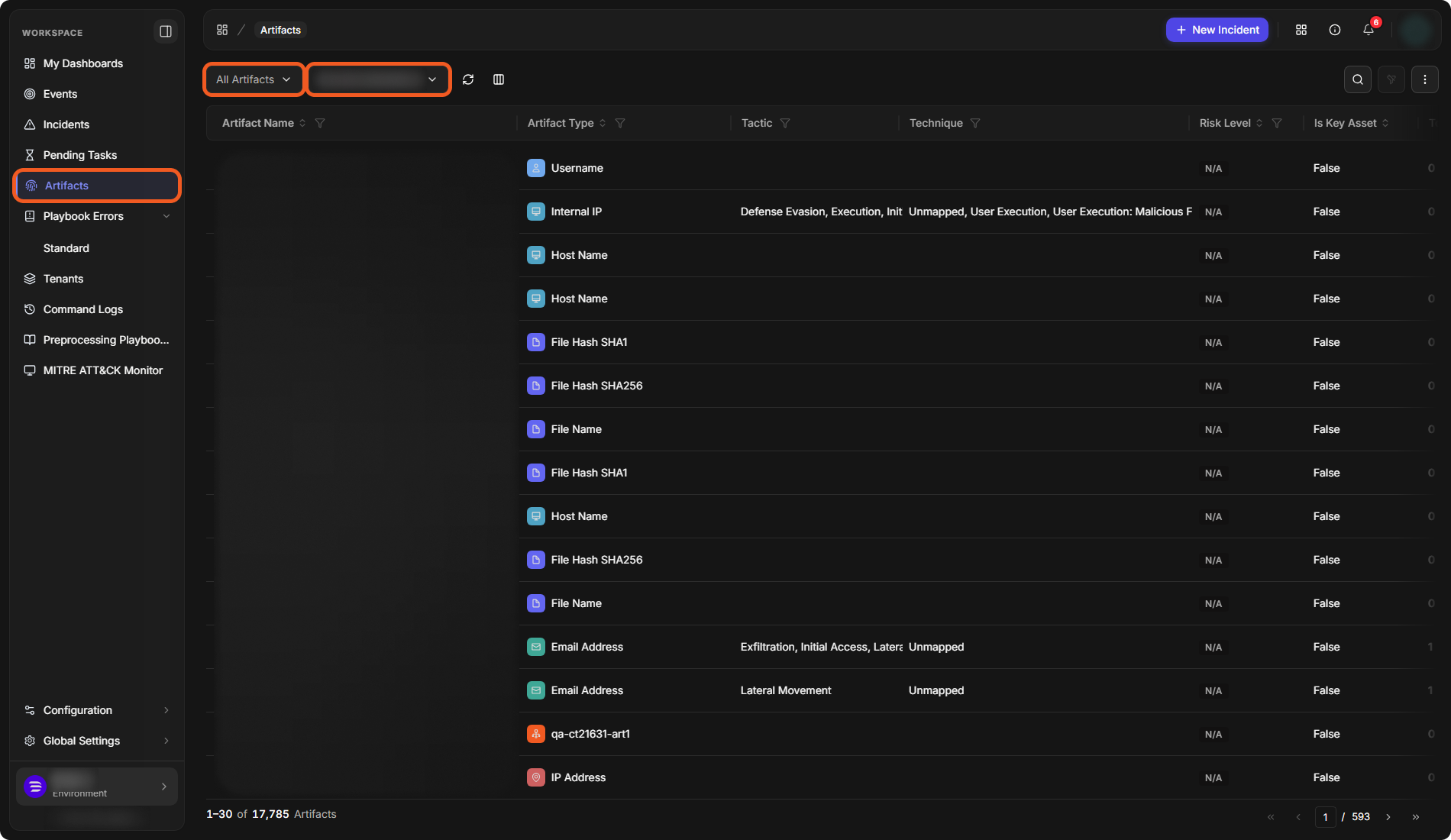
In the sidebar, select Artifacts. The list shows All Artifacts by default; the artifact-type list next to the site list narrows it to one artifact type.
-
In the site list, select the site that matches the one configured when generating the EFM API key.
-
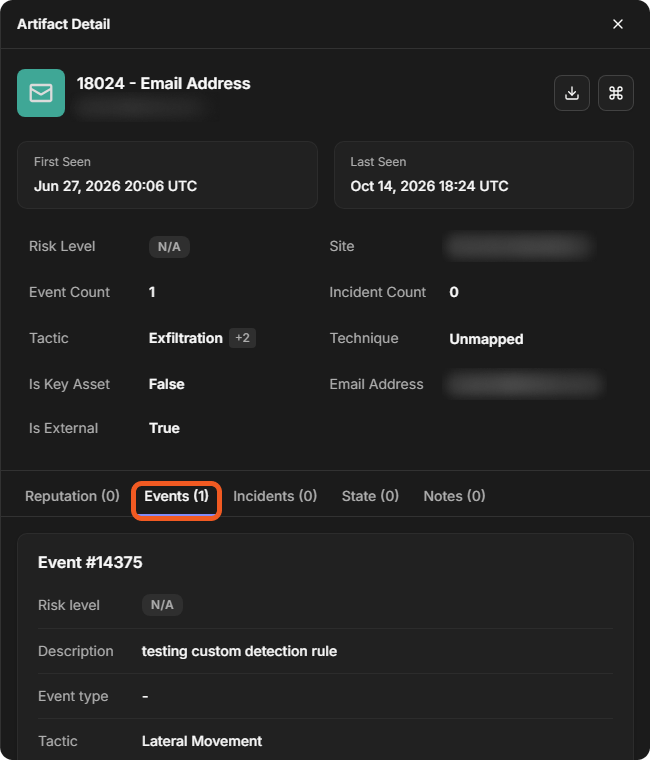
Click on an artifact record. In the Artifact Detail panel, select the Events tab. The number in the tab name is the artifact's event count.
-
Review the related events. Each is a card headed by its unique event ID (Event #<ID>), with its risk level, description, event type, tactic and technique.
The Total Event Count column of the Artifacts list, and the Event Count field in Artifact Detail, indicate the number of related events linked to each artifact record. The following sections introduce required matching factors for grouping related events and non-impacting factors.
Required Matching Factors
-
Value of the payload target key
(artifact name)
REMINDER
Artifacts instantiate only when all instantiation criteria are met.
Non-Impacting Factors
-
Integration
-
Event source
-
Name of the payload target key
-
Position of the matching target field in the JSON payload
-
Position of the EFM record in the mapping table
-
Artifact role
-
Relationship configuration