
Last Updated: October 26, 2026
Overview
The Morpheus widgets put what Morpheus AI found while investigating an incident into the incident's workspace: a written summary, a narrative, a timeline of the attack, and a graph. They are listed in the workspace builder with the Morpheus icon.
The Morpheus widgets can be added only where Morpheus AI incident widgets are enabled for your D3 instance, and they appear on an incident only when its workspace includes them. If you do not see them, ask your administrator.
Adding the Widgets
-
Open the workspace in the builder. See Configuring an Incident Type: Incident Workspace.
-
In Widgets, type Morpheus in the search box.
-
Drag a widget onto the canvas, then select Save.
The Morpheus widgets
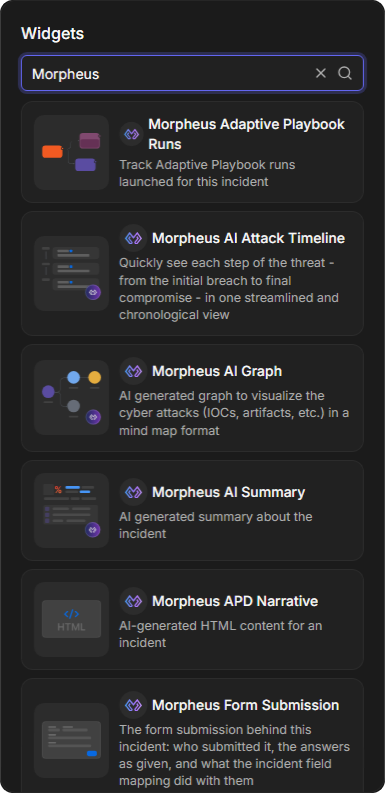
|
Widget |
What it shows |
|---|---|
|
Morpheus AI Summary |
AI generated summary about the incident |
|
Morpheus APD Narrative |
AI-generated HTML content for an incident |
|
Morpheus AI Attack Timeline |
Each step of the threat, from the initial breach to final compromise, in one chronological view |
|
Morpheus AI Graph |
The attack as a graph of the IOCs and artifacts involved. See Morpheus AI Graph |
|
Morpheus Adaptive Playbook Runs |
The Adaptive Playbook runs launched for the incident |
|
Morpheus Form Submission |
The form submission behind the incident. See Morpheus Forms |
Morpheus AI Summary
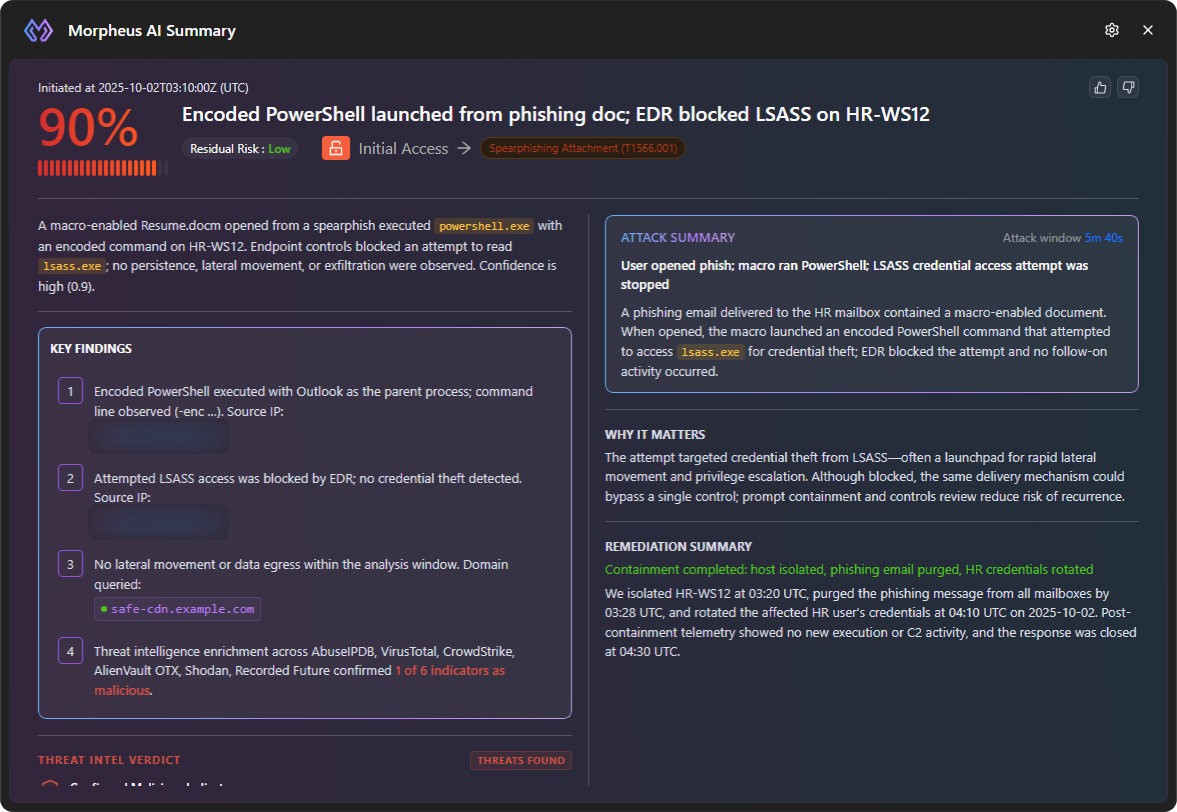
The summary of Morpheus AI's investigation of the incident:
-
When the investigation started (Initiated at, in UTC), a percentage, and a headline.
-
The Residual Risk, and the tactic and technique involved, such as Initial Access → Spearphishing Attachment (T1566.001).
-
A short account of what happened.
-
KEY FINDINGS, THREAT INTEL VERDICT, ATTACK SUMMARY with the attack window, WHY IT MATTERS and REMEDIATION SUMMARY.
-
Thumbs-up and thumbs-down buttons at the top right.
The Morpheus AI Summary widget
An incident with nothing to summarize shows No threats found.
Morpheus APD Narrative
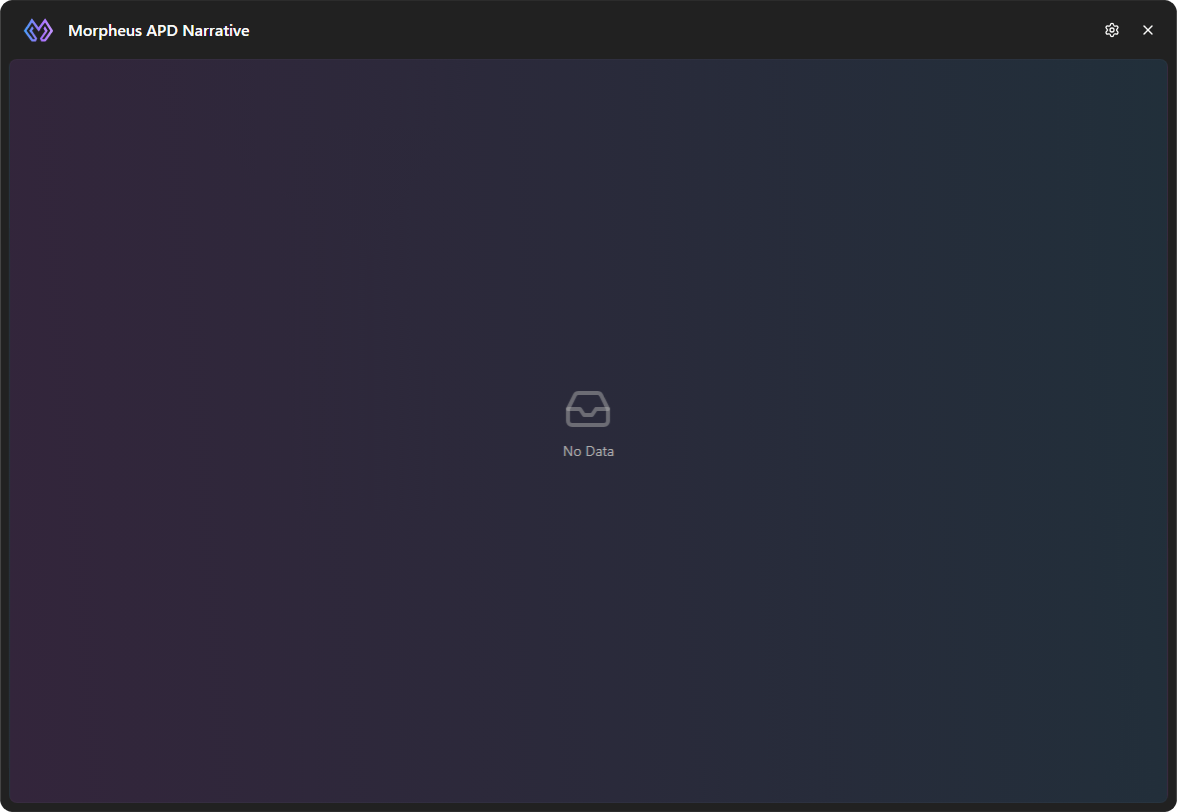
The Morpheus APD Narrative widget shows the narrative of Morpheus AI's investigation of the incident as formatted HTML. Until a narrative is recorded for the incident, it shows No Data.
The Morpheus APD Narrative widget
The narrative is also the first section of an exported incident report. See Exporting Incidents.
Morpheus AI Attack Timeline
The attack, step by step: each entry says what happened, on which device and from which data source, with its time in UTC. Filter by device, search with Search activity..., narrow with All Devices and All Data Sources, and change the order with Newest First. An incident with no timeline shows No threats found.
The Morpheus AI Attack Timeline widget
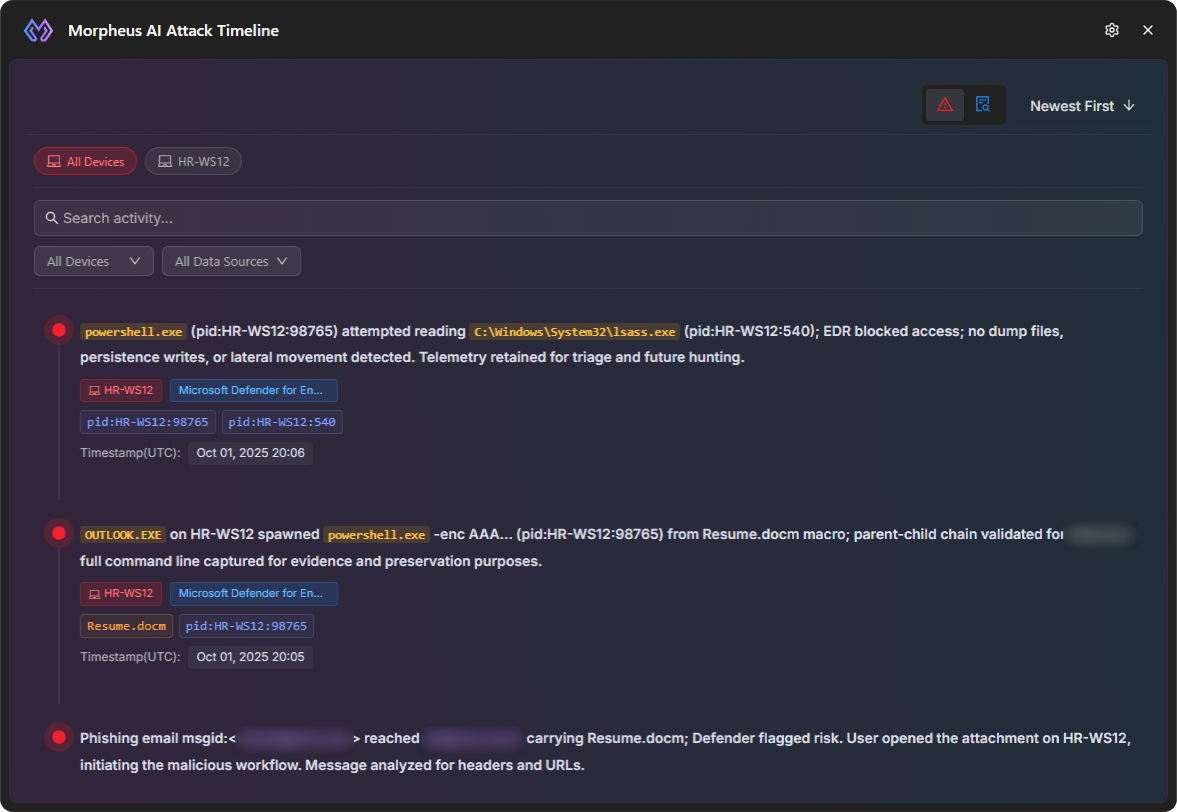
The pictures show the sample content the workspace builder displays.
To work an incident with Morpheus directly, see Morpheus Adaptive Tasking.