
Last Updated: October 23, 2026
Overview
A trigger is the event that starts a playbook. Every playbook starts from its trigger node, the first node on the canvas, which lists the playbook's triggers. Tasks connected to a trigger run when that trigger fires.
-
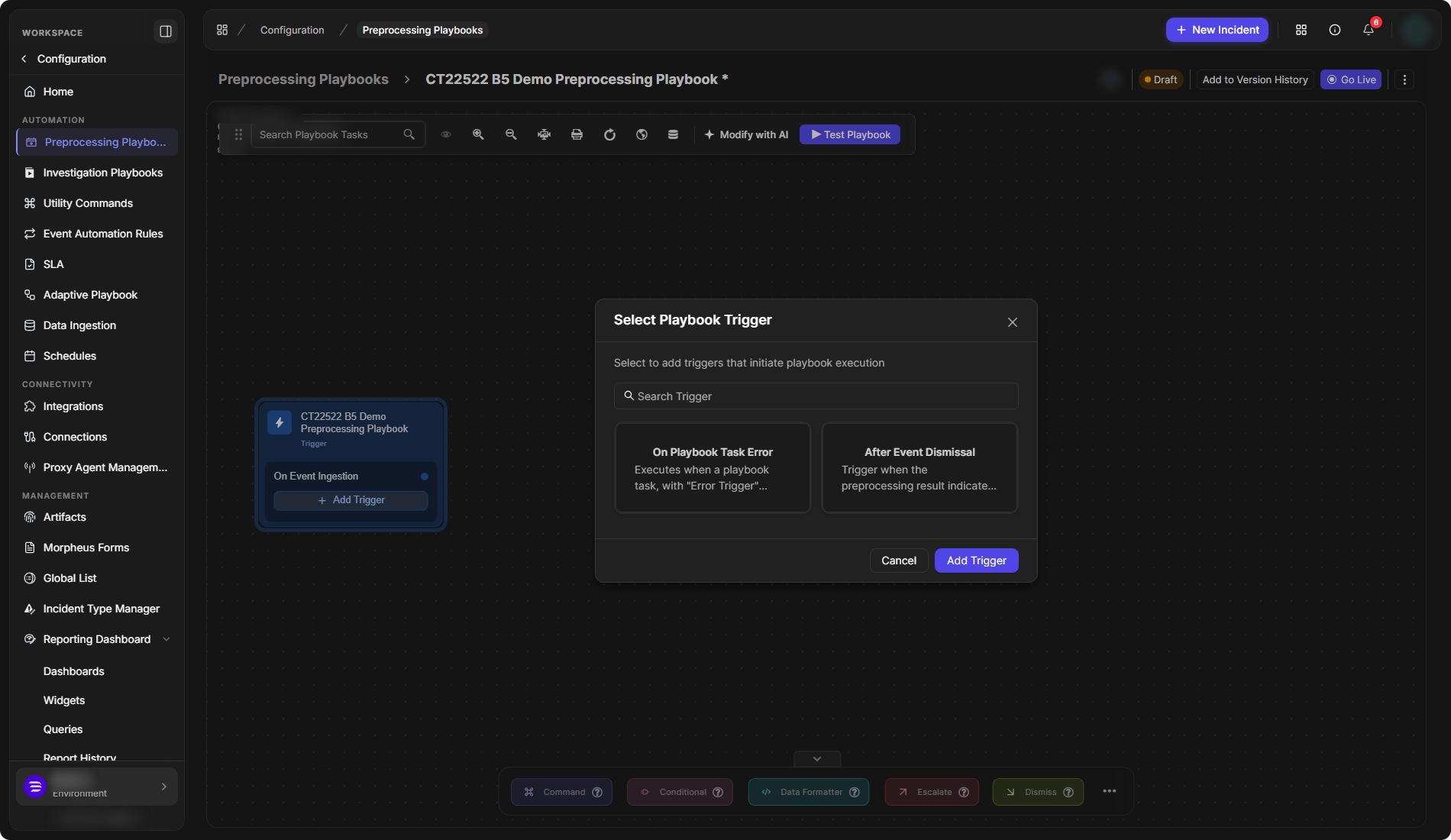
A preprocessing playbook starts with On Event Ingestion.
-
An investigation playbook starts with On Playbook Start.
You can add more triggers to the trigger node, and delete the ones you added. For building playbooks, see Preprocessing Playbooks and Investigation Playbooks.
Available Triggers
Investigation Playbooks
|
Trigger |
Description shown in D3 |
|---|---|
|
On Playbook Start |
The default trigger of an investigation playbook. |
|
On Incident Change |
Runs when the incident is updated. |
|
On Investigation Change |
Executes when the investigation details are added or modified in the Incident Investigation tab. |
|
On Incident Status Change |
Runs when the incident status is changed. |
|
On Incident External Action |
Executes when an external action is triggered on the incident, initiated by the "Trigger Incident External Action" command. |
|
On Playbook Task Error |
Executes when a playbook task, with "Error Trigger" enabled, encounters an error. |
|
On Incident Close |
Runs when the incident status is changed to closed. |
|
On Incident Reopen |
Executes when the status of a closed incident is changed. |
Preprocessing Playbooks
|
Trigger |
Description shown in D3 |
|---|---|
|
On Event Ingestion |
The default trigger of a preprocessing playbook. |
|
On Playbook Task Error |
Executes when a playbook task, with "Error Trigger" enabled, encounters an error. |
|
After Event Dismissal |
Trigger when the preprocessing result indicates that the ingested event should be dismissed. |
The triggers of a preprocessing playbook
Adding a Trigger
Adding a trigger works the same way in preprocessing and investigation playbooks.
-
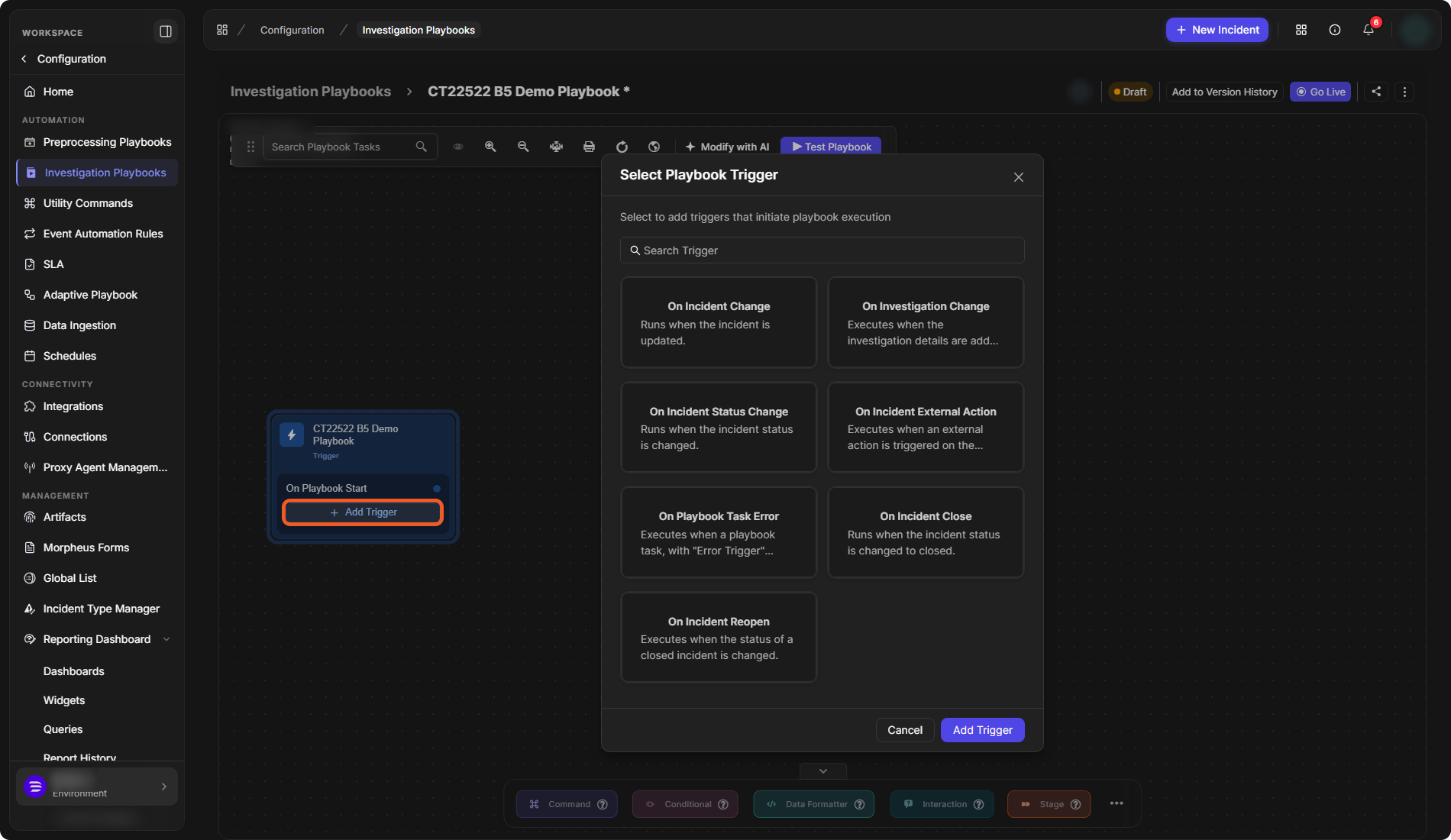
Open the playbook. On the trigger node, select Add Trigger.
Add Trigger on the trigger node
-
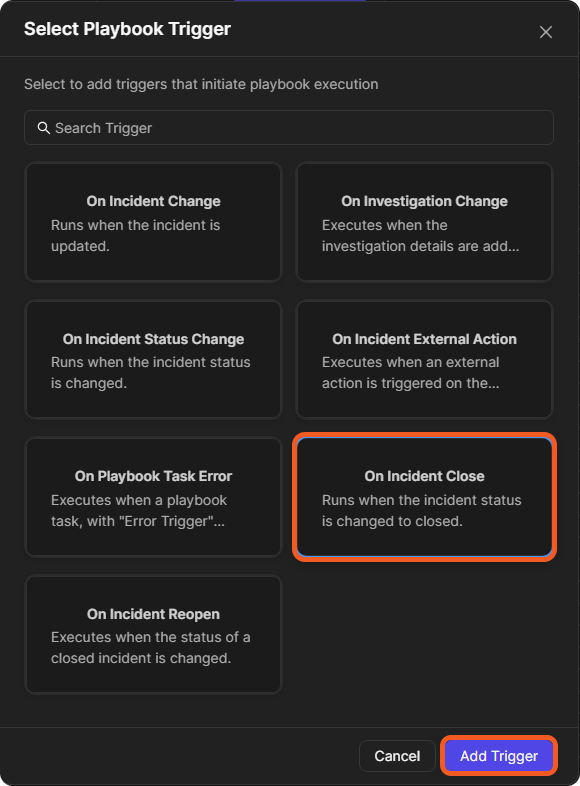
In the Select Playbook Trigger window, select a trigger. Search Trigger finds one by name.
-
Select Add Trigger.
Selecting a trigger
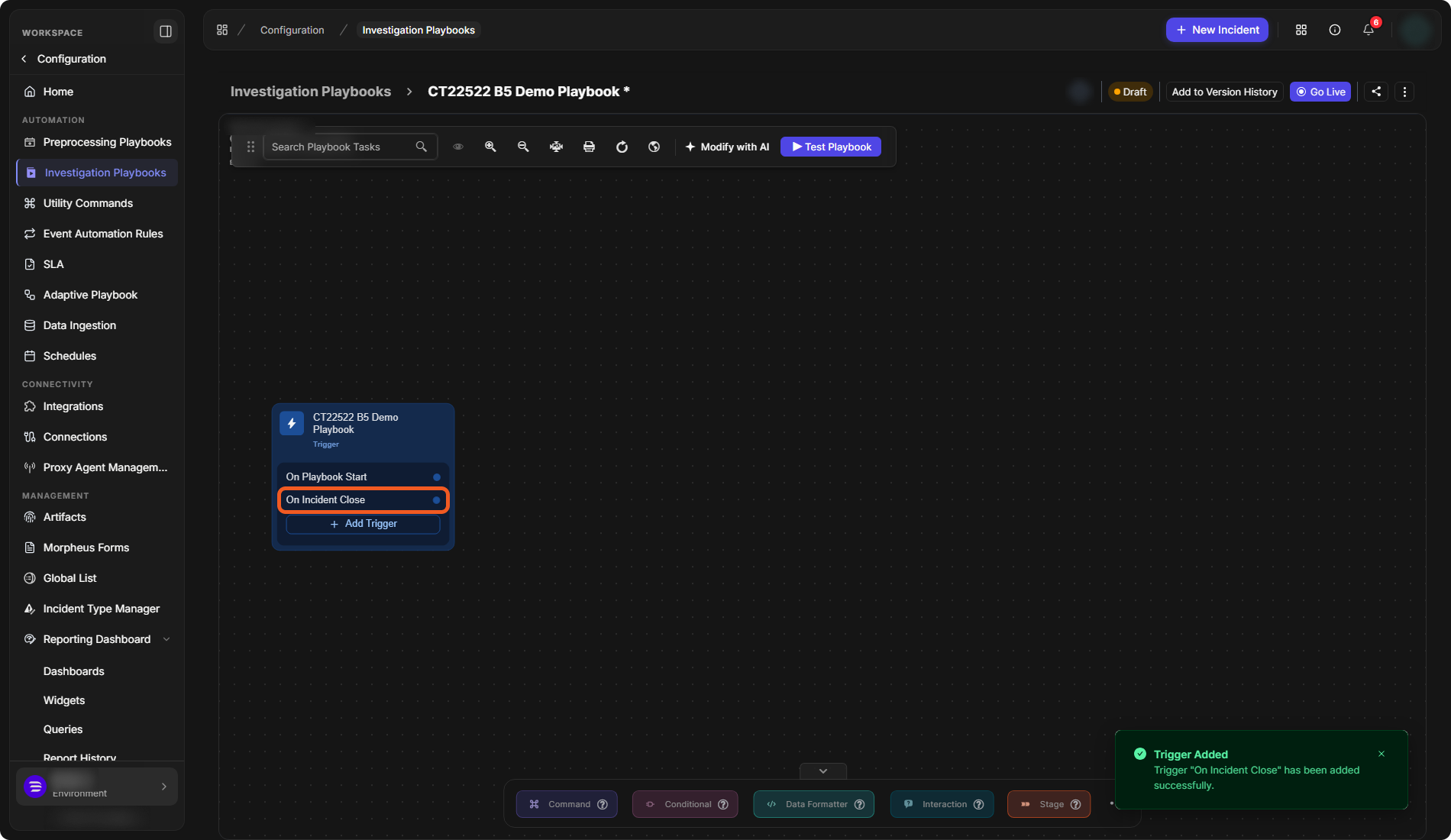
A "Trigger Added" message confirms it, and the trigger is listed on the trigger node under the default trigger. Connect tasks to it to build what runs when it fires.
The added trigger
Deleting a Trigger
-
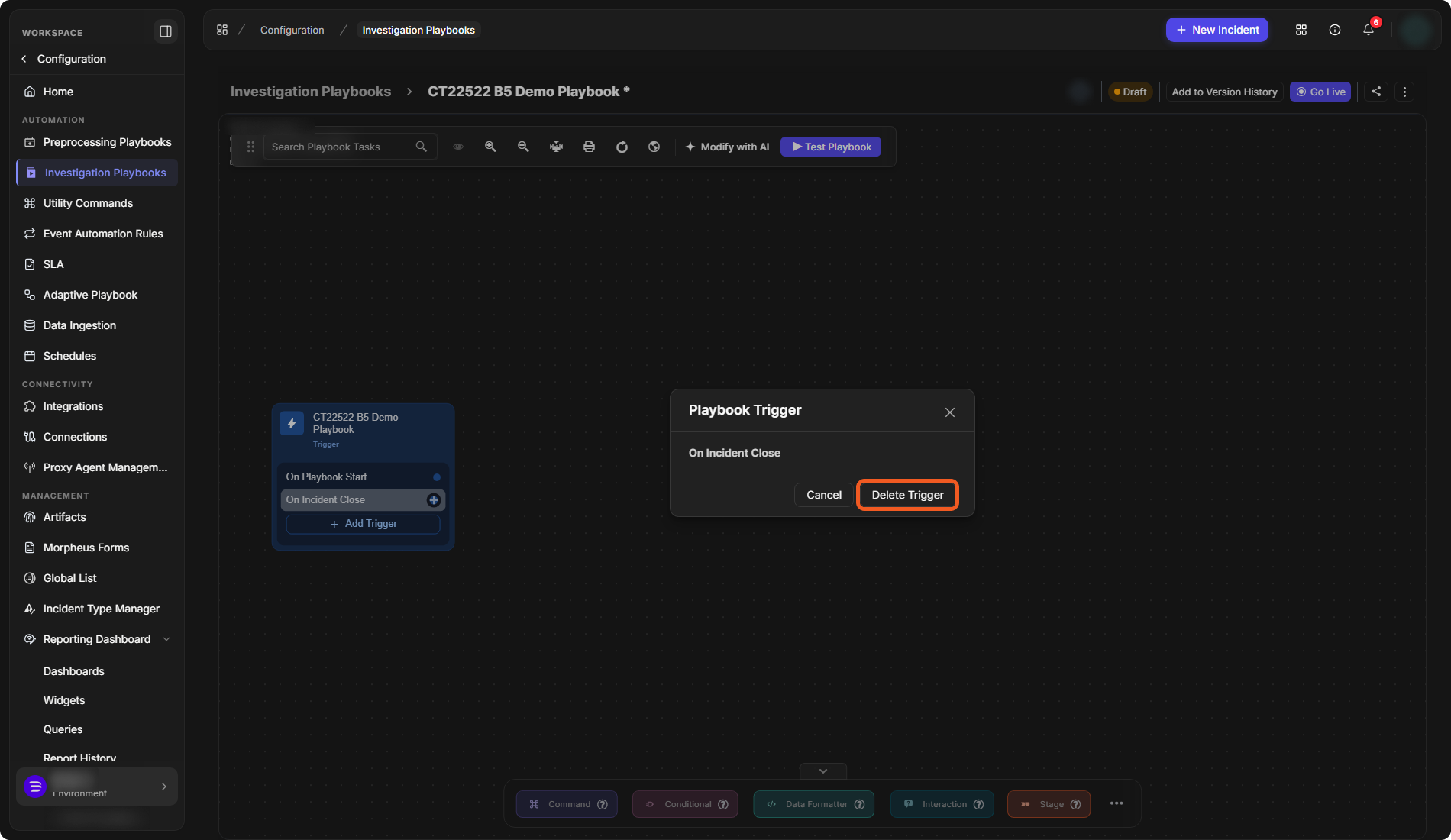
On the trigger node, select the trigger.
-
In the Playbook Trigger window, select Delete Trigger.
The Playbook Trigger window
A message confirms that the trigger was deleted, and it is removed from the trigger node.