
Last Updated: October 23, 2026
The Integrations module in D3 connects the playbook engine to external systems for data exchange and for running command actions. Configuring integrations is a foundational step in developing playbooks that drive workflow automation.
Integration Types
In D3, integrations can be built-in or custom. An integration's page shows its TYPE, for example Built-in.
System Integrations
D3 provides built-in integrations, with predefined commands, for commonly used tools in security, analytics, IT, DevOps, support and business communication. You can add custom commands to them for extended functionality.
Custom Integrations
You can create your own integrations for tools that have no built-in integration. See Creating a Custom Integration.
Searching for an Integration
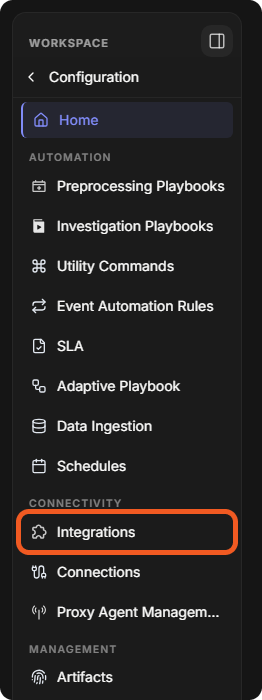
Integrations are under Configuration > Integrations (in the CONNECTIVITY group of the sidebar).
-
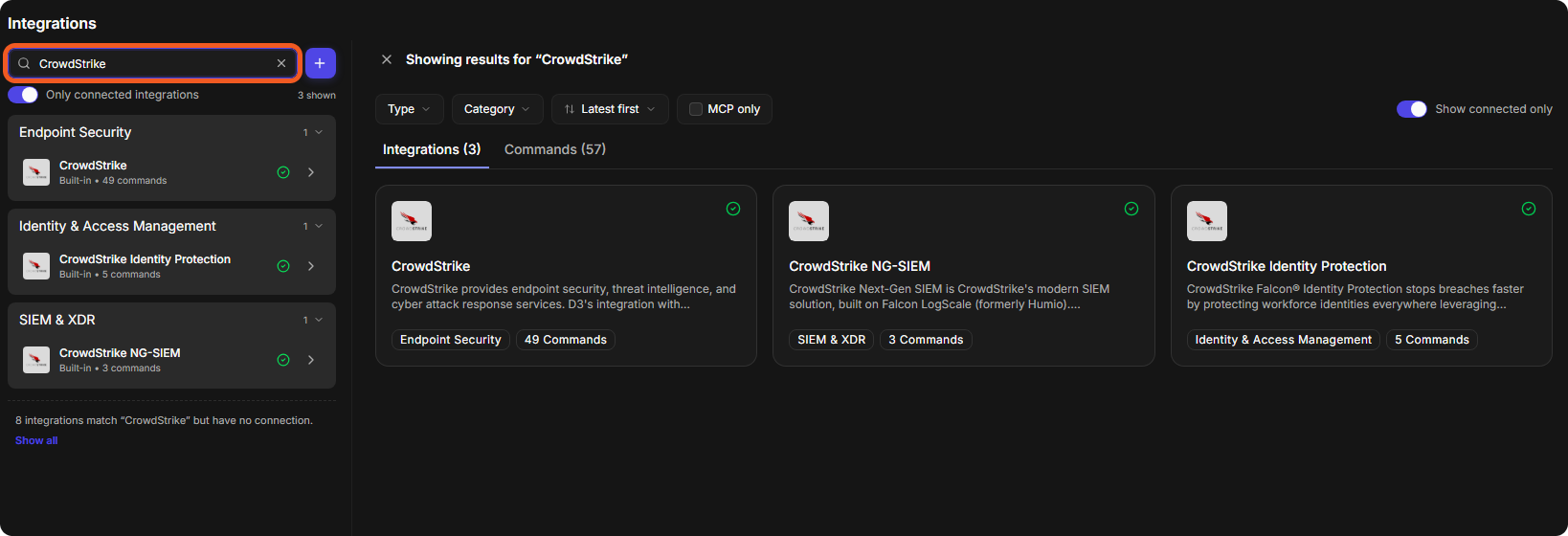
Type a name in the search box and press Enter. Matching integrations are listed by category on the left and as cards on the right, with separate Integrations and Commands tabs.
-
Or browse the categories on the left, such as Endpoint Security or SIEM & XDR, and the integration cards on the right. Only connected integrations limits the list to integrations that have a connection.
The Anatomy of an Integration
Select an integration to open its page. This is where you configure the integration and see all of its commands. The top of the page is the integration overview; below it are three sections: Connections, Connection Parameters and Commands.
Integration Overview
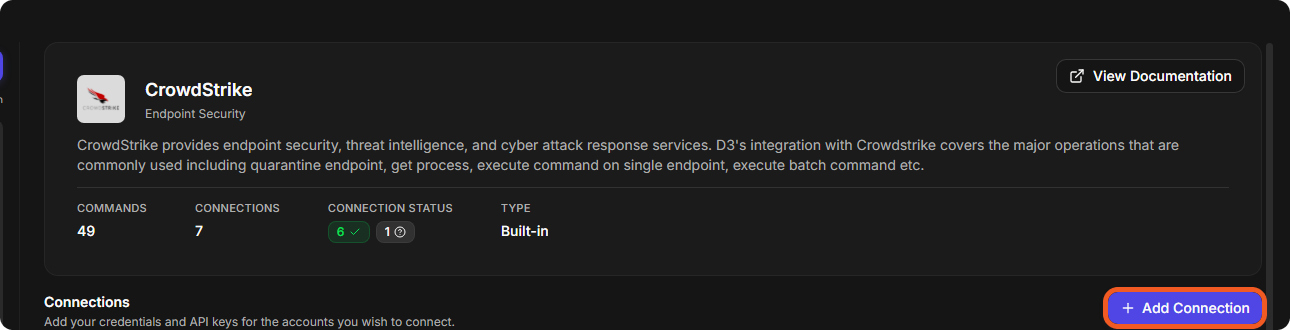
The overview shows the name of the third-party application, its category and a brief description of its services, with COMMANDS, CONNECTIONS, CONNECTION STATUS and TYPE. View Documentation opens the integration's documentation.
Connections
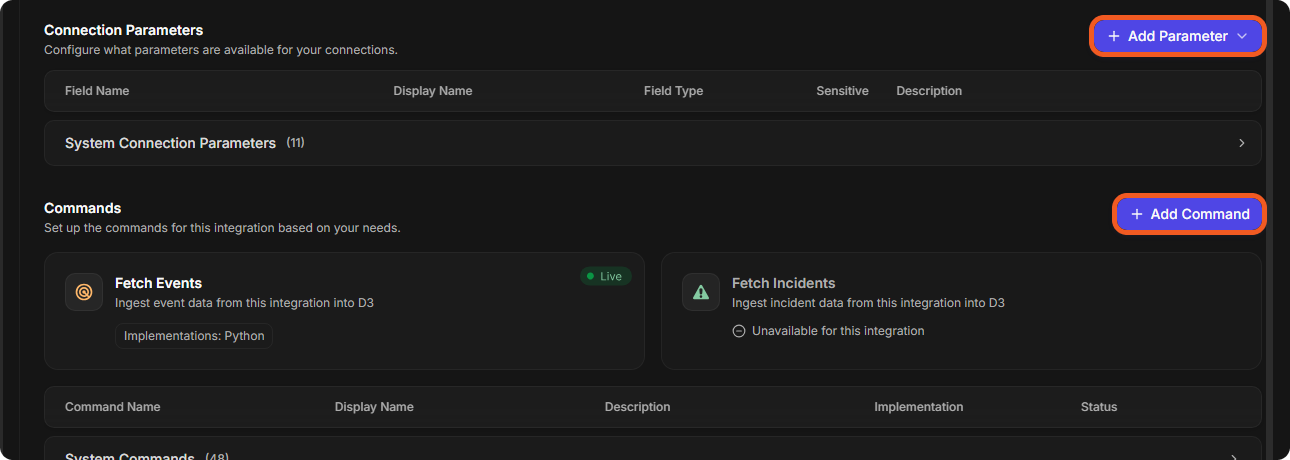
A connection establishes the link between D3 and a third-party application: it holds the credentials and API keys for the accounts you connect. Add one with Add Connection. Below the connections, Connection Parameters lists the fields a connection asks for (System Connection Parameters for a built-in integration). Read more about Connections →
Commands
Commands lists the integration's commands, which use the integration's API to perform specific actions, including System Commands.
For every part of the Integrations module, see Integrations.