Last updated: Mar 21, 2025
Tasks are the building blocks of automation playbooks, driving workflows through predefined actions tailored to business requirements, data transformations, and decision logic. Where necessary, interactive elements may be integrated to provide enhanced flexibility and operational oversight.
For each playbook type, the most commonly used task types are immediately visible in the task menu, while additional tasd under the -20250213-182224.png?cb=4f2c9127a4b98e308f6677d6bb56ef74)
-20250213-175647.png?cb=ccba9ad60baa9c2e7404628d2dde2d61)
Task Types and Sample Data
Playbook tasks serve different functions, some shared between preprocessing and investigation playbooks, others exclusive.
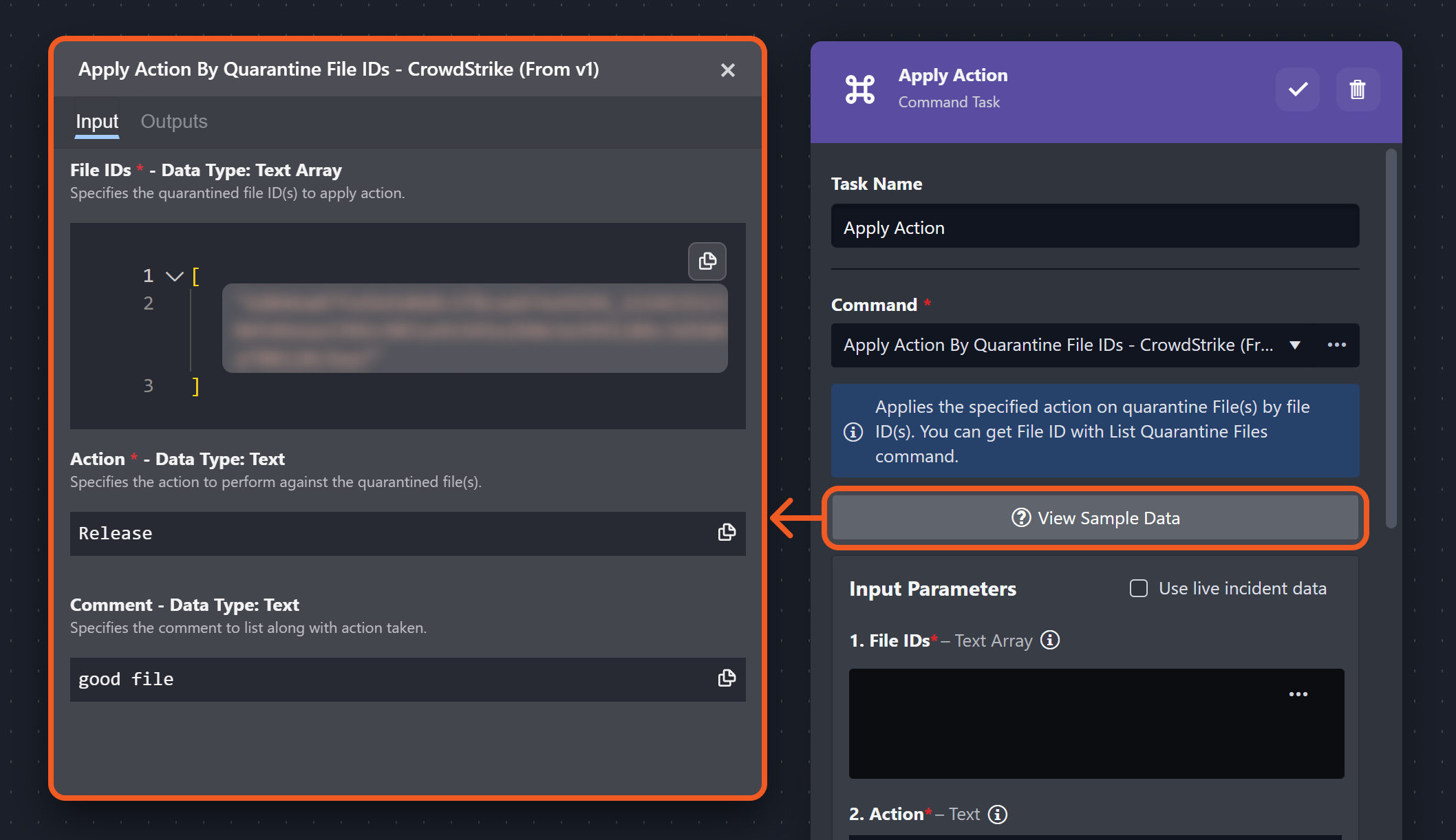
VIEWING SAMPLE DATA
* Task types marked with an asterisk allow users to view sample input and output data formats.
Relationship Between Tasks with Triggers
Key Principles
-
The mere existence of tasks in a playbook does not guarantee their execution.
-
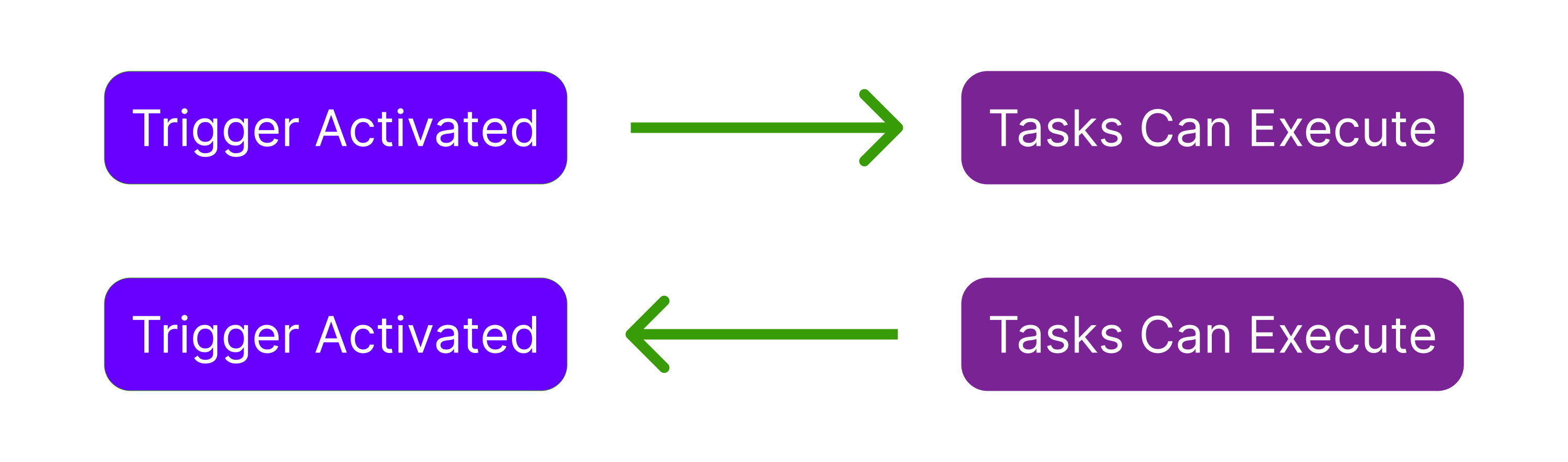
Executable tasks must be connected to an upstream trigger. Orphan nodes will not execute.
-
Tasks downstream of a trigger can execute if and only if the trigger's activation condition is met.
-
Even when a trigger activates, some tasks may not execute to completion due to:
-
Conditional Logic – Branching control flow may exclude certain task paths.
-
Human Interaction – Tasks requiring user input or approval may pause flow progression.
-
External Dependencies – Commands involving API calls may be affected by configuration settings or rate limits.
-
Task Input Data
|
Static |
Dynamic |
|---|---|
|
%201-20250213-200855.png?cb=1fe39386d288d6ce157e8e1f368a4c7a)
|
-20250213-204450.png?cb=4fc07692b8e0b8d4bedc0e4a8d2bb6d1)
|
Static Input
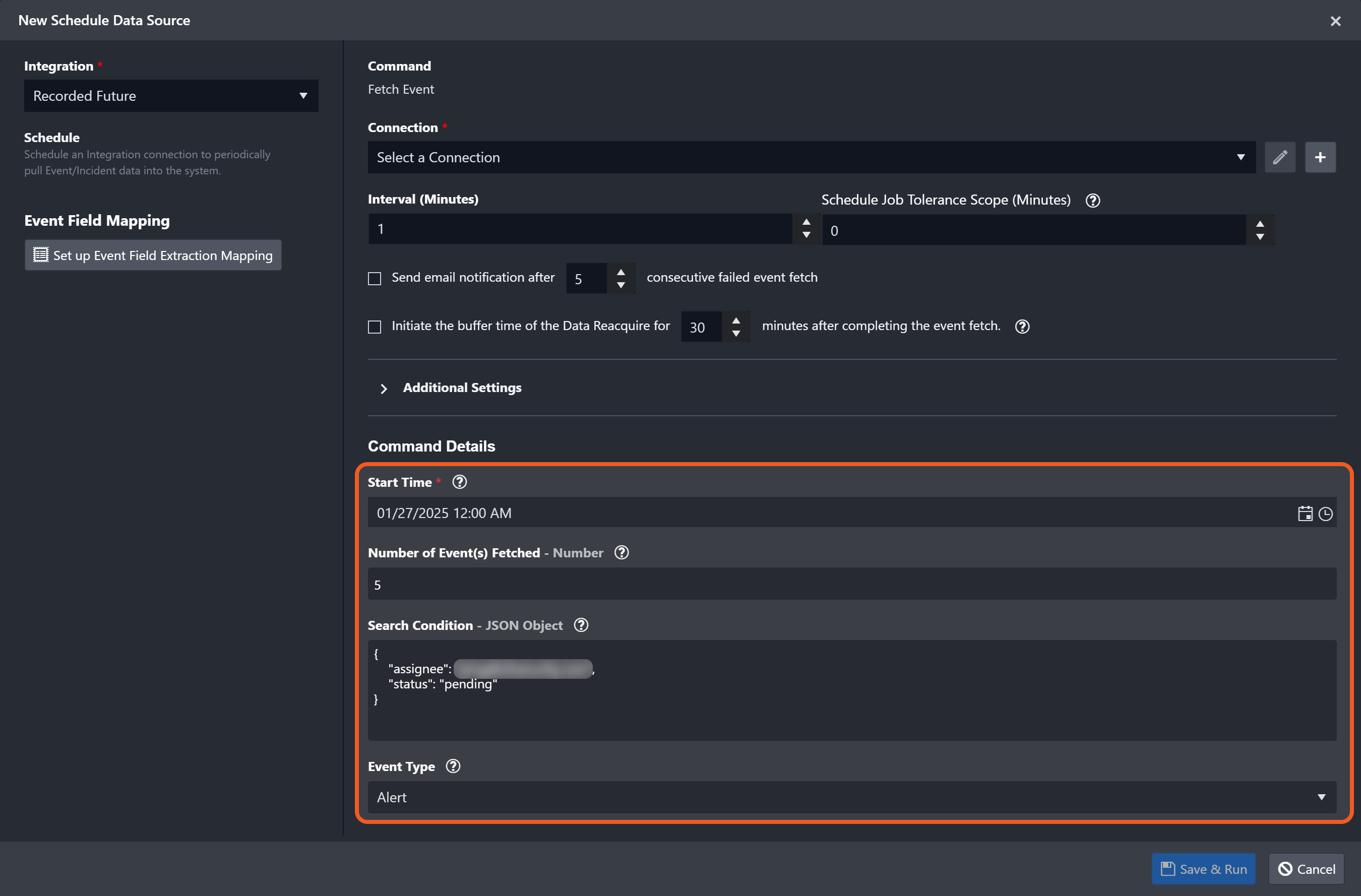
Static inputs refer to input values that remain constant throughout execution, such as predefined parameters for commands or fixed configuration settings.
Static Input Examples
Example : Ingestion Command Parameters
Example : Task Dropdown Fields
.png?cb=a86aabbc30b18df0c3574b6ad616988d)
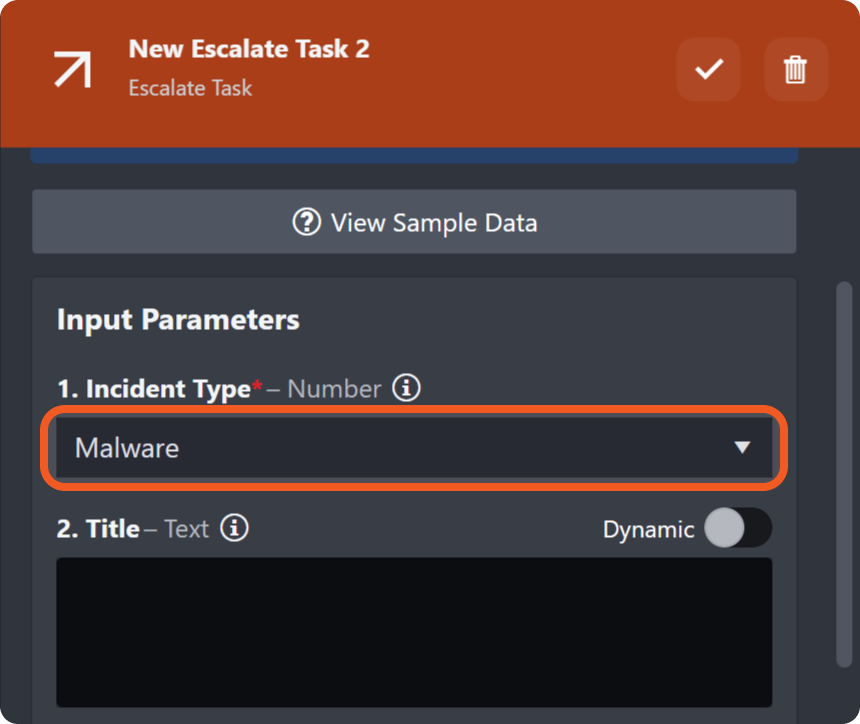
Dynamic Input
Dynamic inputs refer to data whose values may vary based on context and task outcomes. See Dynamically Selecting Data to learn more.
Task Output Data
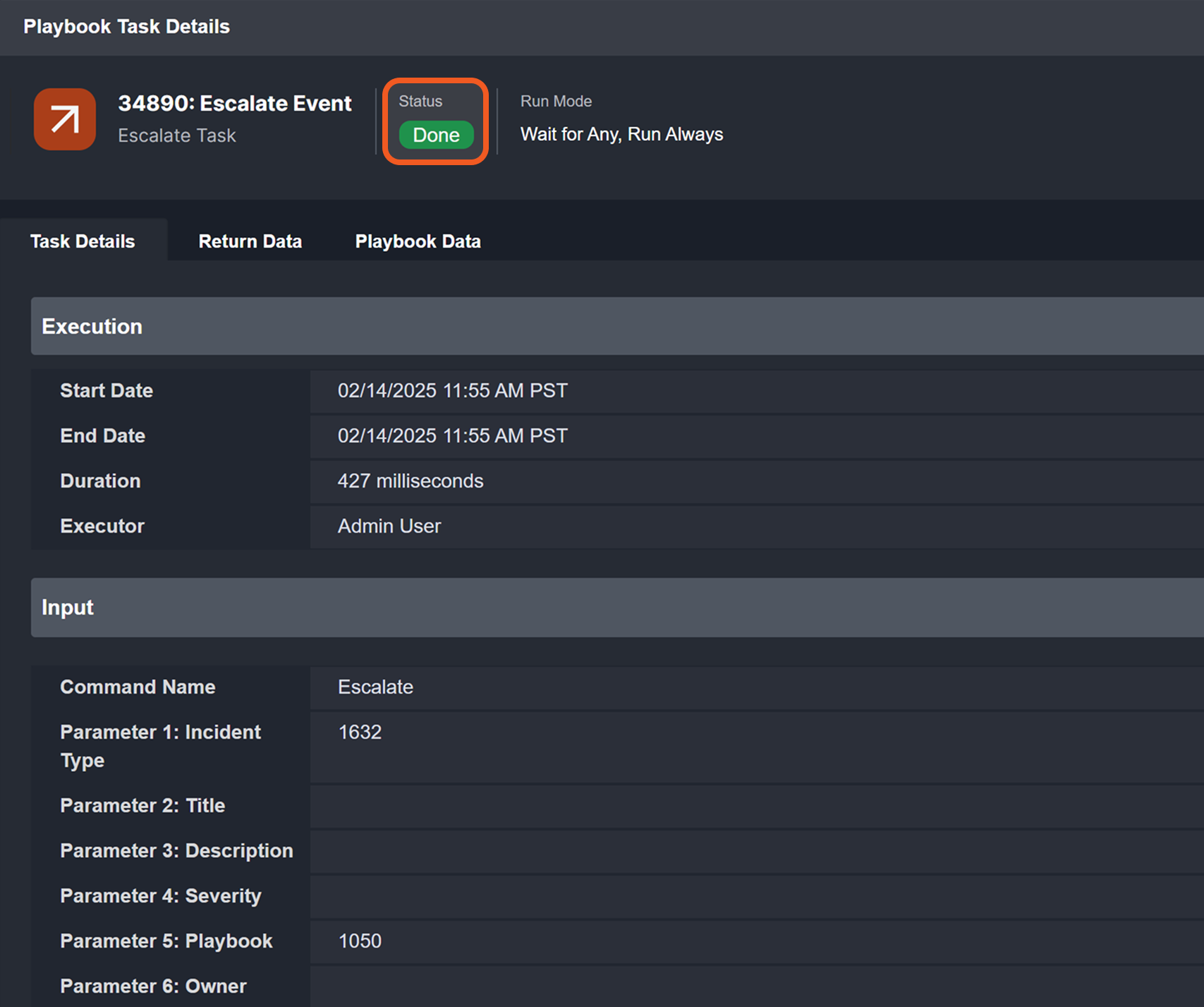
After task execution, users can review task details by clicking on the status icon (typically 

-20250213-211233.png?cb=56ddec8efc33726d39405fa918853428)
Output Types
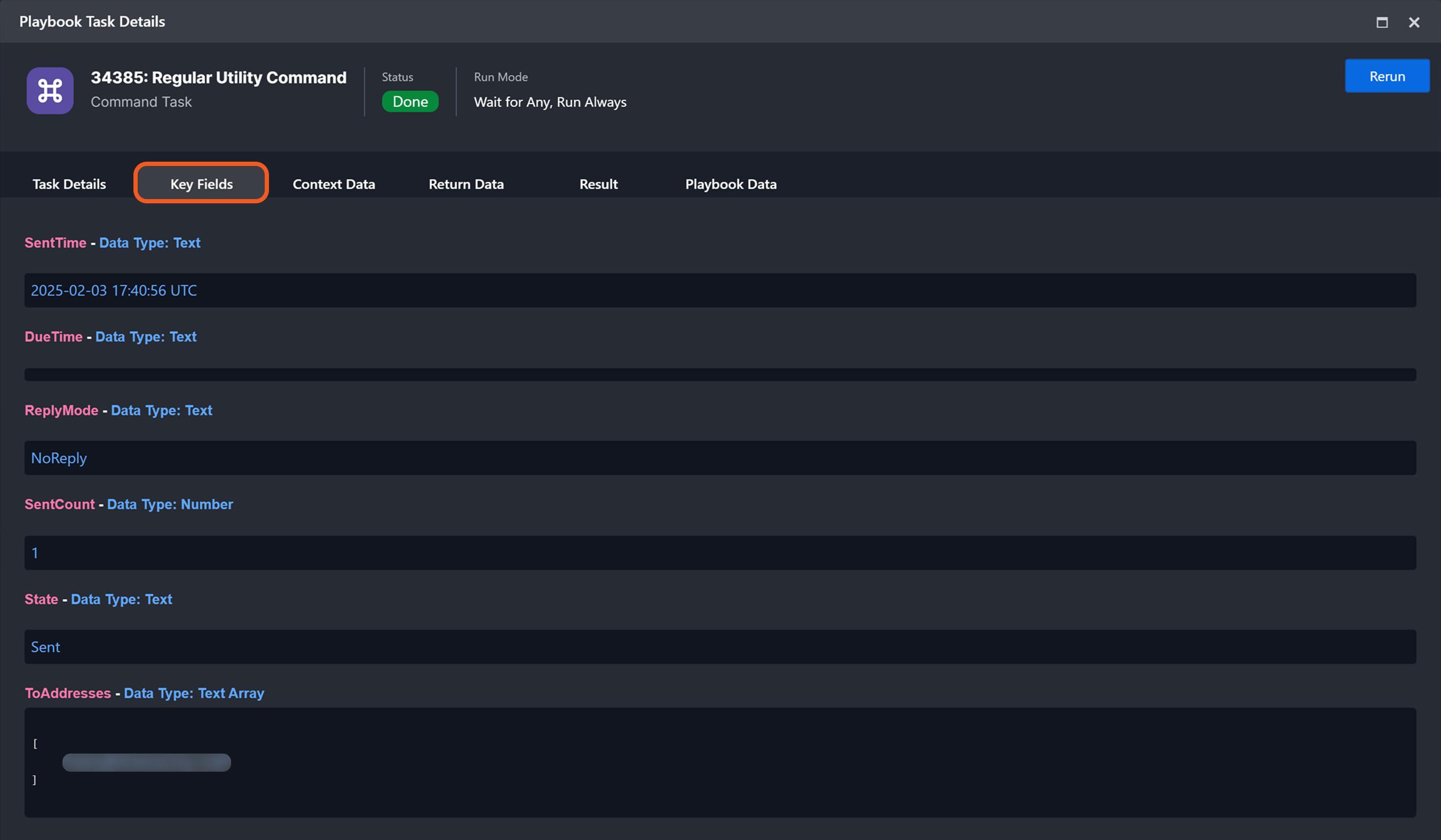
Task outputs are categorized into key fields, context data, return data, raw data, result, and playbook data. While some categories may be absent depending on the command, return data is always present.
Key Fields: Meant to present pertinent command output values in a label-above-value format, minimizing nesting to one level, rarely two, as an alternative to raw code.
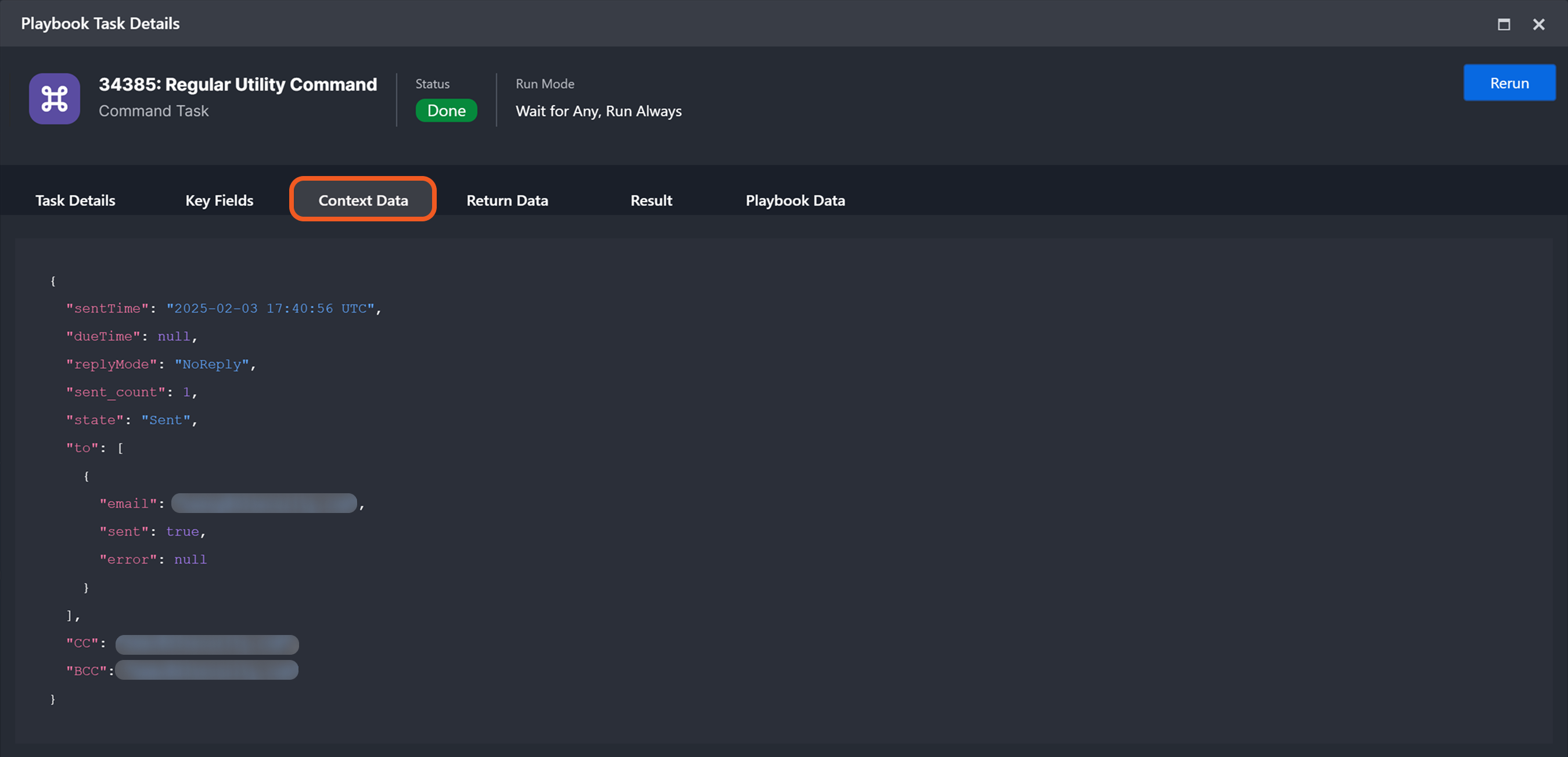
Context Data: Meant to hold command-specific contextual data. May be identical to Raw Data in some cases.
READER NOTE
D3 has discontinued the use of context data (CD) in all newly developed commands.
examples
Integration: Gmail | Command: Send Email | CD: present
Integration: Gmail V2 | Command: Send Email | CD: absent
Integration: ServiceNow | Command: Get SysID | CD: present
Integration: ServiceNow v2 | Command: Get Sys ID | CD: absent
Integration: Splunk | Command: Get Application List | CD: present
Integration: Splunk v2 | Command: Get Application List | CD: absent
Integration: Splunk | Command: Check IP Reputation | CD: present
Integration: Splunk v3 | Command: Check IP Reputation | CD: absent
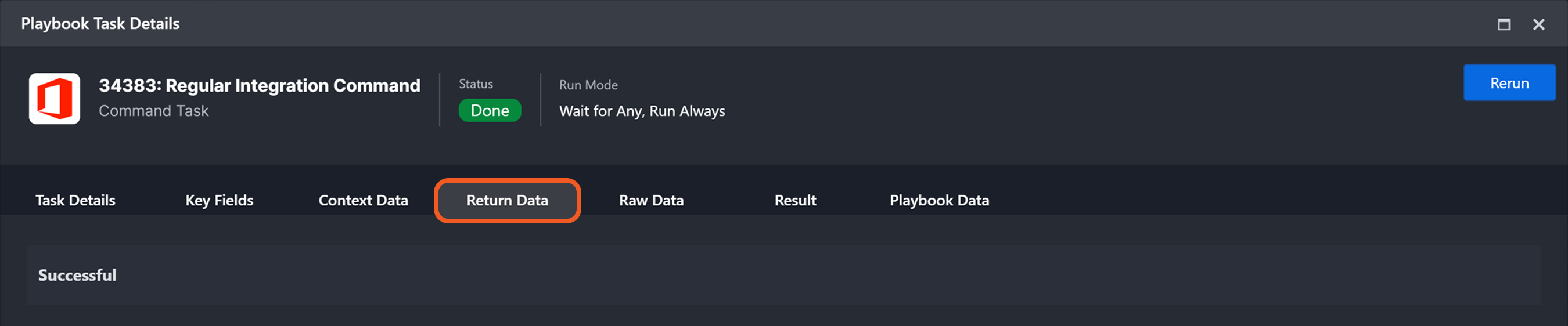
Return Data: Indicates whether the task executed successfully, partially successfully, or failed.
READER NOTE
In check reputation commands, return data converts raw risk scores into D3-defined risk levels and names, enriching artifacts with reputation details.
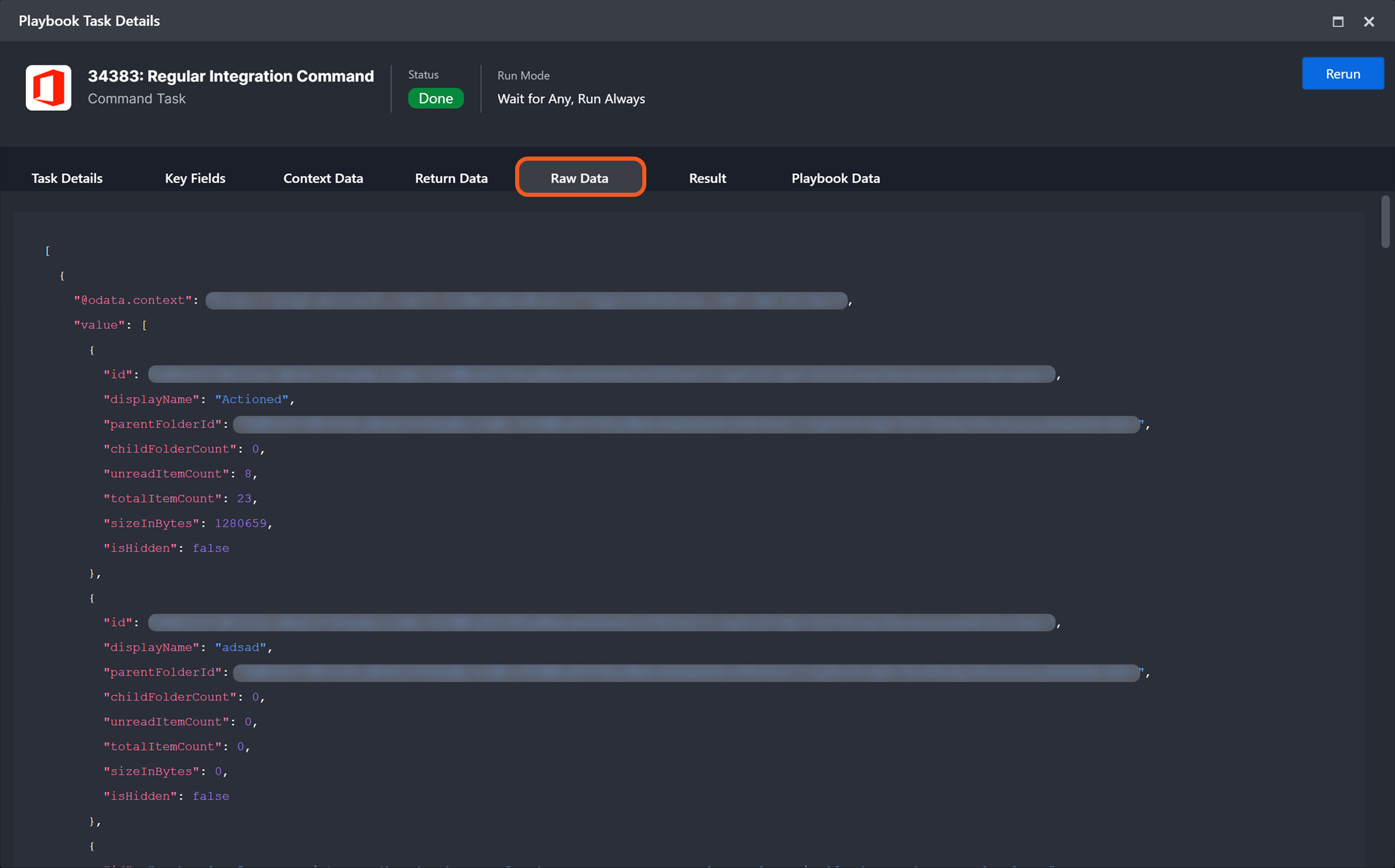
Raw Data: The majority, if not all, of the pertinent API response data.
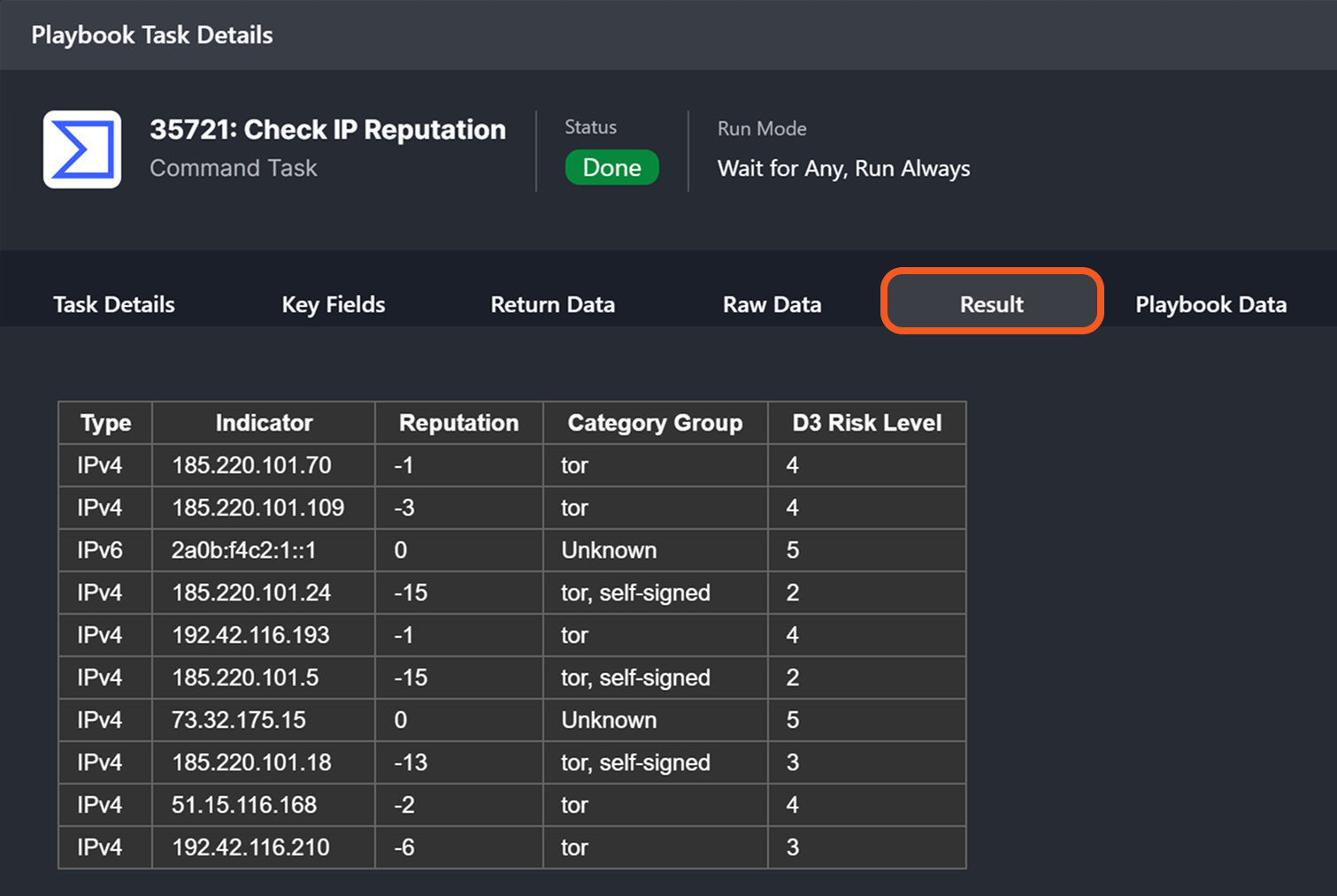
Result: A brief summary of API response data presented in a structured HTML table.
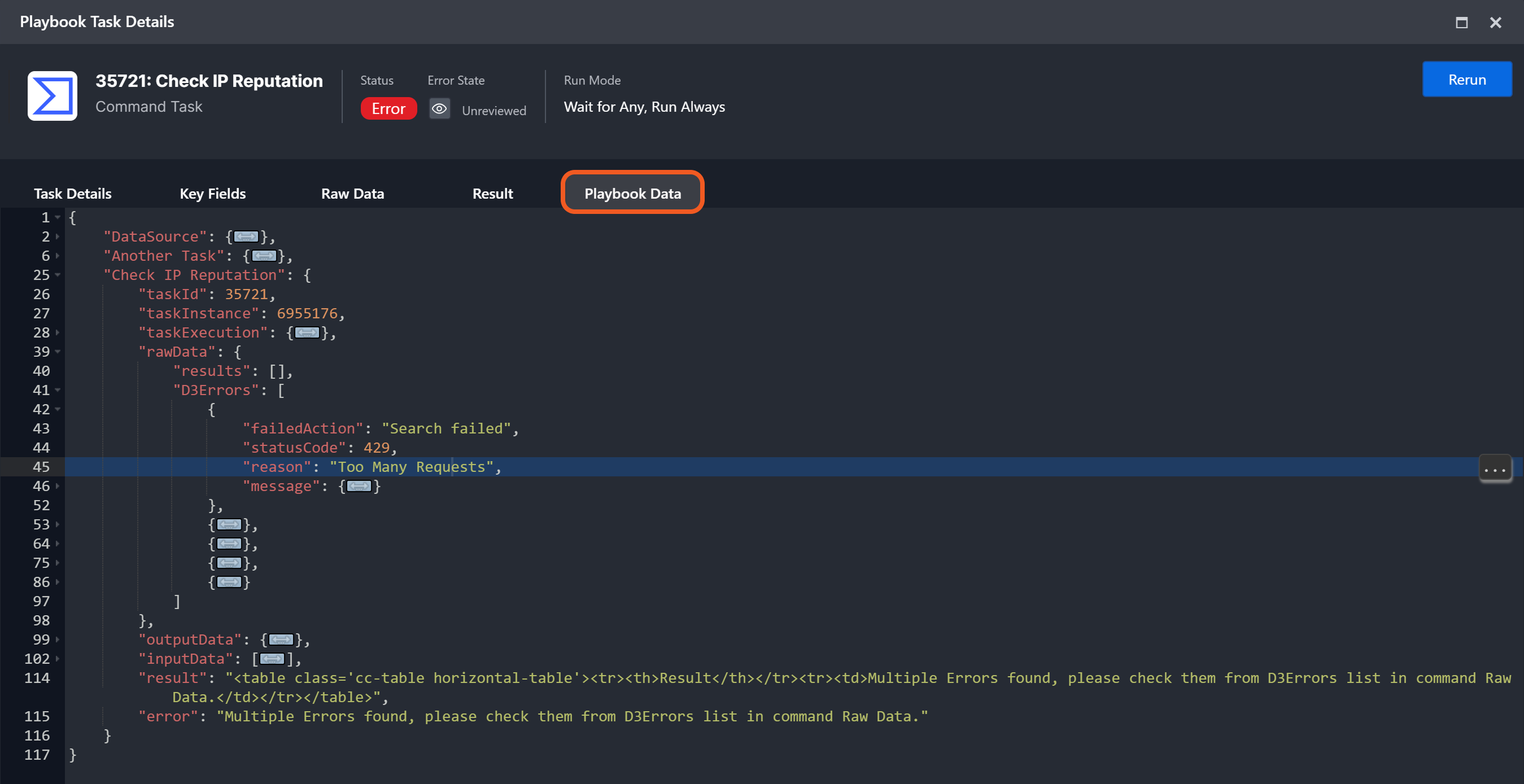
Playbook Data: The cumulative set of information that flowed through this playbook, extending up to and including that of the current task node.
Troubleshooting a Playbook Task
A playbook task may fail due to invalid inputs, insufficient permissions, missing parameters, or other factors. Users can view error explanations by clicking on the
Working Version Playbooks
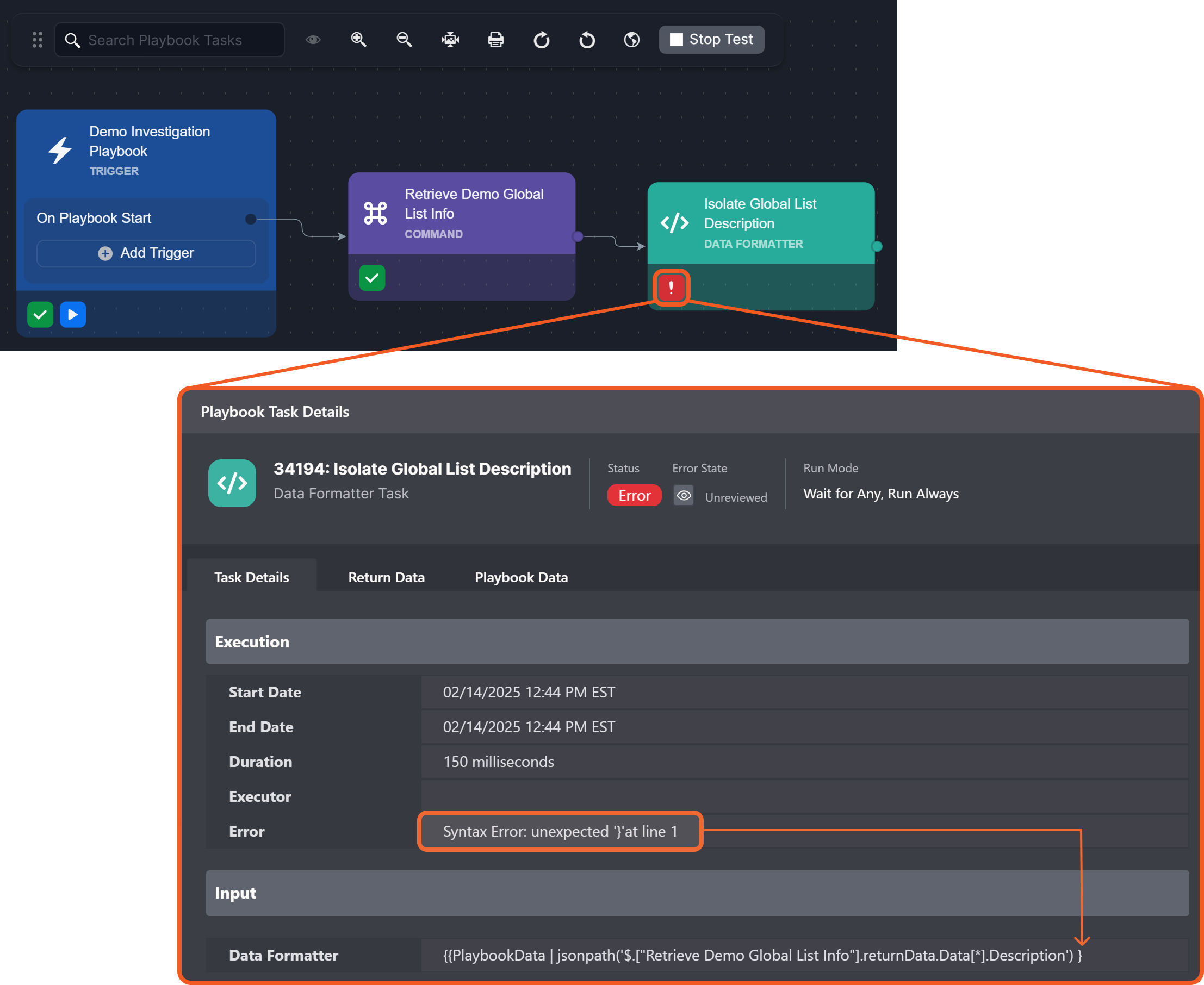
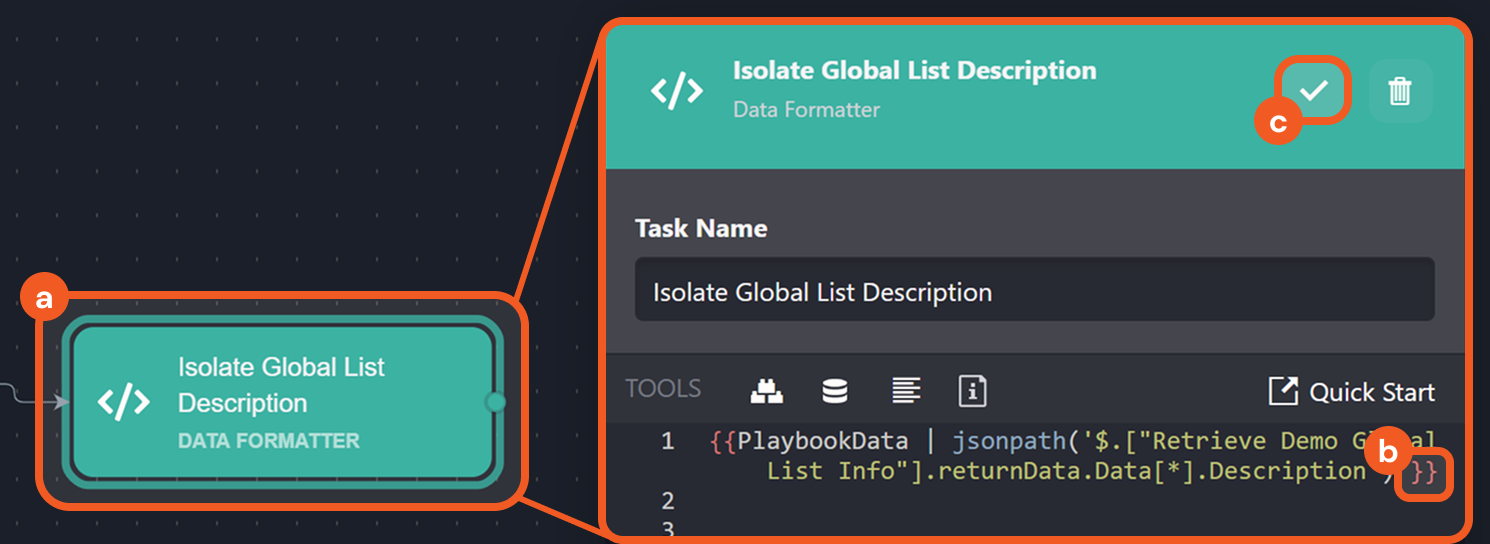
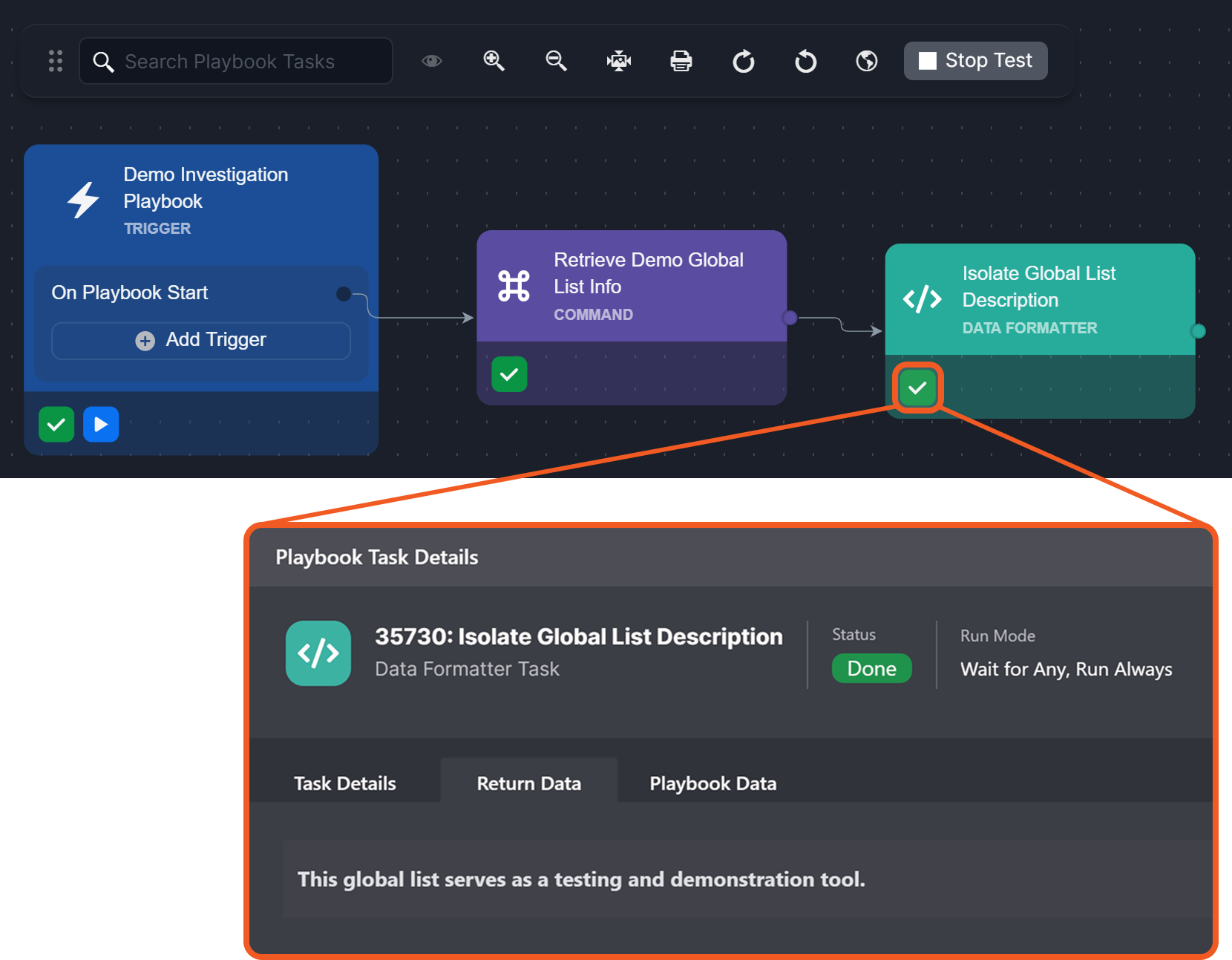
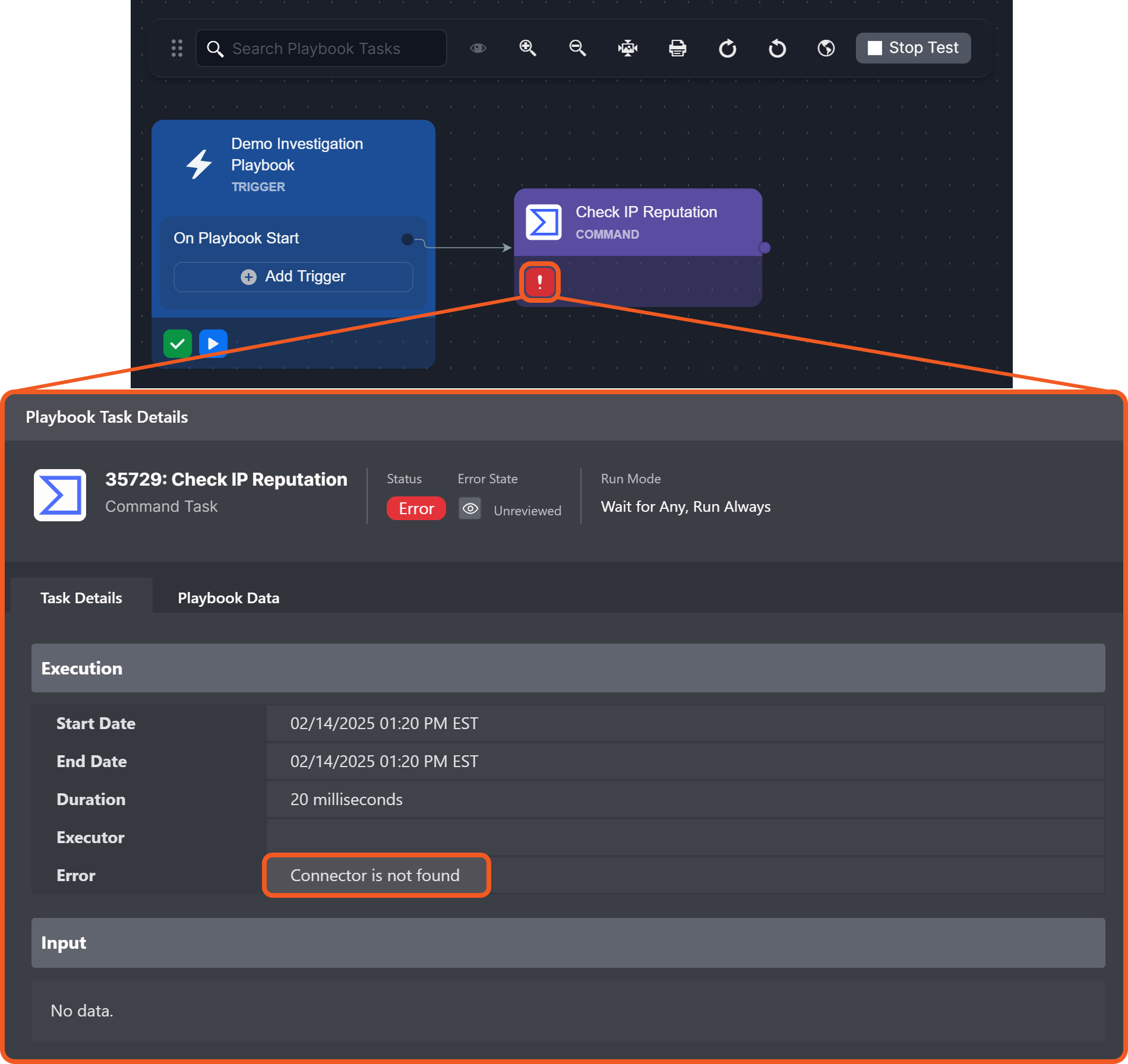
Test-ran playbooks allow users to diagnose errors by reviewing error messages and making immediate adjustments.
-20250214-191947.png?cb=eeb00c76a54529d6a55906c80b2e2d6b)
Examples
Example 1 : Jinja Syntax Error
Example 2 : Connection and Quota
-20250214-185334.png?cb=faea26fc71efd6b7a6c01ea7716a46be)
READER NOTE
Refer to the relevant integration document for steps to configure the connection.
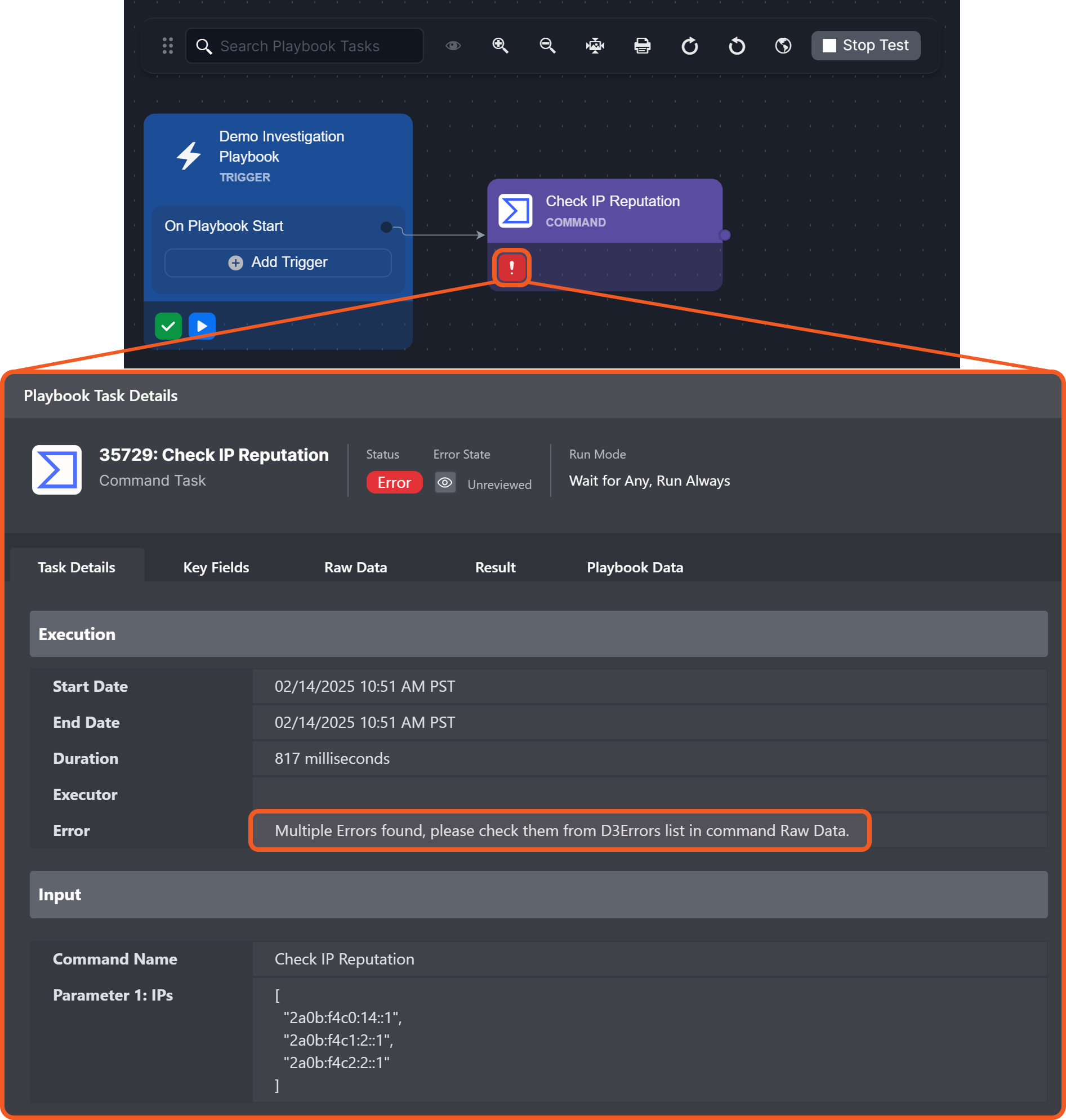
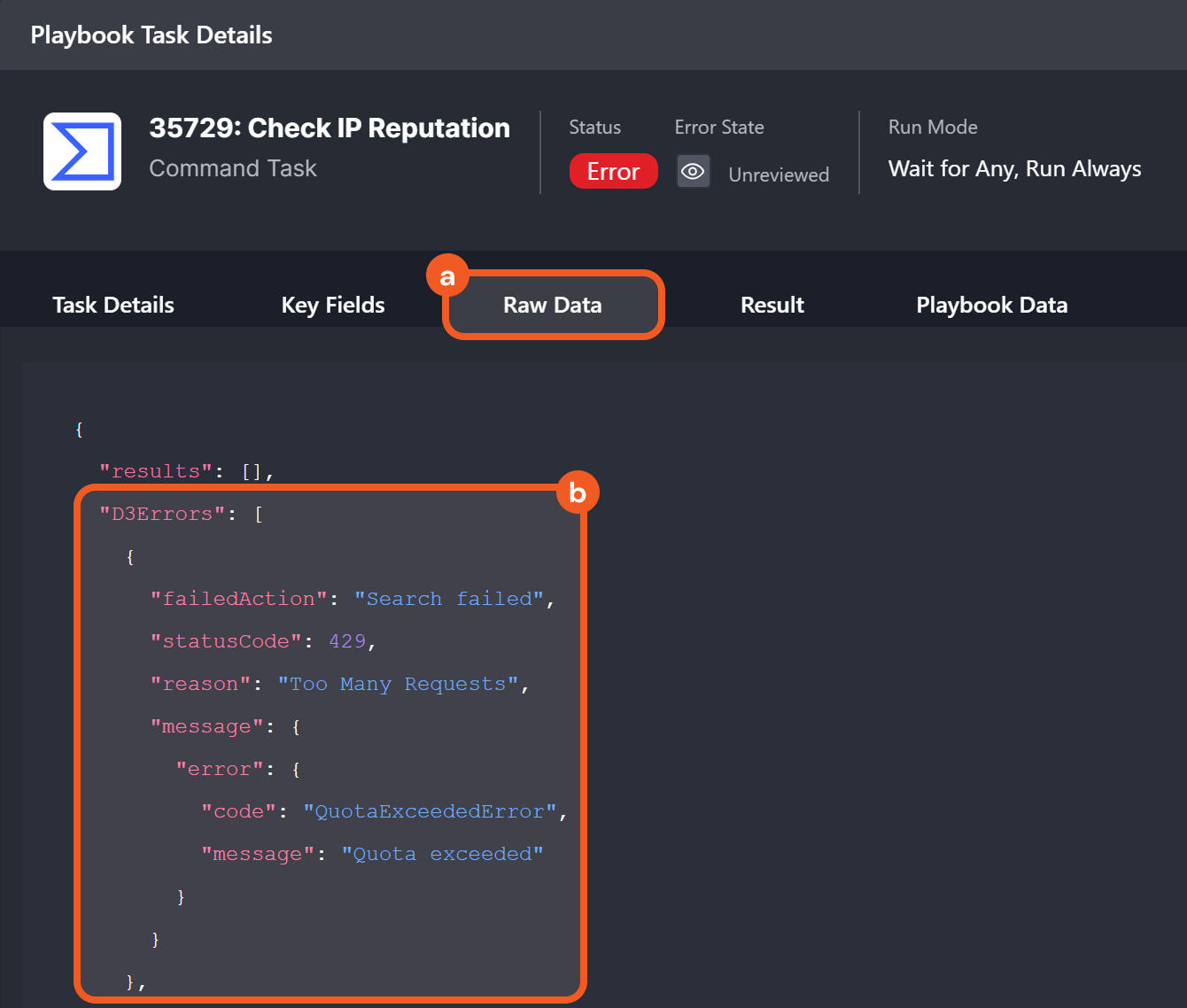
READER NOTE
-
A 429 Too Many Requests error means the API rate limit has been reached.
-
Check API limits and request an increase as required.
Live Version Playbooks
All preprocessing and investigation playbook errors are tracked in the investigation dashboard.
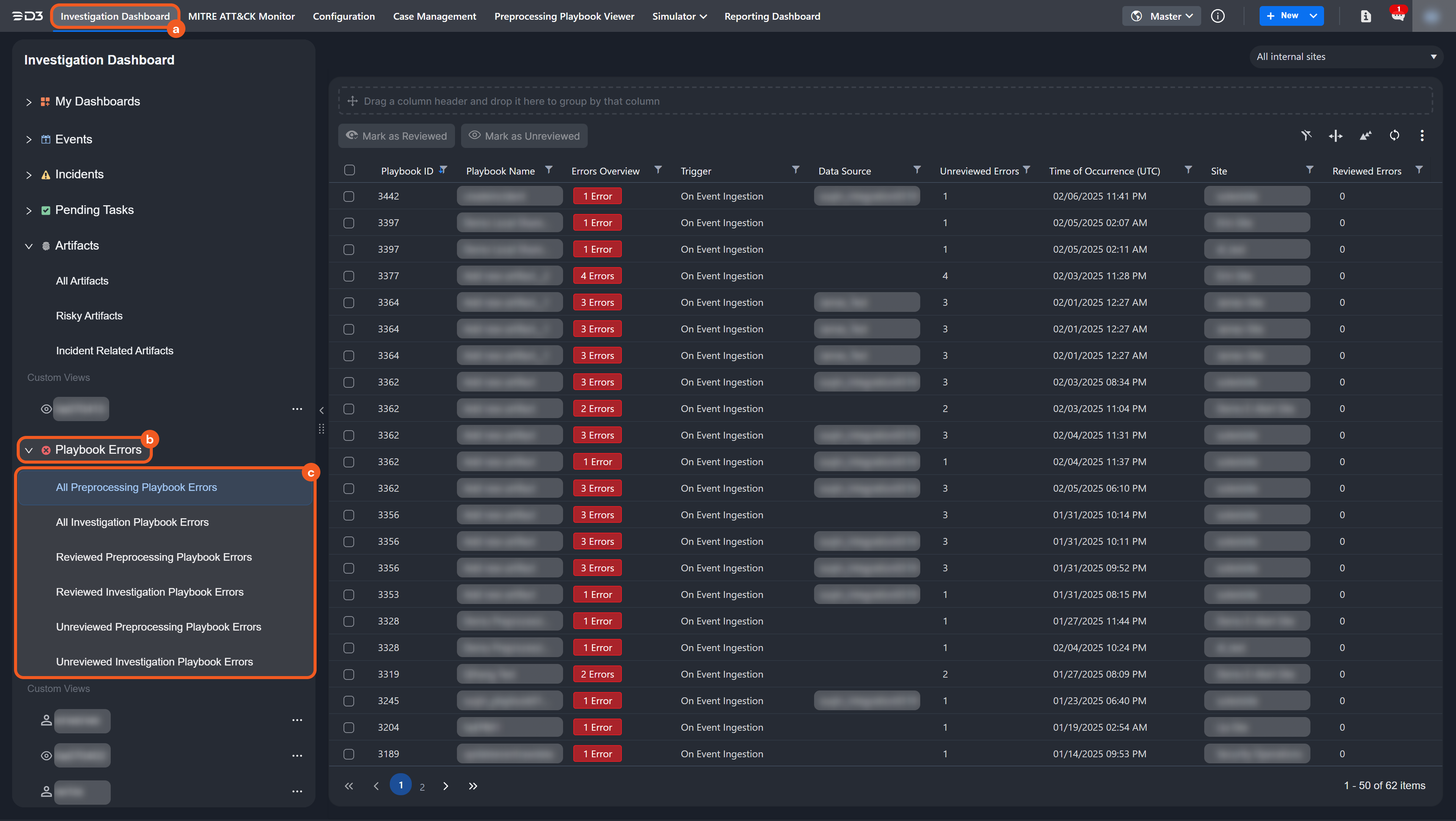
Examining and Resolving an Error
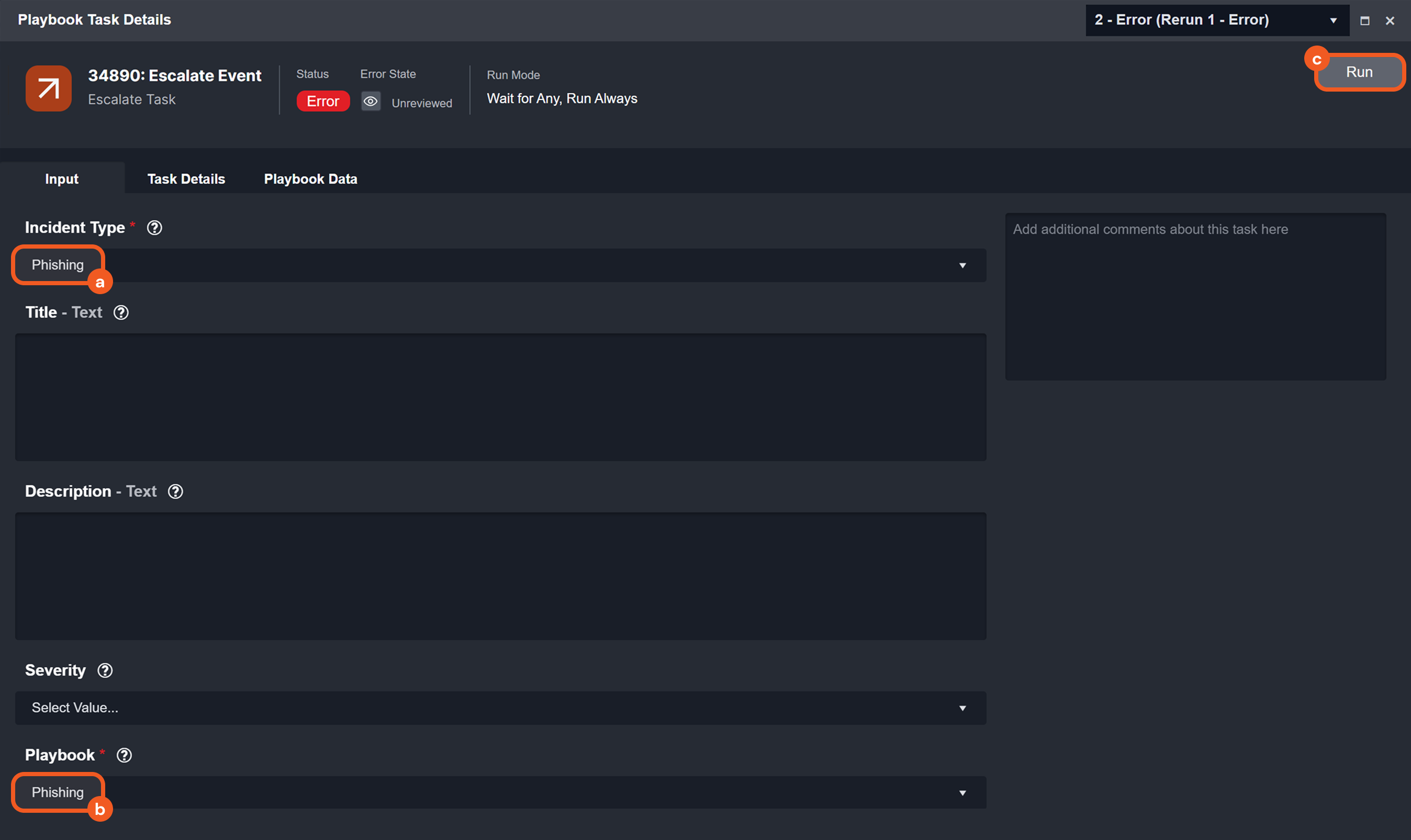
scenario : A task fails because it references the Phishing playbook, which has not been made available for the demo-site.
-
Click into an error from the dashboard.
-
Click on a task displaying
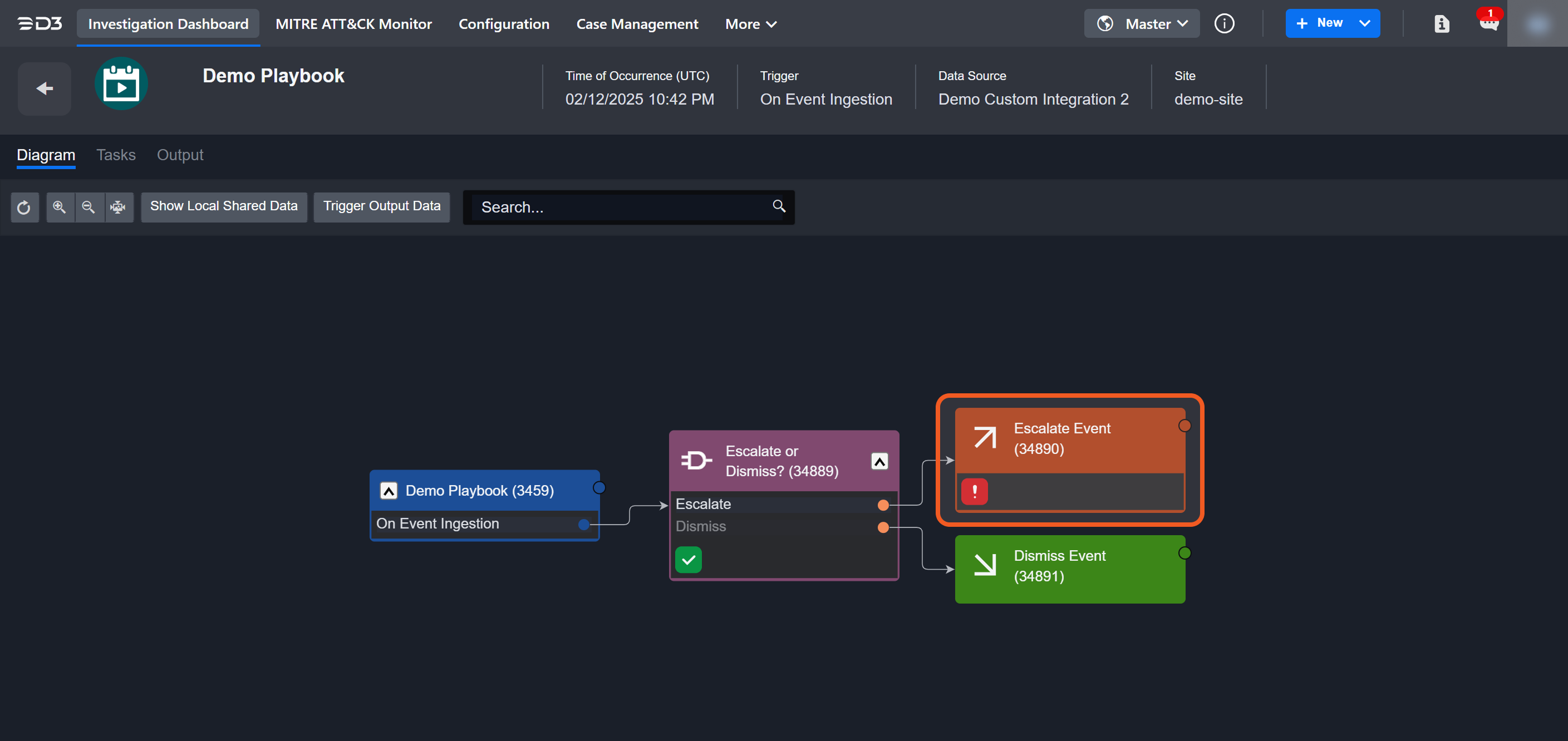
-
Review and comprehend the error message.
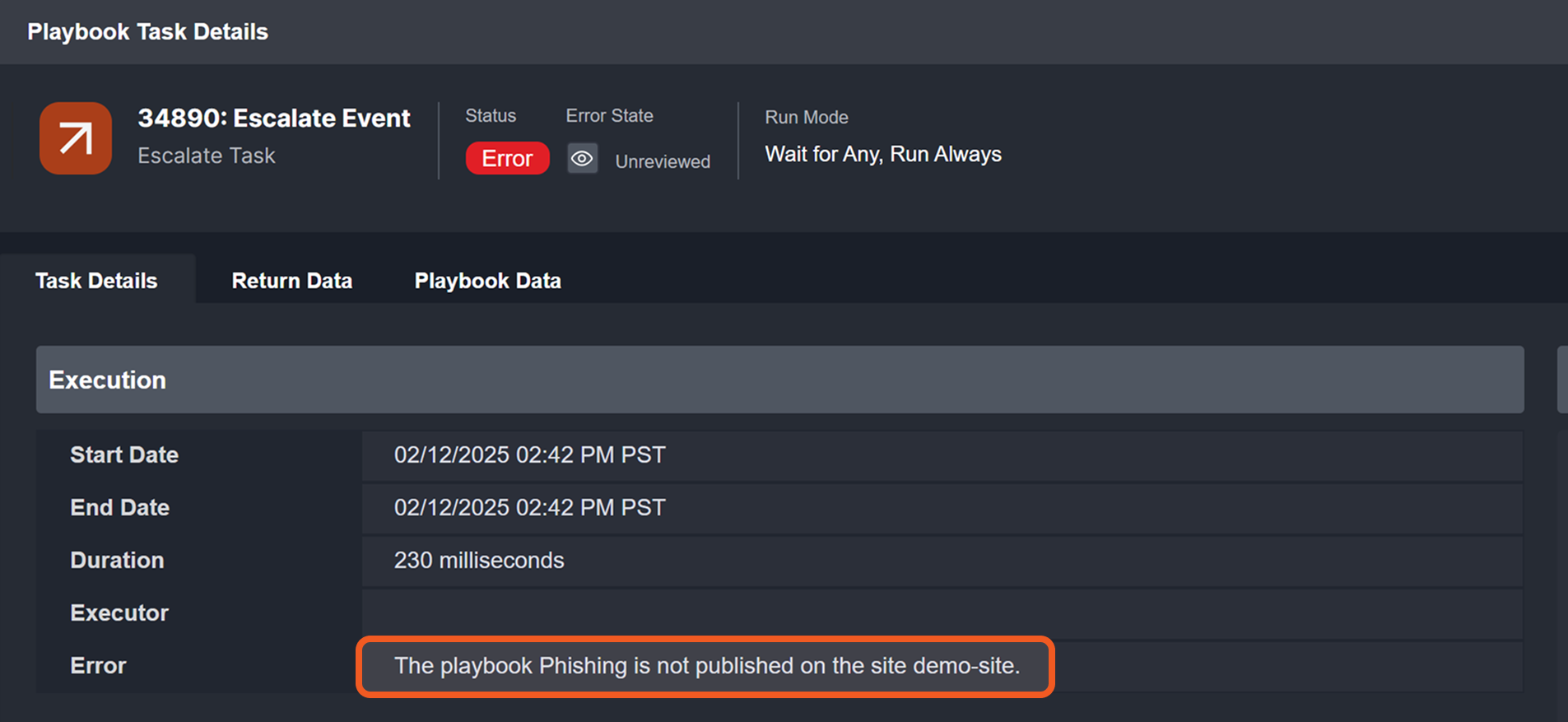
-
Open the Phishing playbook using an account with edit permissions).
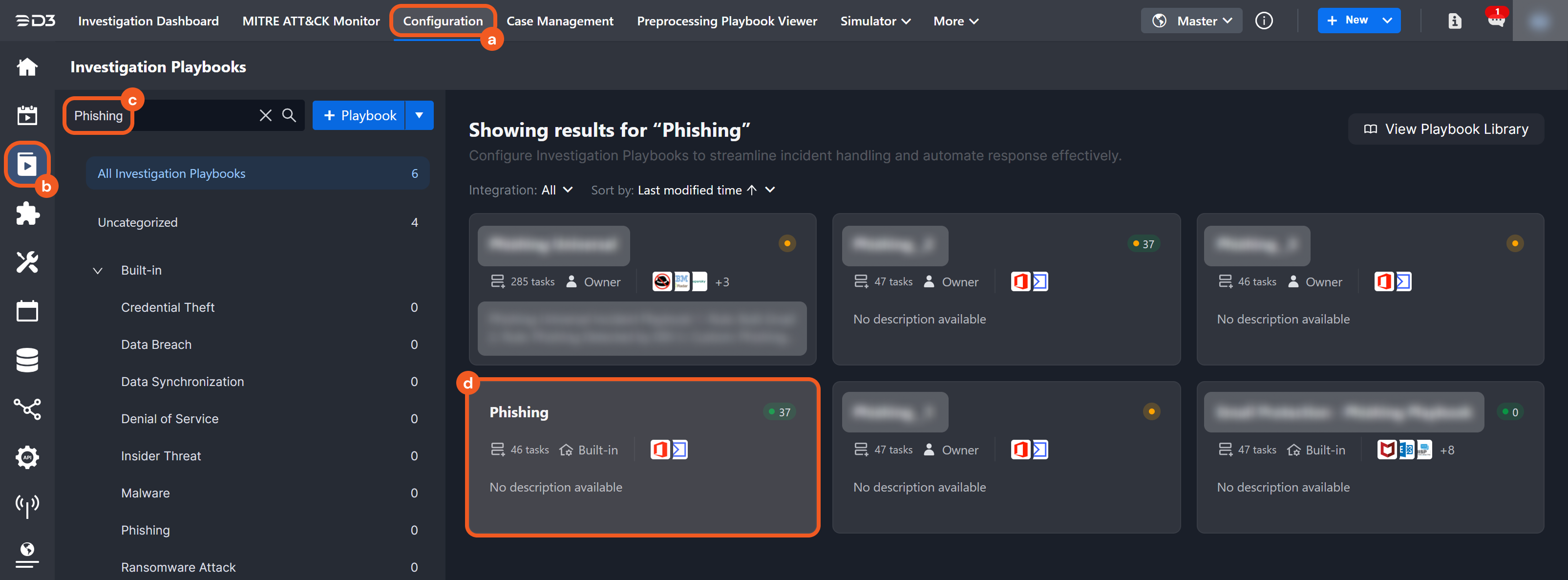
-
Click on the Publish button.
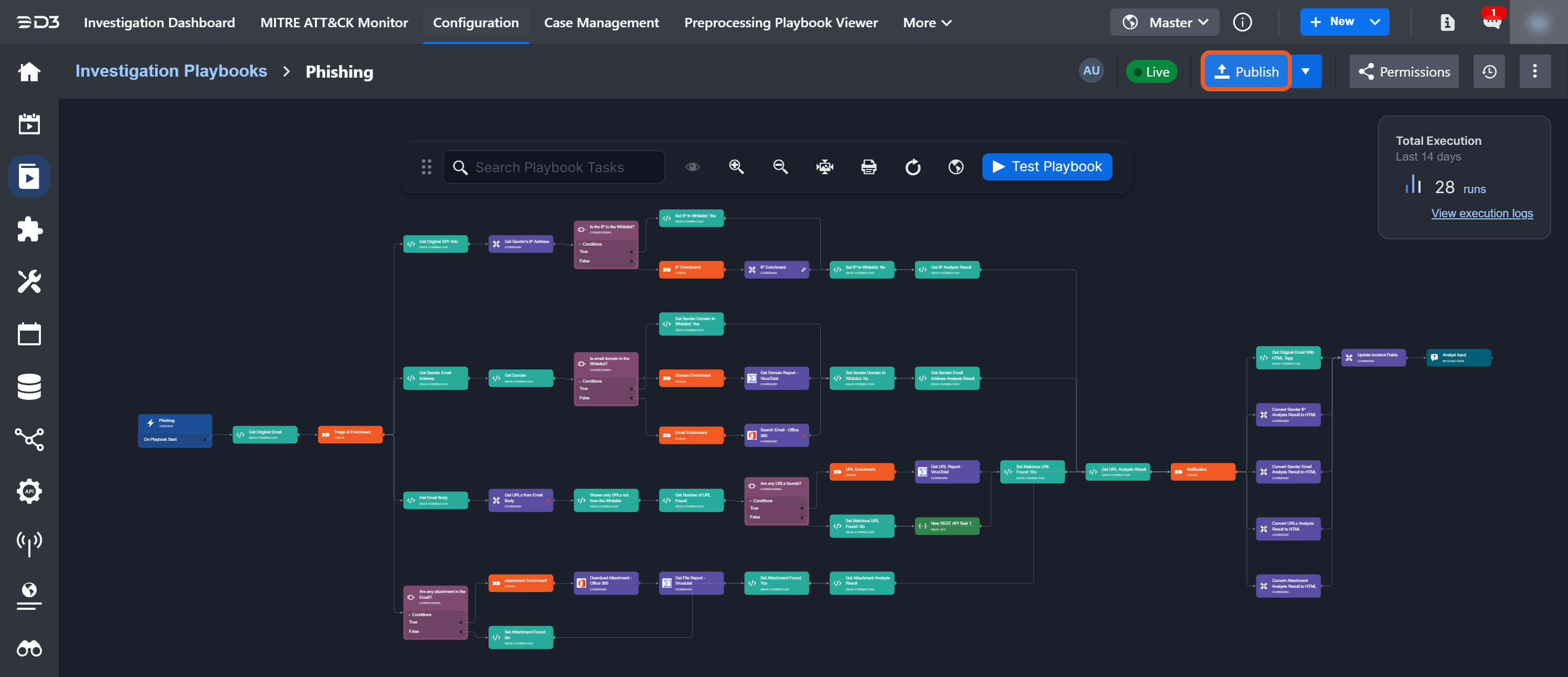
-
Locate and add the relevant site (demo-site).
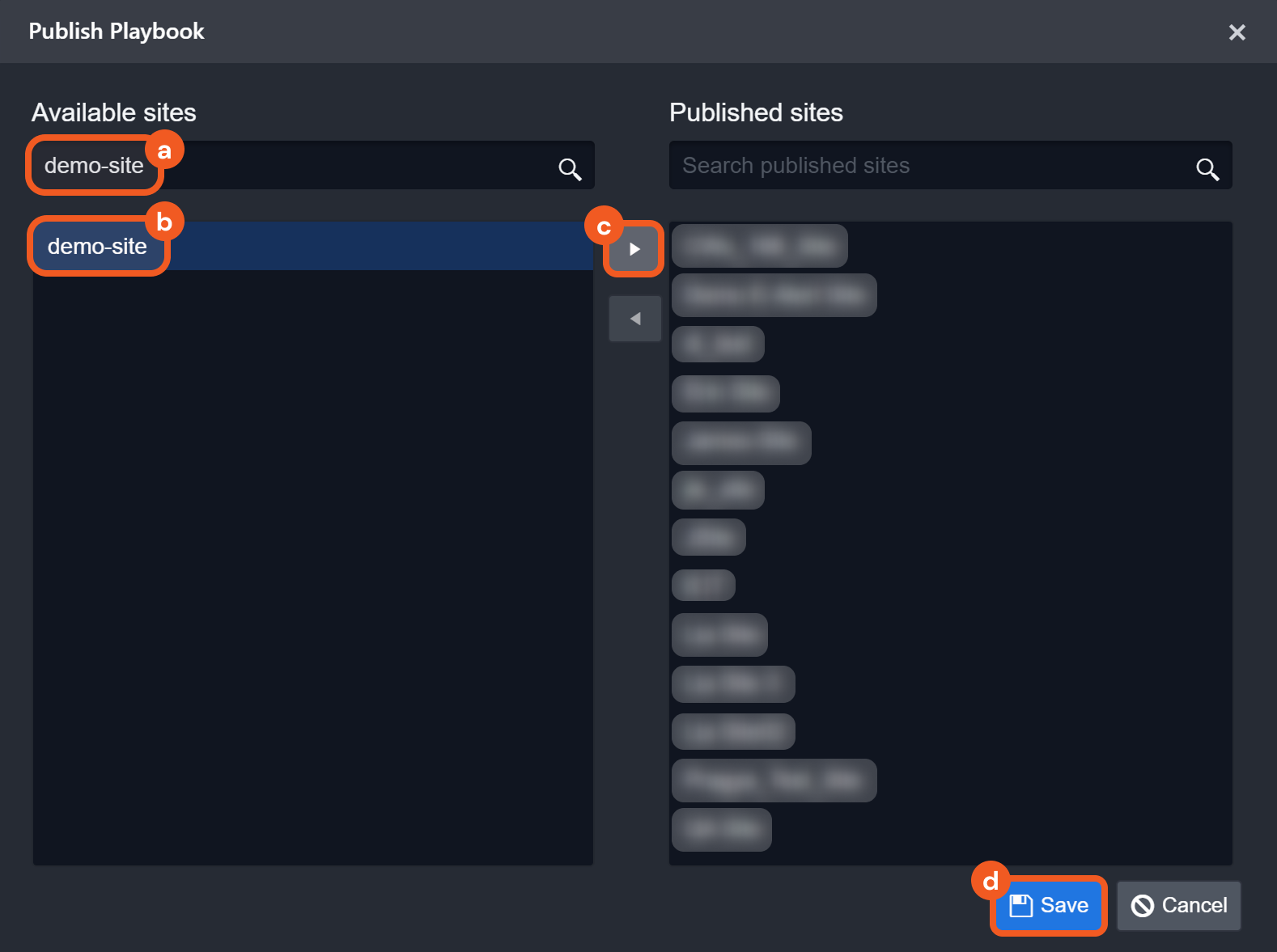
-
Re-run the error task from step 3 with the required parameters.
-
Verify task completion.