
Interaction Tasks
LAST UPDATED: AUGUST 11, 2025
Interaction tasks introduces controlled decision points within automated workflows, ensuring human input is captured before execution continues. Incorporating human judgment balances automation with necessary oversight.
-20250221-185506.png?inst-v=a9107af0-b04c-4e31-bb5a-938372783868)
-20250311-212151.png?inst-v=a9107af0-b04c-4e31-bb5a-938372783868)
Building Questions
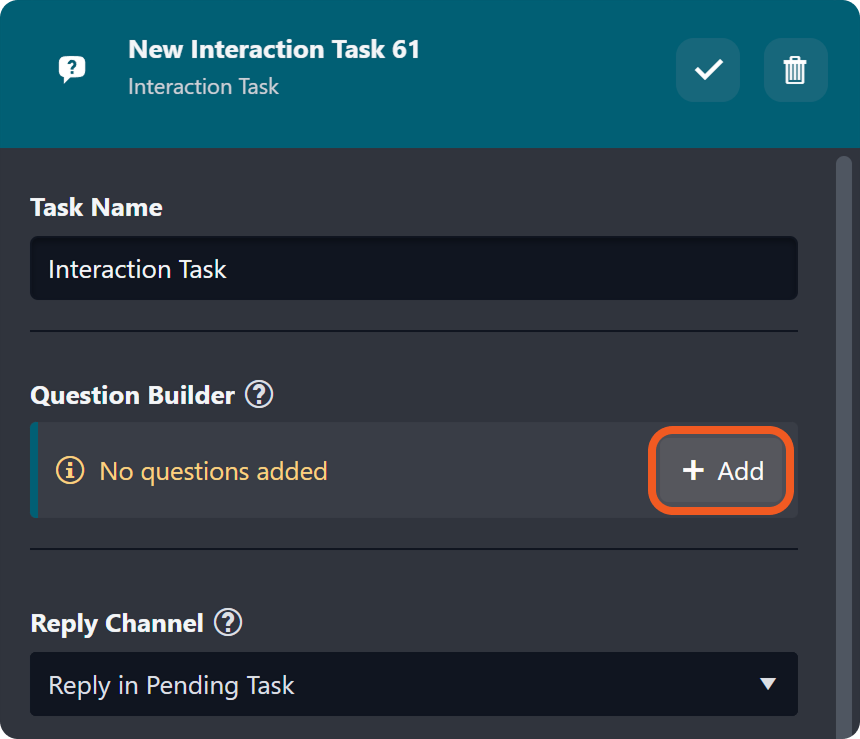
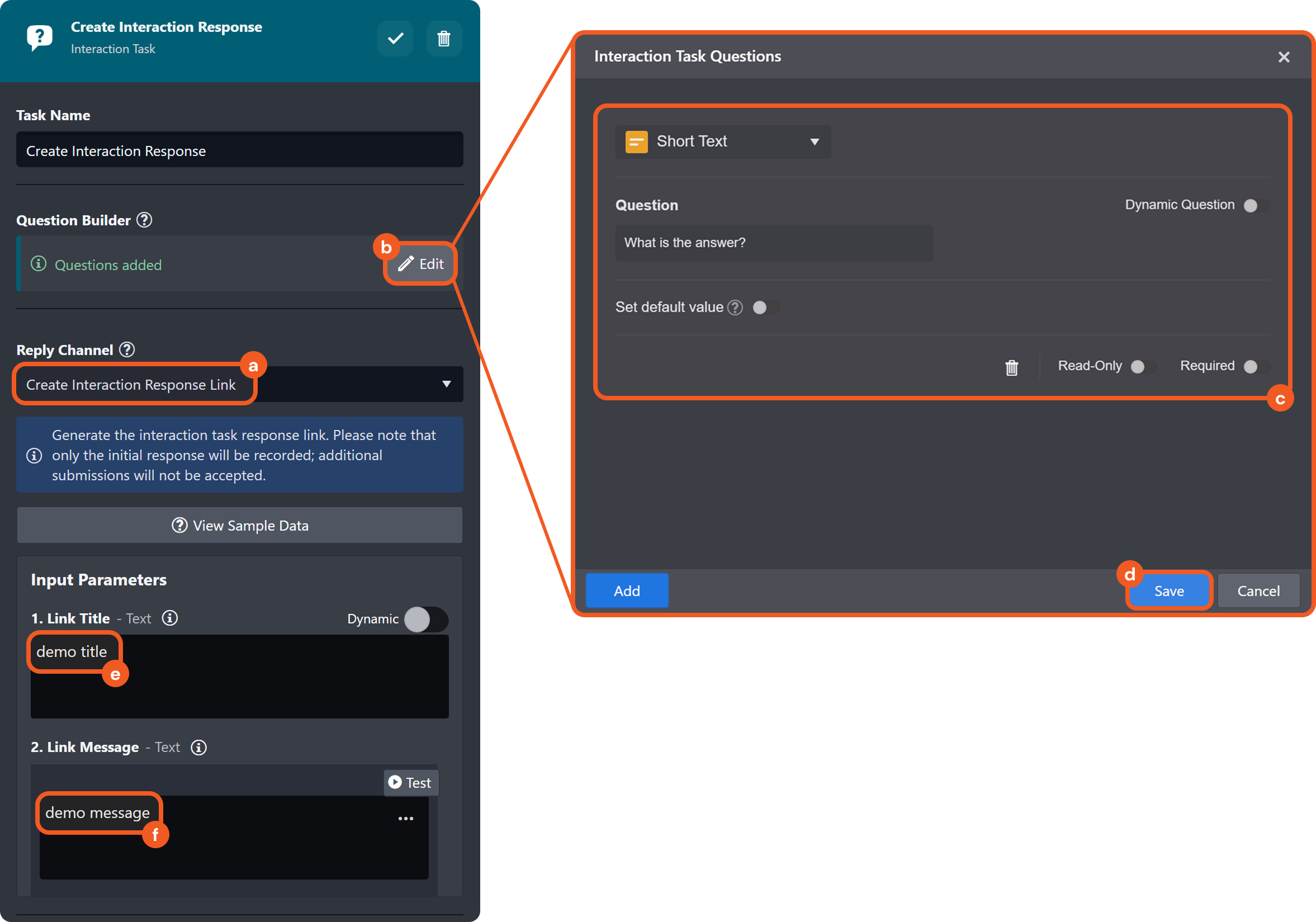
Clicking the  button in the Question Builder section opens the Interaction Task Questions popover.
-20250311-234826.png?inst-v=a9107af0-b04c-4e31-bb5a-938372783868)
a. Question types: The format of user input.
A long text question is included by default

READER NOTE
Refer to the Appendix for the complete list of question types.
b. Question input: The prompt to which users respond.
READER NOTE
Each question must be uniquely phrased, even if the question type differs.
c. Dynamic question toggle: Enables users to construct questions dynamically using the data formatter popover.
.png?inst-v=a9107af0-b04c-4e31-bb5a-938372783868)
READER NOTE
See to Dynamically Selecting Data for more information.
d. Set default value toggle: Allows users to define a pre-filled placeholder answer for a question.
-20250312-002316.png?inst-v=a9107af0-b04c-4e31-bb5a-938372783868)
Clicking the
 icon opens the data formatter popover, allowing users to dynamically insert a placeholder value, either text, table, or whatever data type dynamically selected.
READER NOTE *
See to Dynamically Selecting Data for more information.
See Using an Interaction Task to Request Analyst Input on Check Reputation Results.
e.  icon: Opens a confirmation pop-up to confirm the deletion of the selected question.
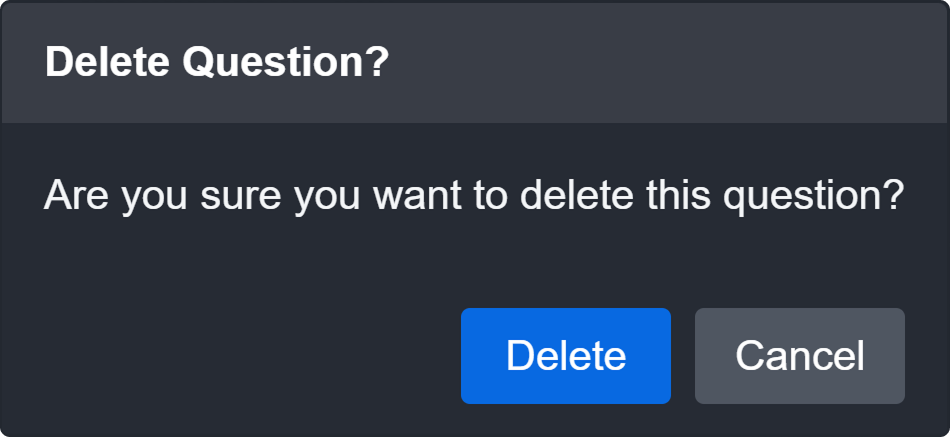
f. Read-only toggle: Makes the question non-editable, allowing information to be displayed without requiring a response.
g. Required toggle: Ensures the question must be answered before the task can be completed.
Selecting a Reply Channel
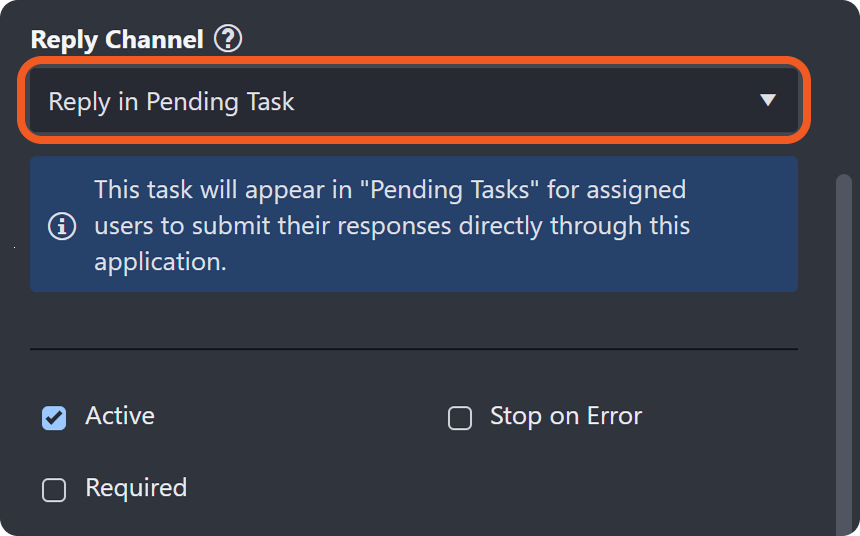
The reply channel defines the method assignees use to respond to the interaction task.
Reply in Pending Task: Assignees can respond by navigating to the Pending Tasks tab in the Investigation Dashboard module or within the incident workspace.
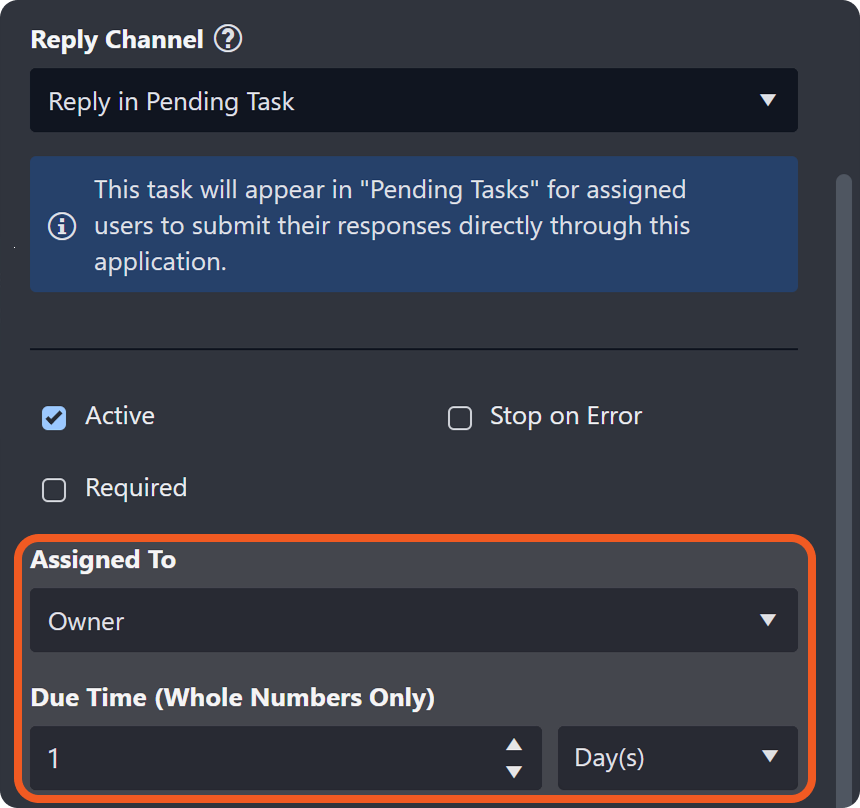
The task must be assigned to a user, role, or group in vSOC, or to the incident owner or investigator, with a defined due time.
Investigation Dashboard
Assigned users can open the Investigation Dashboard module, expand the Pending Tasks accordion, select a view option (e.g., All Pending Tasks), and click into the task to respond.
.png?inst-v=a9107af0-b04c-4e31-bb5a-938372783868)
Incident Workspace
Within the incident workspace, users can respond to an assigned task on the Pending Tasks sub-module.
.png?inst-v=a9107af0-b04c-4e31-bb5a-938372783868)
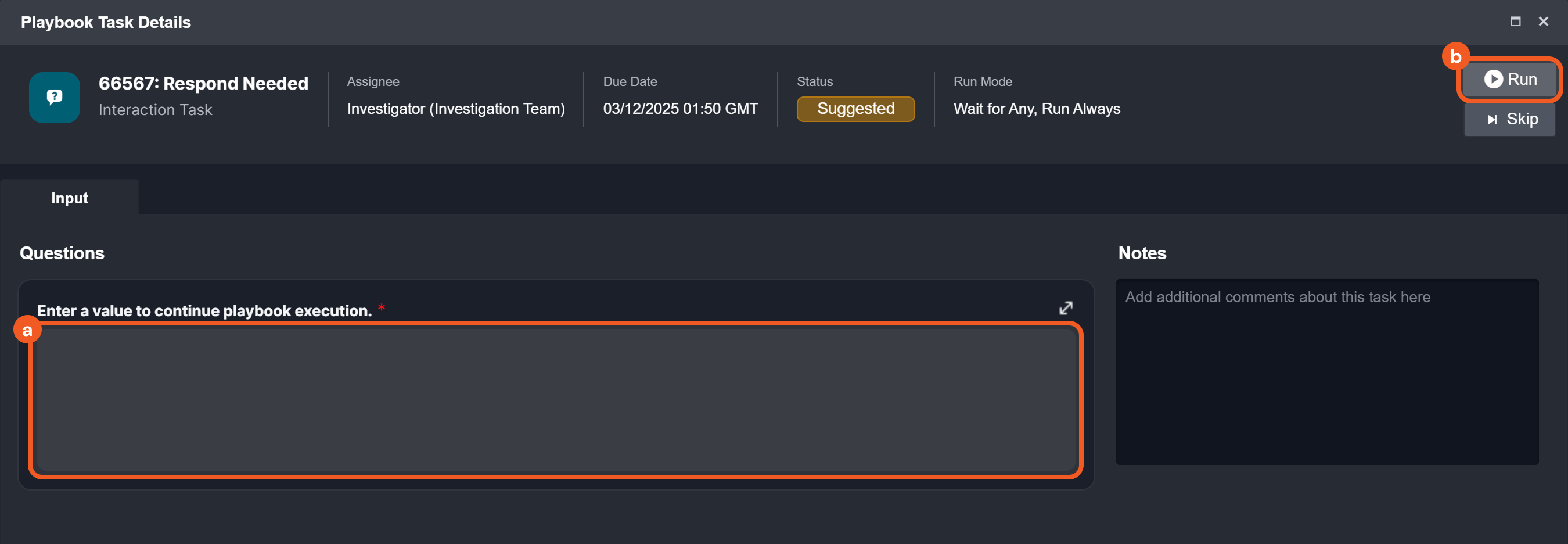
To respond to an interaction task, assigned users can answer the questions and click the Run button.
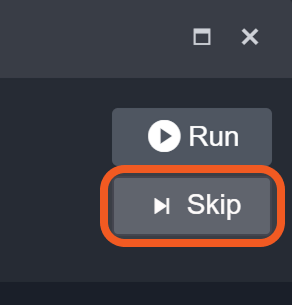
Users should use the Skip button with caution, as some downstream tasks may depend on the interaction task's output for successful execution.
Reply in Email: Assignees can respond by clicking on a link sent to their email.
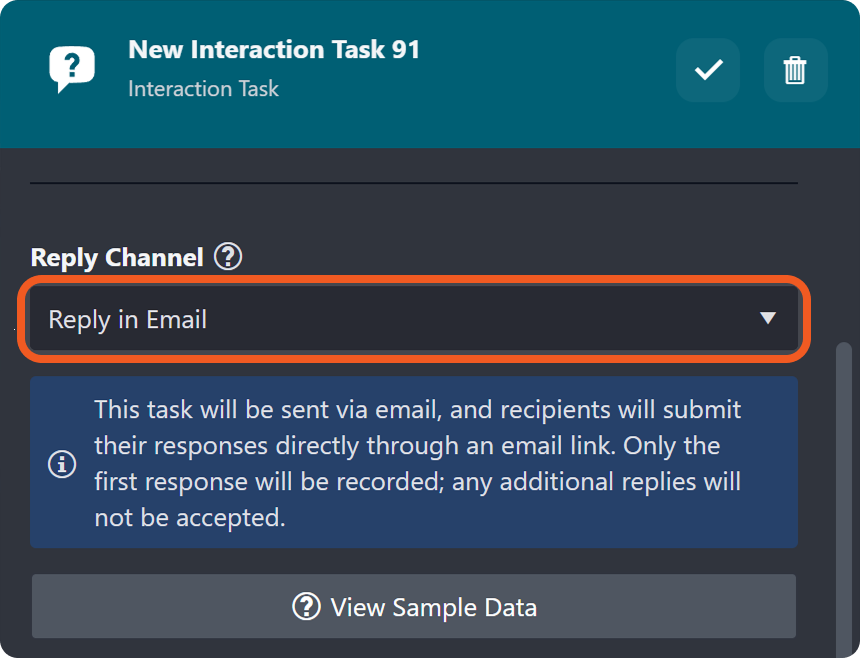
Only the first submission will be recorded, and any additional submissions will be ignored.
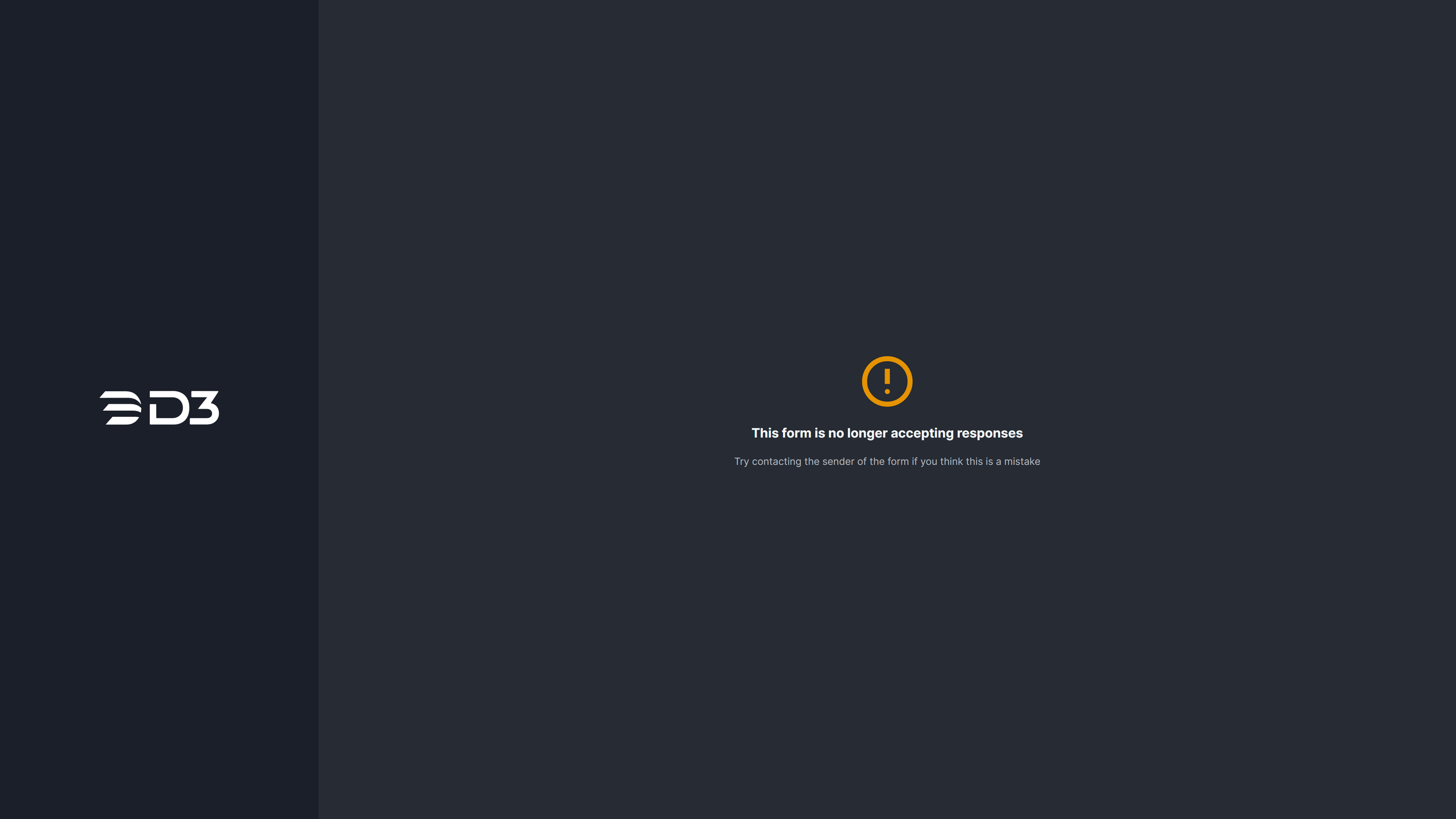
Users cannot respond to the interaction task via the sent link if the due date has passed.
Refer to the Using an Interaction Task to Investigate Unrecognized Users example for a demonstration.
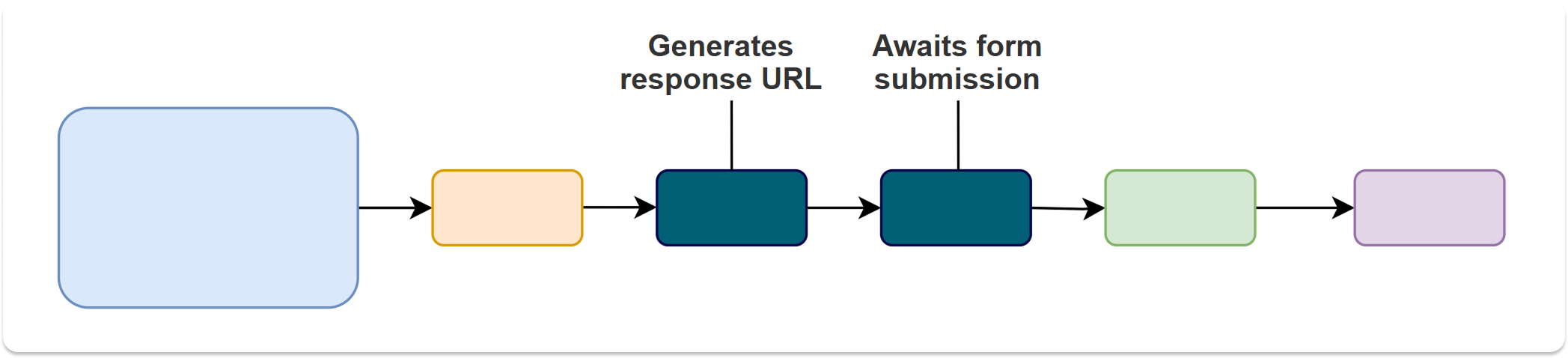
Create Interaction Response Link: Generates a link to a form with the interaction task's questions, retrievable from the task's return data at
$.Data.ResponseURL. Allows setting a due time for responses.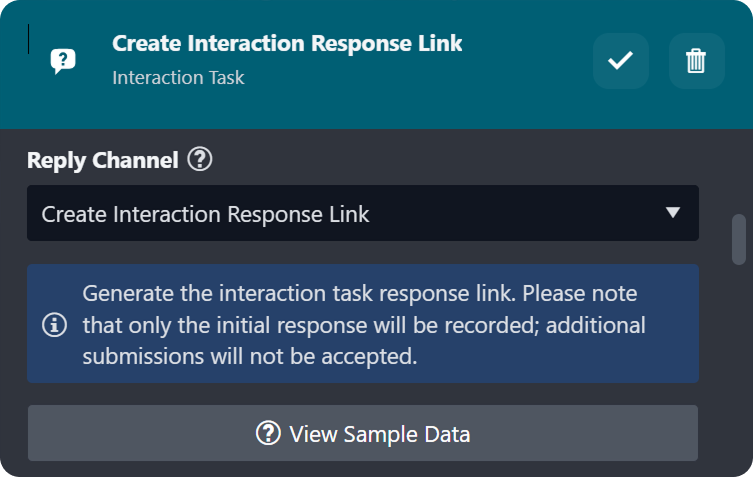
Only the first submission will be recorded, and any additional submissions will be ignored.
Await Interaction Response Result: Waits for form submission via the link generated by Create Interaction Response Link.
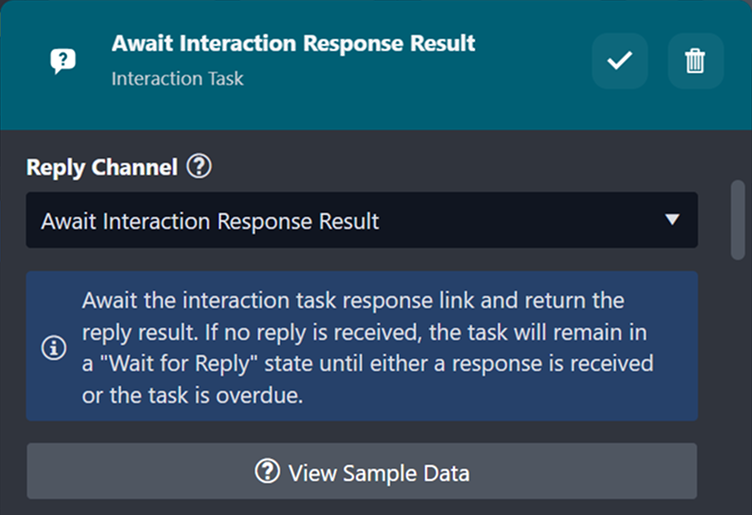
Users cannot submit responses via the interaction response link after the due date has passed.
Examples
Suppose the following investigation playbook is provided:
%201.png?inst-v=a9107af0-b04c-4e31-bb5a-938372783868)
Set up the first interaction task.
Set up the second interaction task.
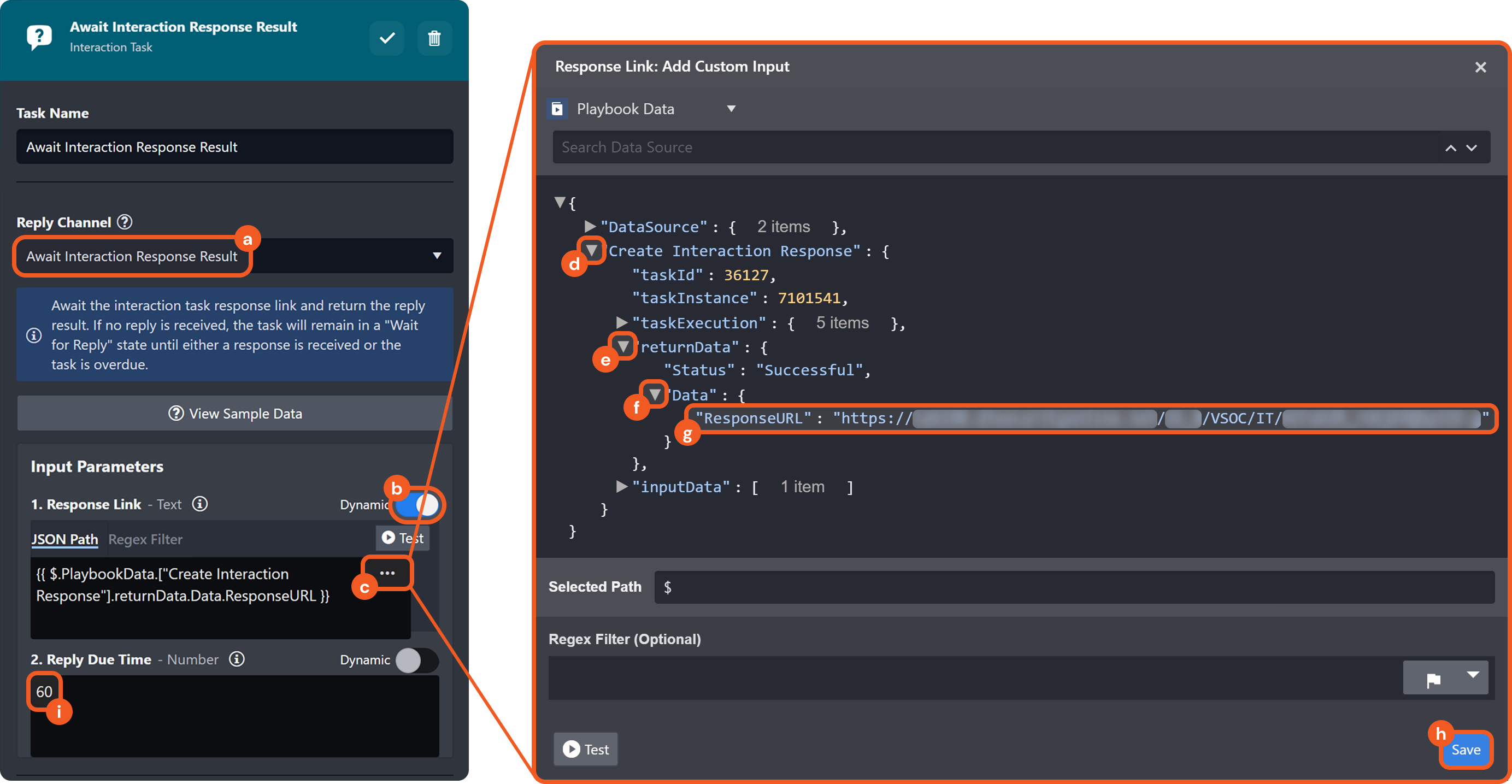
Test the playbook, then click on the
 icon for the first interaction task to obtain the response URL.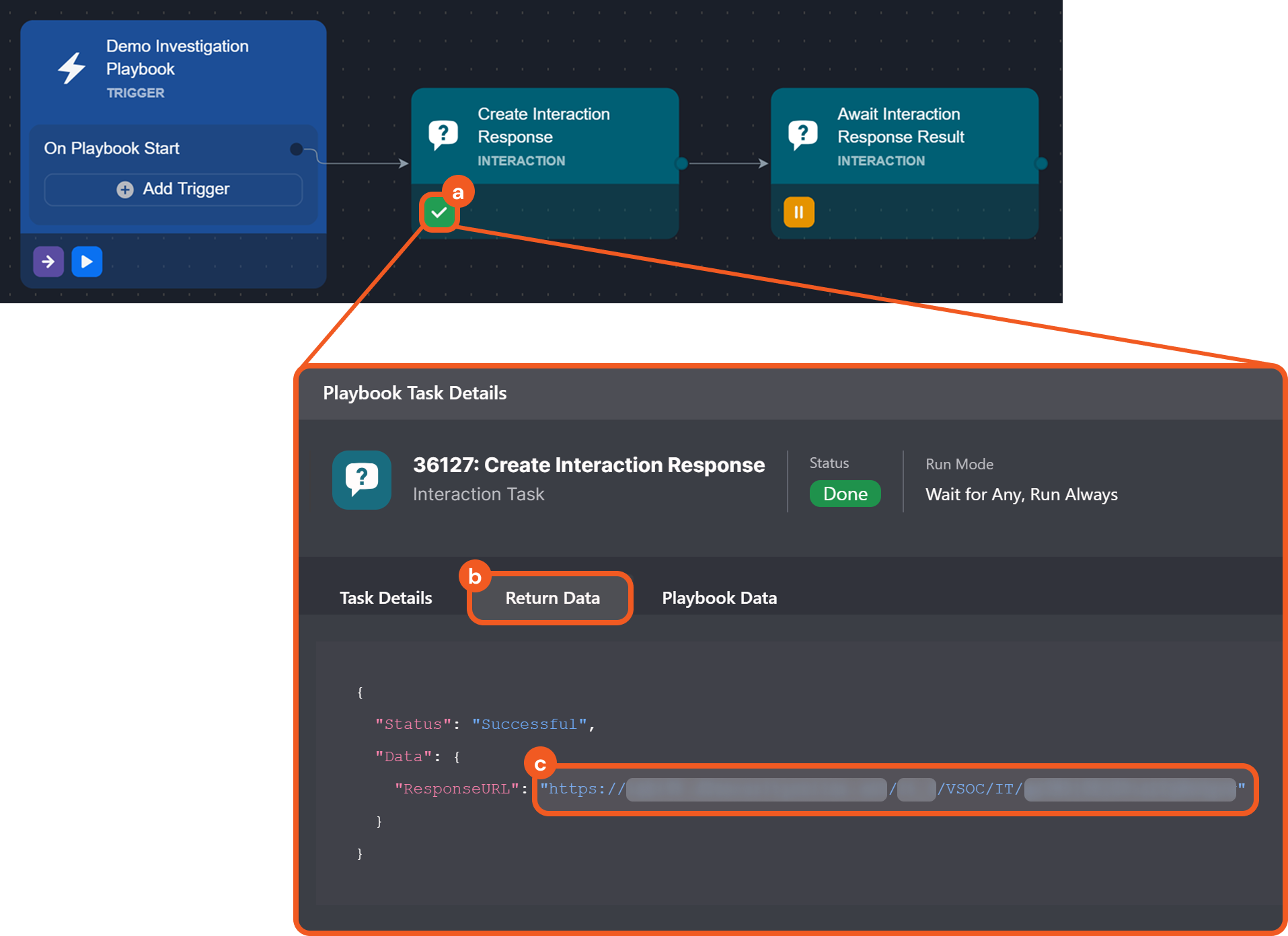
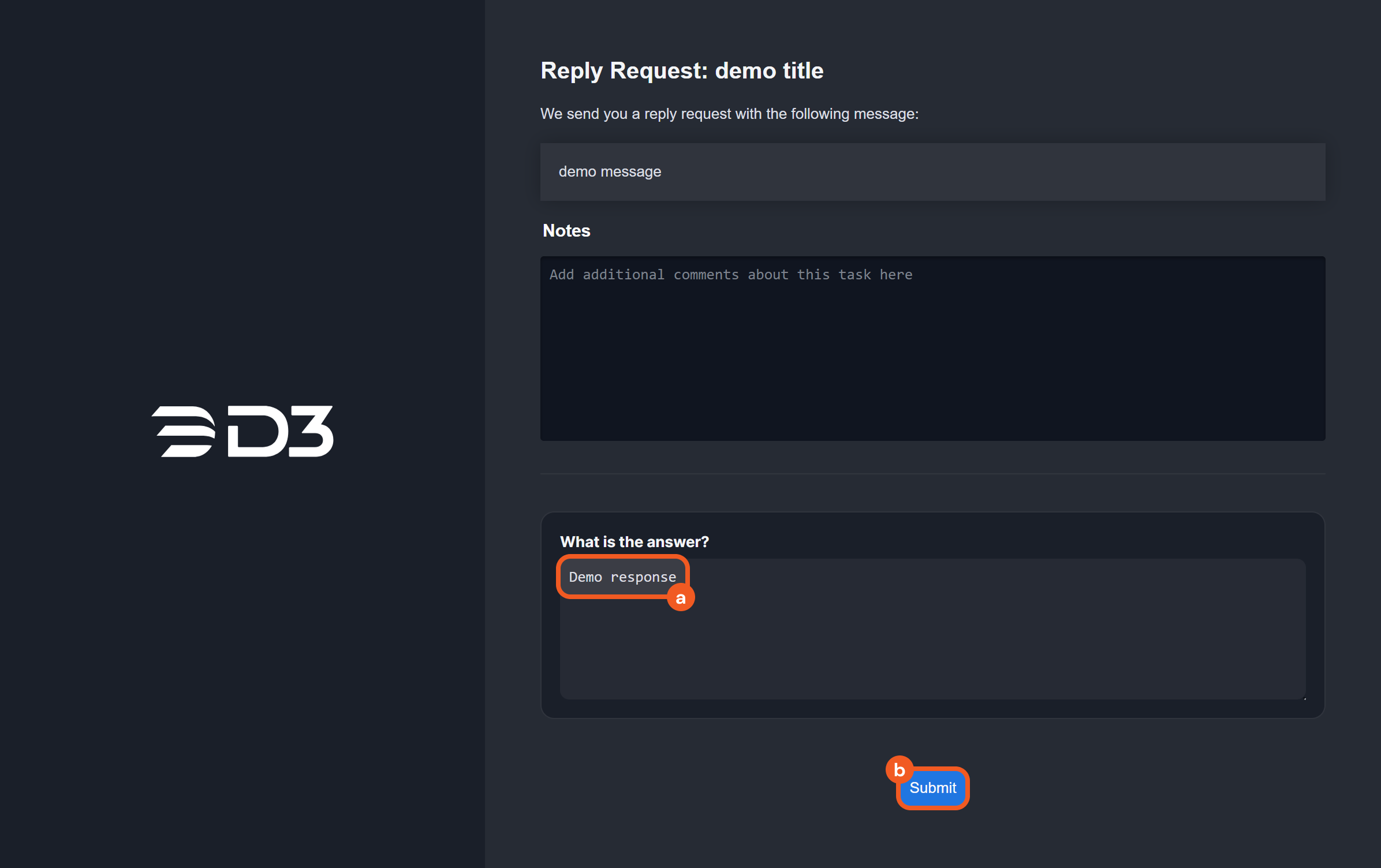
Send the URL to the relevant recipients. The form accessed via the URL will appear as follows:
%201%20(1).png?inst-v=a9107af0-b04c-4e31-bb5a-938372783868)
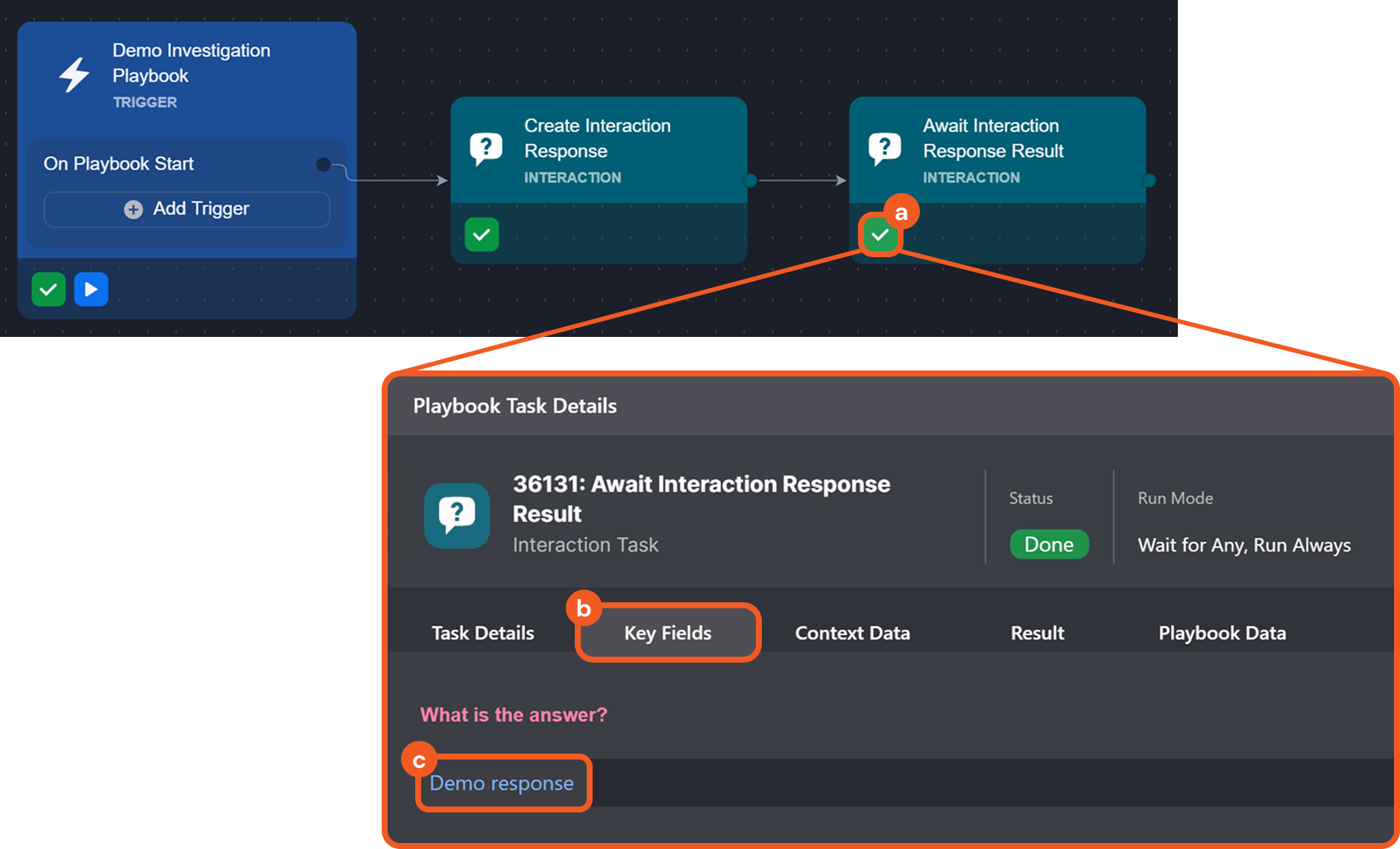
Click on the
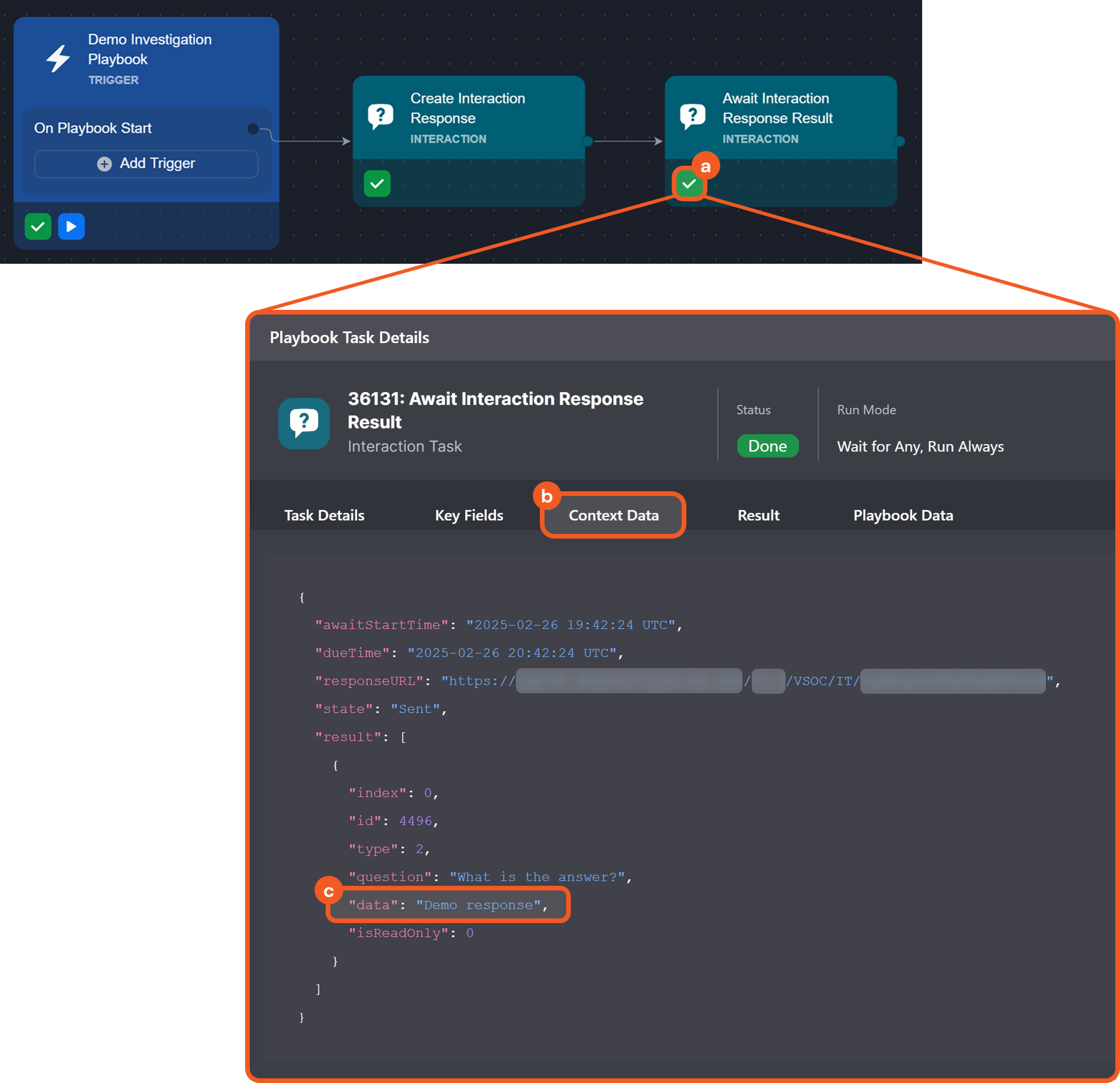
icon for the second interaction task to check on the response status. If the recipient does not respond within the allotted timeframe, an overdue message will be displayed in the Key Fields and Context Data tabs.
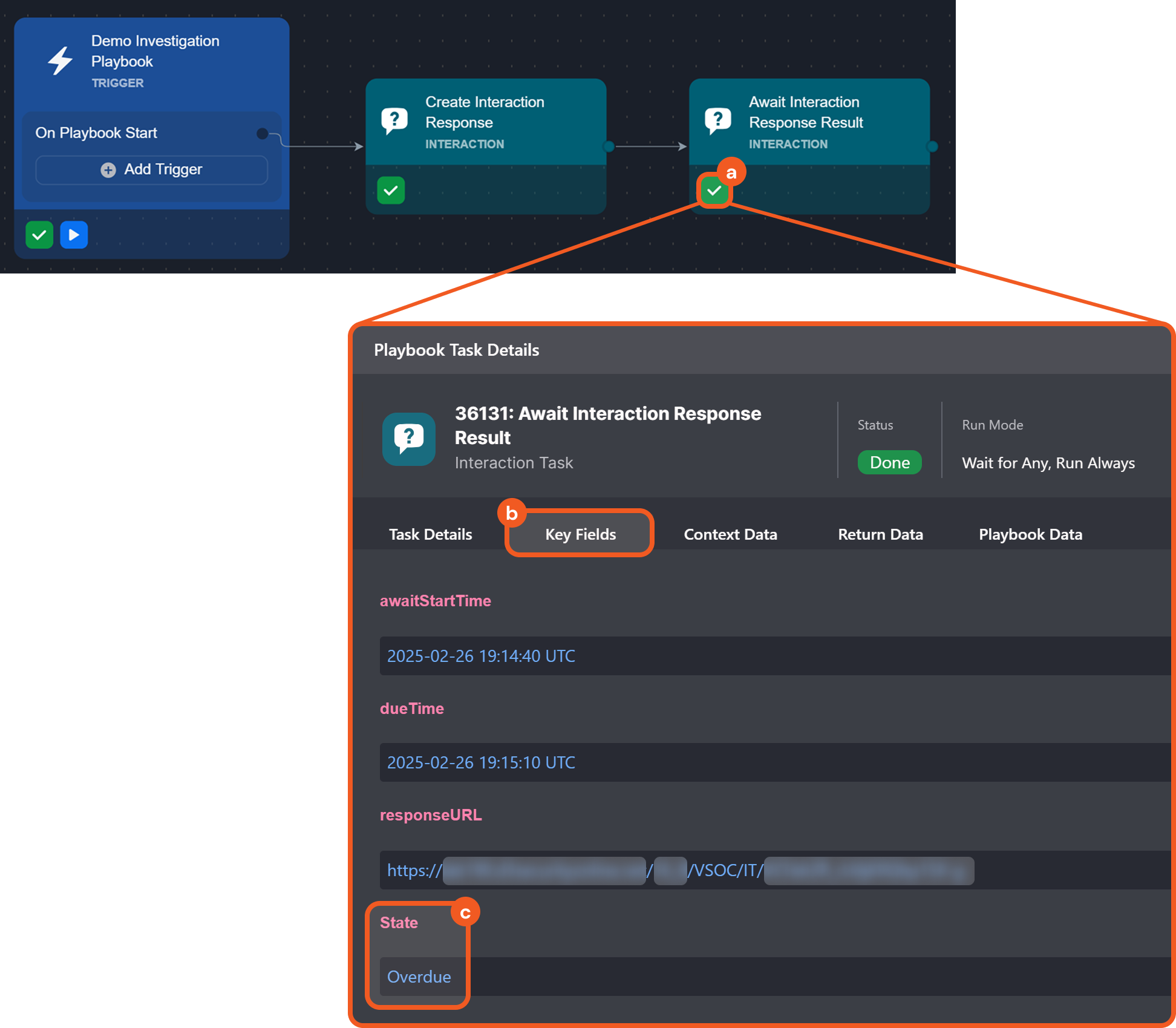
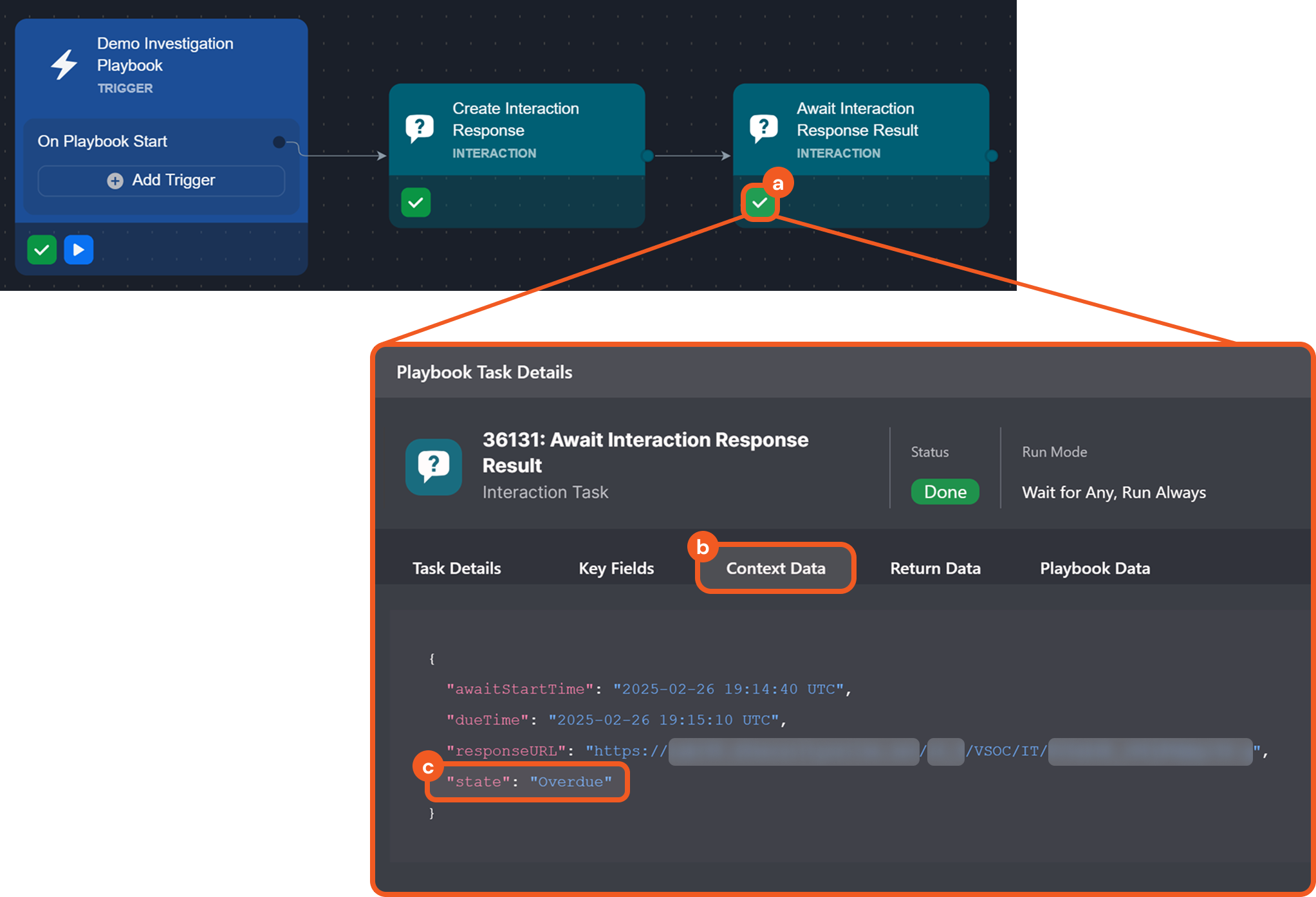
If the recipient responds by submitting the form within the allotted timeframe, their response will be displayed in the Key Fields and Context Data tabs.
%201.png?inst-v=a9107af0-b04c-4e31-bb5a-938372783868)
SCENARIO An analyst aims to create a playbook that lists Slack users and prompts assignees to flag unrecognized accounts.
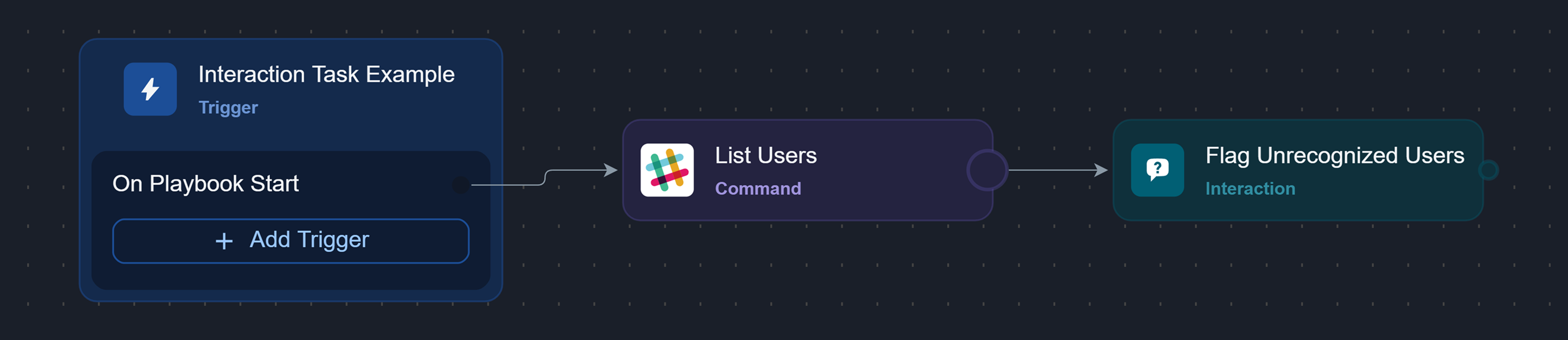
Here is how the analyst can design the initial tasks of the playbook:
Add the List Users command task from Slack to the On Playbook Start trigger, and configure it.
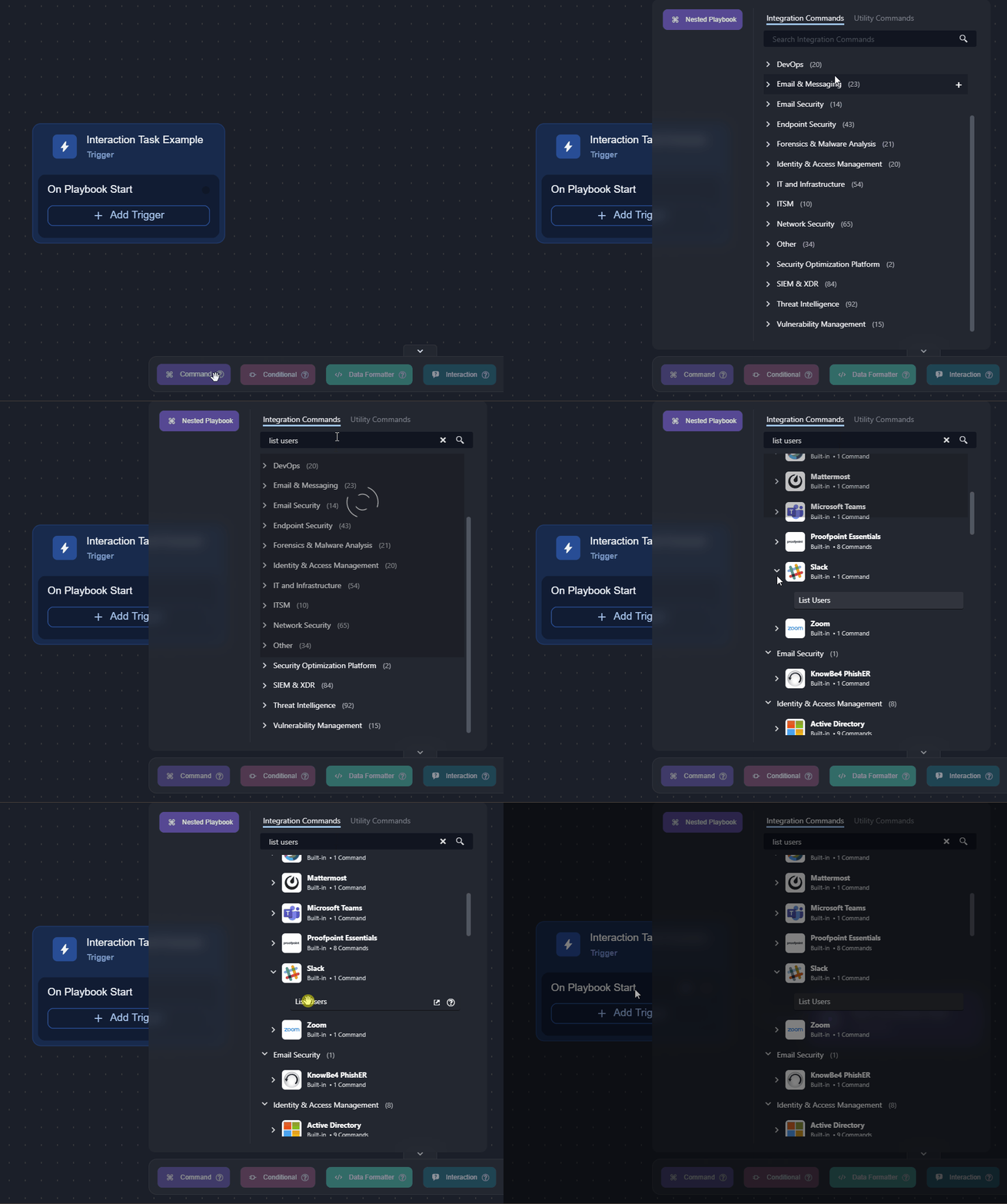
Click on the Test Playbook button, then click on the the Run Test button in the popover.
.png?inst-v=a9107af0-b04c-4e31-bb5a-938372783868)
This step helps reveal additional fields for dynamic data selection in step 7.
Add an interaction task to the previous task.
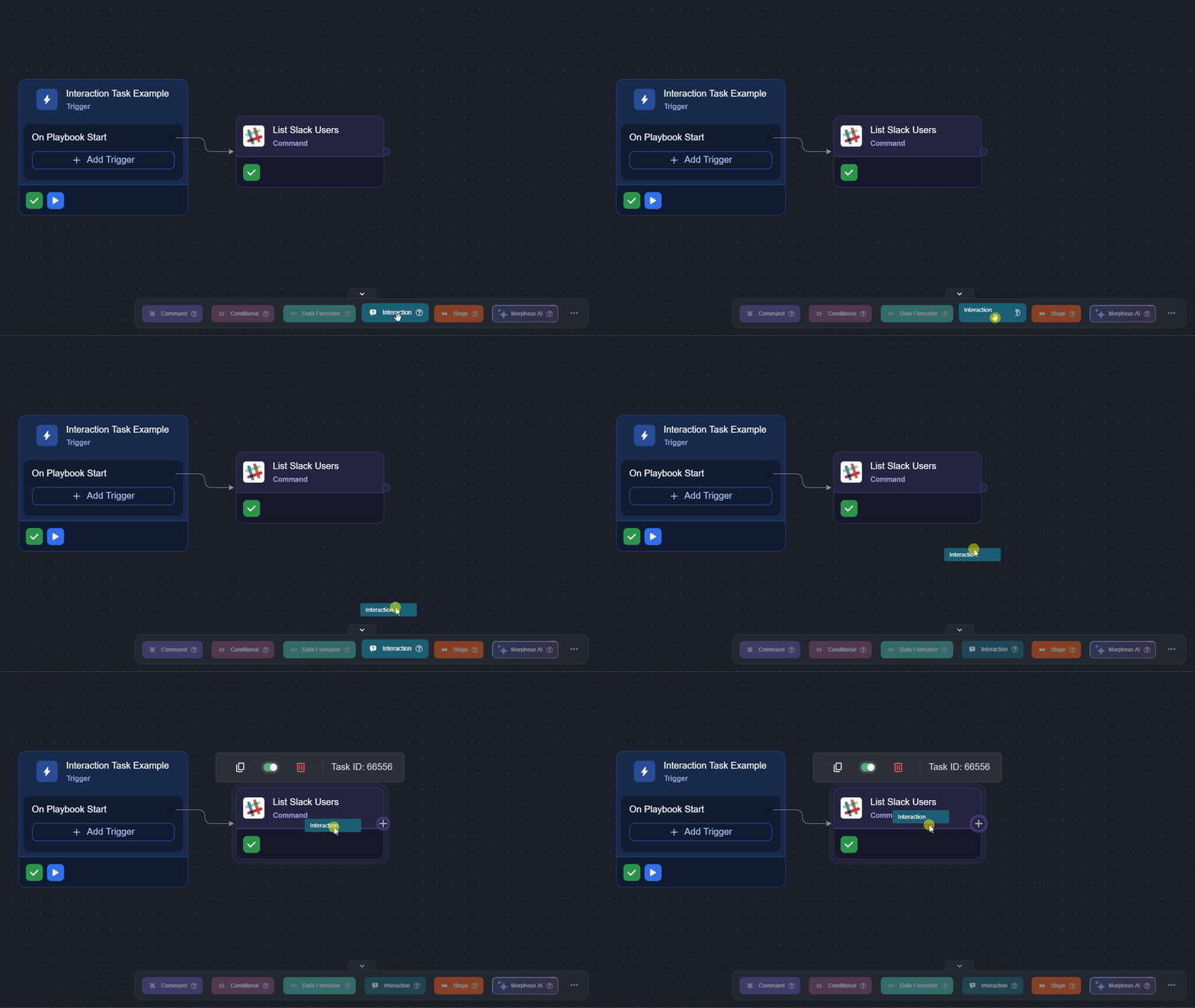
Name the task, then click the + Add button.
.png?inst-v=a9107af0-b04c-4e31-bb5a-938372783868)
Use the
icon to delete the default content..png?inst-v=a9107af0-b04c-4e31-bb5a-938372783868)
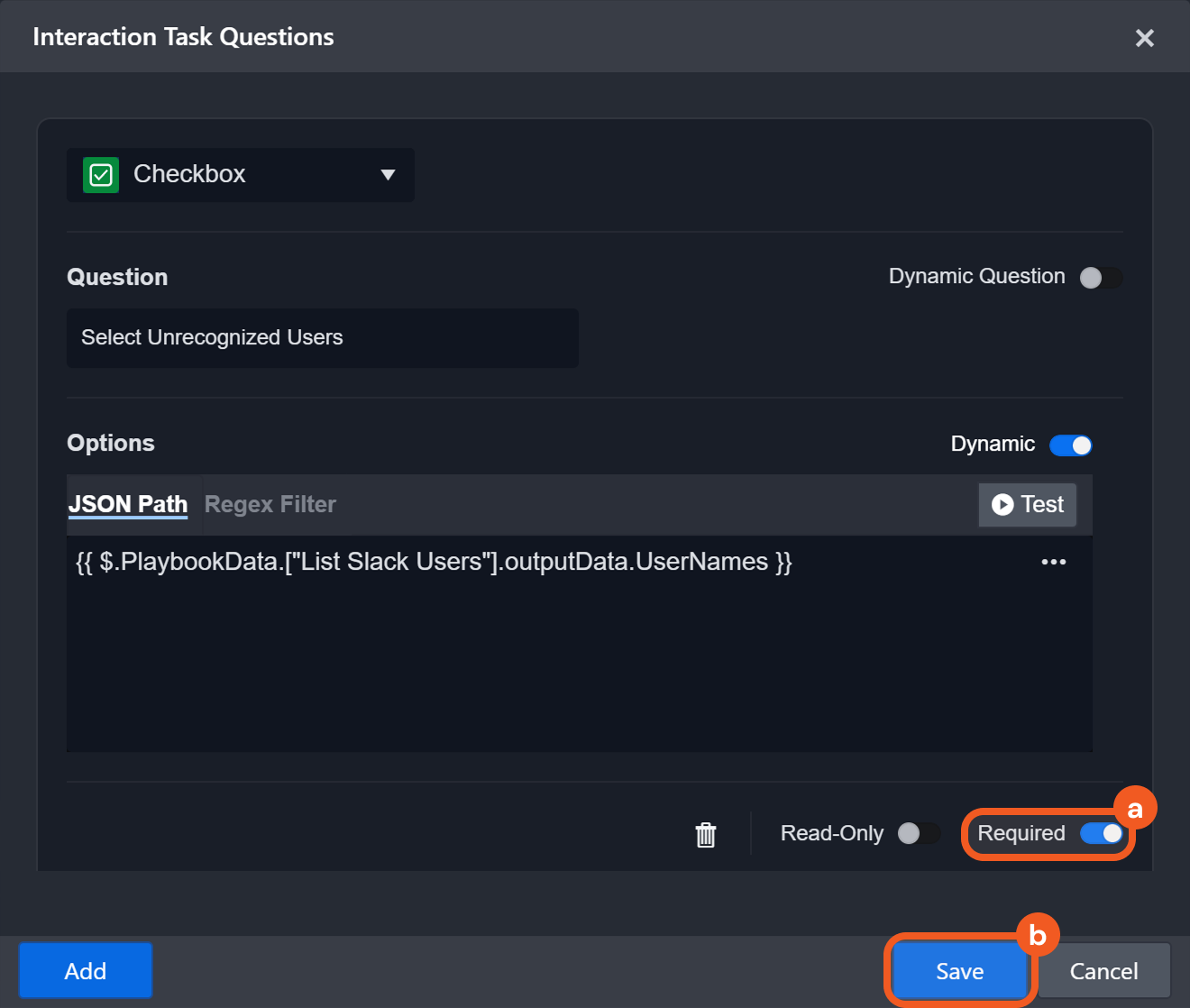
Add a checkbox question with options generated dynamically from the List Slack Users task output.
.png?inst-v=a9107af0-b04c-4e31-bb5a-938372783868)
Click the Add button.
Select Checkbox using the dropdown.
Enter the question.
Select the Dynamic toggle.
Click the
icon.
Select data dynamically, then save the task.
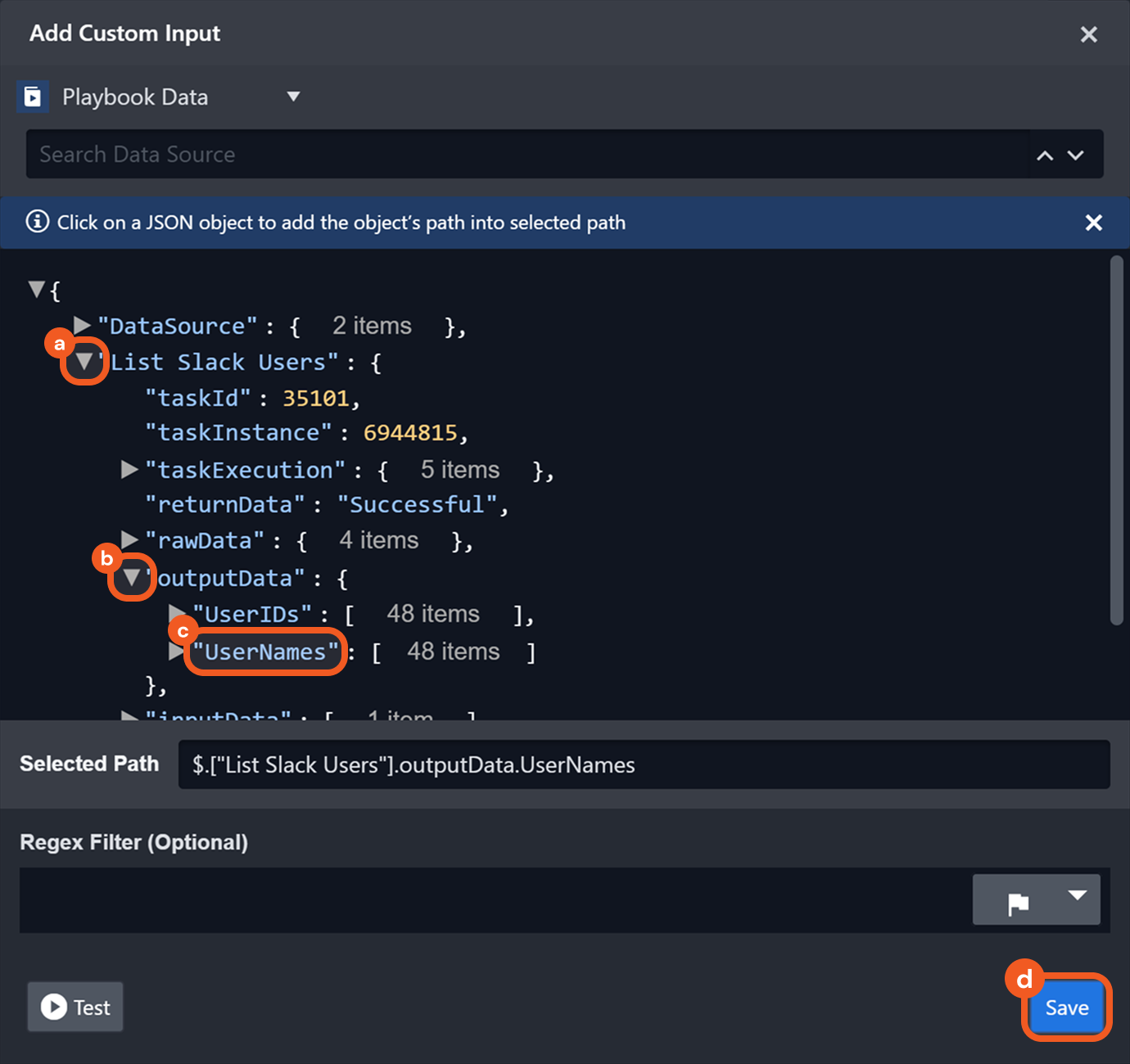
Open the Slack command task object.
Open the outputData object.
Select the Usernames field.
Click on the Save button.
Mark this question as required, then click on the Save button.
Configure the interaction task to be sent and responded to via email, then save the task.
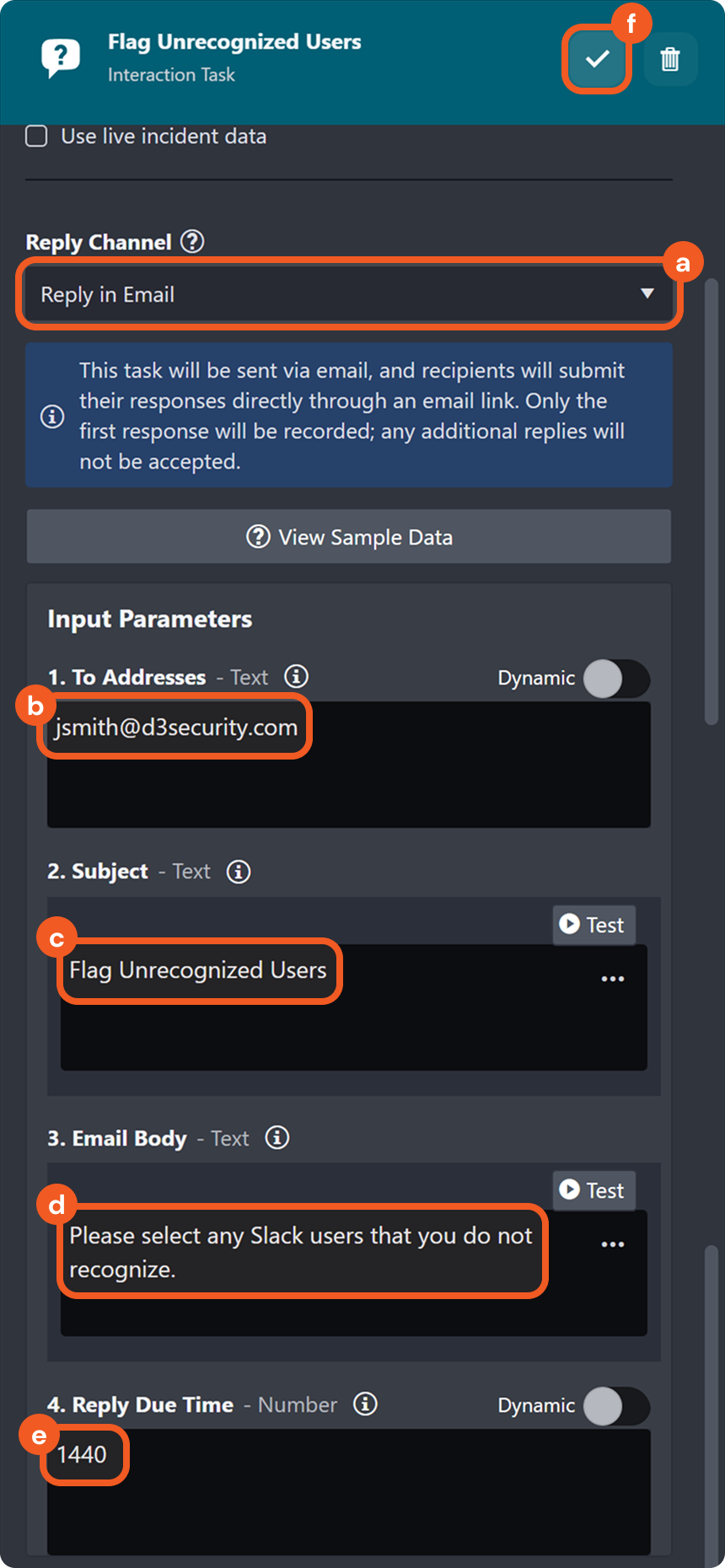
Select the Reply in Email option as the Reply Channel.
Enter the recipient's email address.
Enter the email subject.
Enter the email content.
Set a due time.
Click the
.png?inst-v=a9107af0-b04c-4e31-bb5a-938372783868) button to save the task.
button to save the task.
Click the
%202-20250225-202524.png?inst-v=a9107af0-b04c-4e31-bb5a-938372783868) button to stop the playbook test and restore the Test Playbook button.
button to stop the playbook test and restore the Test Playbook button. Click on the Test Playbook button, then click on the the Run Test button in the popover.

RESULT
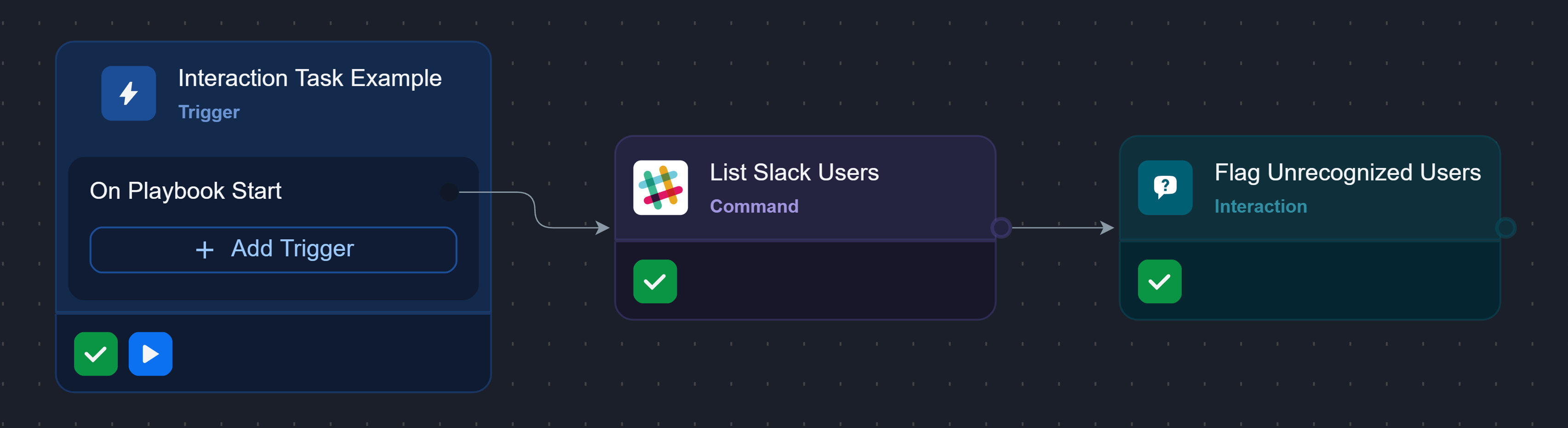
The playbook executes the auto-run List Slack Users task.
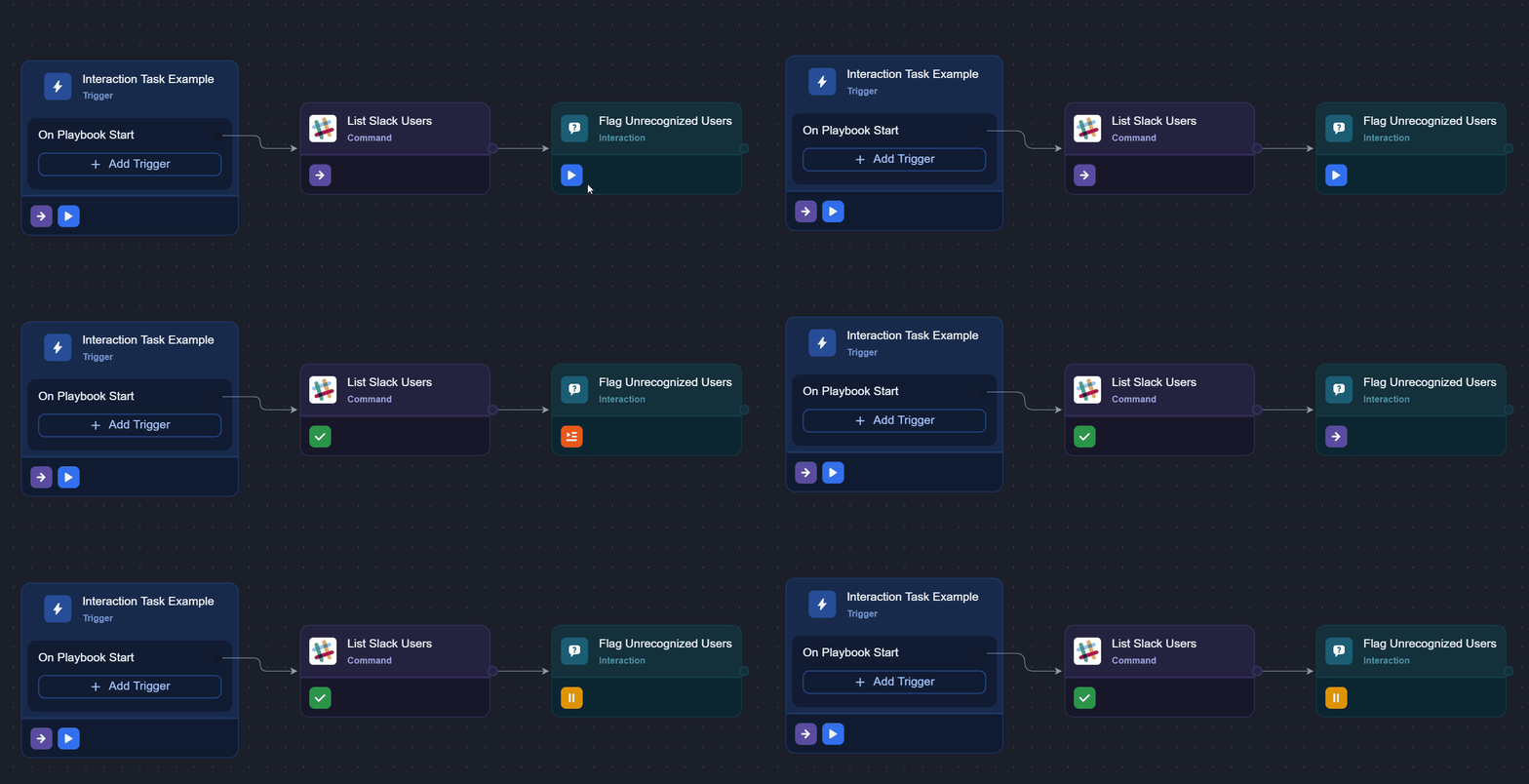
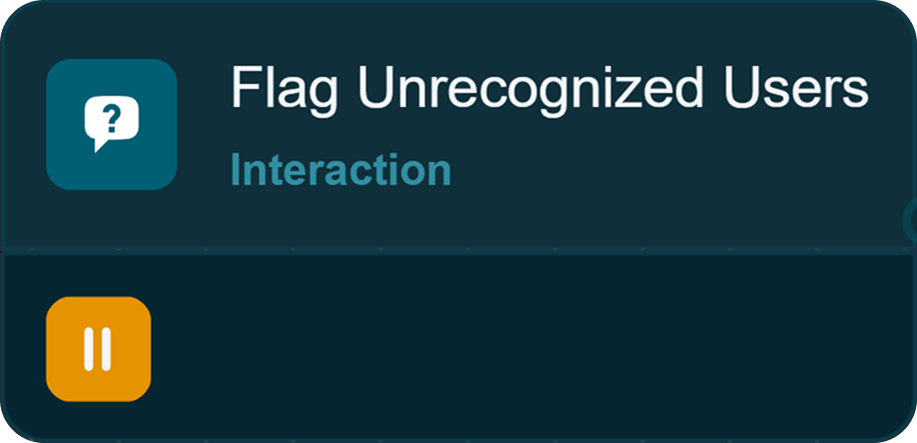
The execution pauses at the Flag Unrecognized Users task, as indicated by the  icon.
icon.
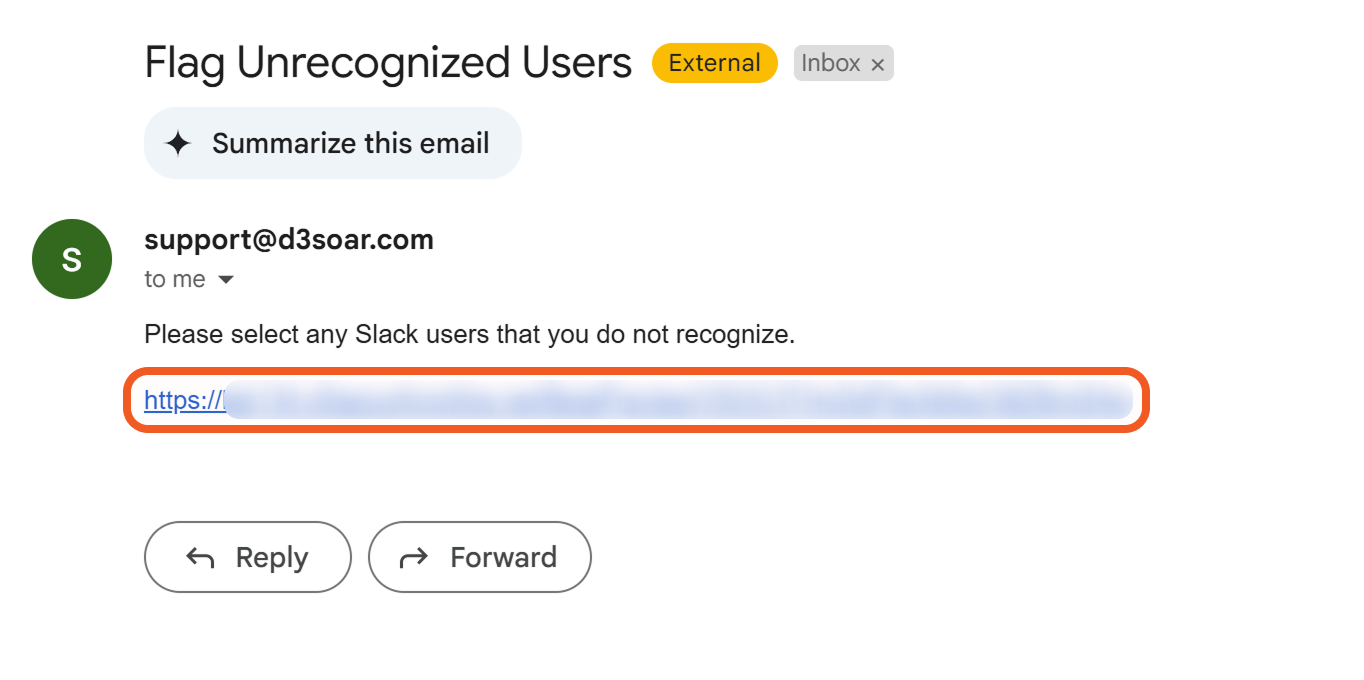
The email recipient specified in the interaction task can access it in form format by clicking the URL in the email body.
The recipient can respond to the interaction task using the form.
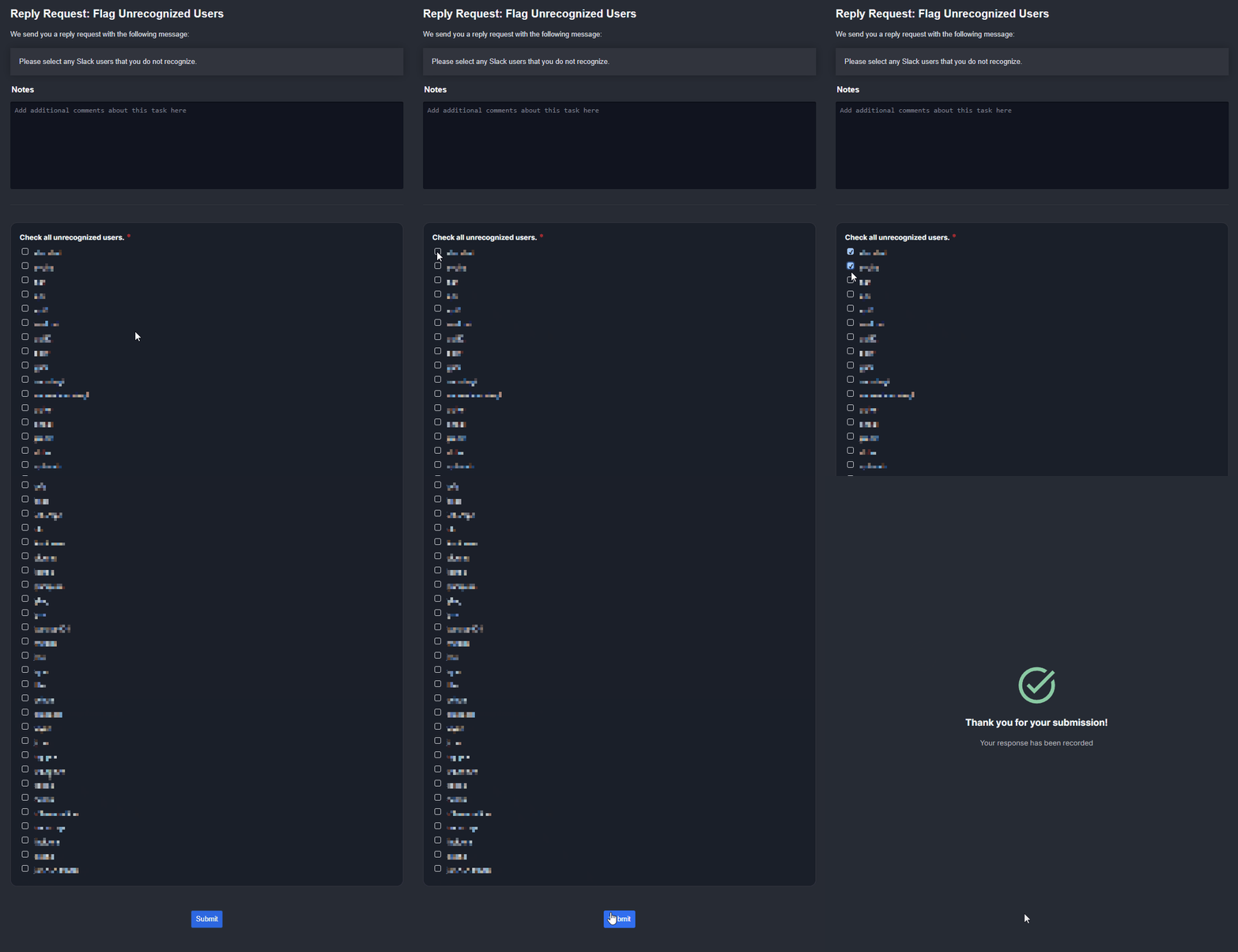
Once the form has been submitted, the icon changes to the icon, indicating that the task is finished.
SCENARIO An L1 analyst wants input from an L2 analyst on the risk level of IP addresses.

Here is how the L1 analyst can design the playbook, using interaction tasks in combination with command tasks:
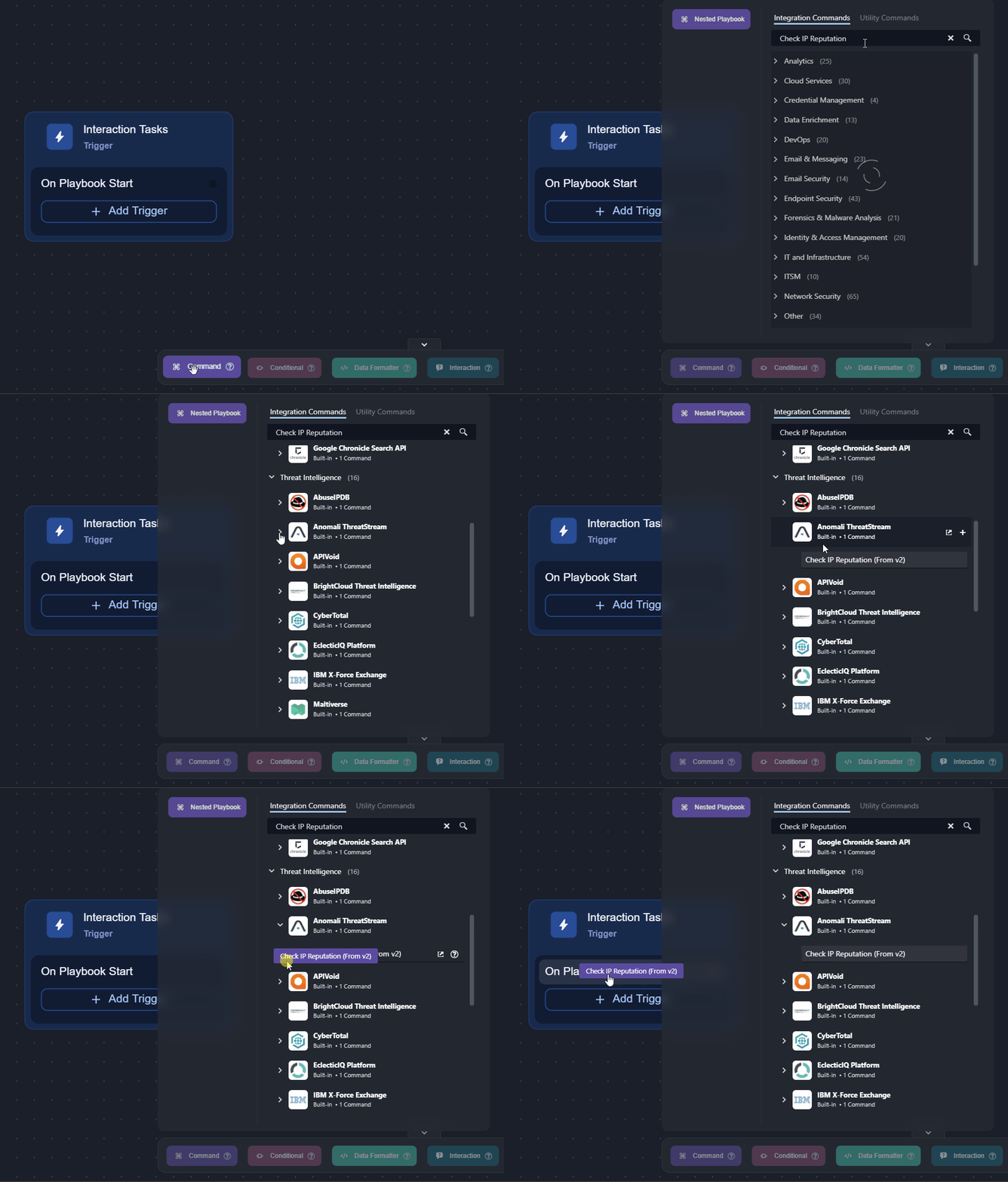
Add a command task that can check the reputation of IP addresses (e.g., the Check IP Reputation command from Anomali Threatstream) to the On Playbook Start trigger, and configure it.
Add an interaction task to the previous task.
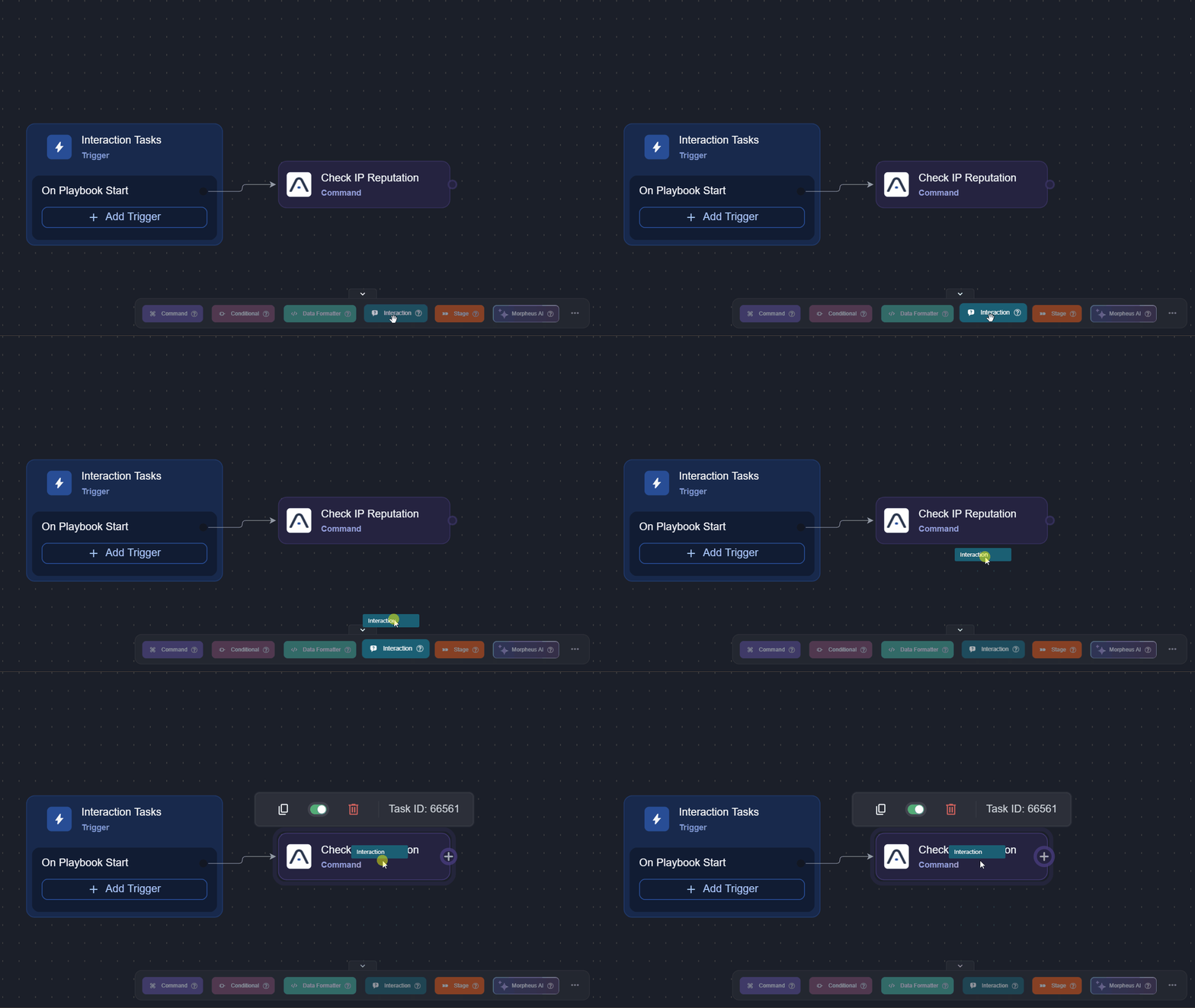
Name the task, then click the + Add button.
.png?inst-v=a9107af0-b04c-4e31-bb5a-938372783868)
Use the
icon to delete the default content.Add an HTML text question to display the check reputation task's result table.
.png?inst-v=a9107af0-b04c-4e31-bb5a-938372783868)
Click the Add button.
Select HTML Text using the dropdown.
Enter the question.
Select the Set default value toggle.
Click the
icon to use the data formatter to dynamically select data for the result table of the command task. CODE{{PlaybookData | jsonpath('$.["Check IP Reputation"].result')}}Select the Read-Only toggle.
Add a radio button question.
.png?inst-v=a9107af0-b04c-4e31-bb5a-938372783868)
Click the Add button.
Select Radio Button using the dropdown.
Enter the question.
Add the options.
Mark this as required.
Add a short text question to allow the L2 analyst to add a short comment, then save.
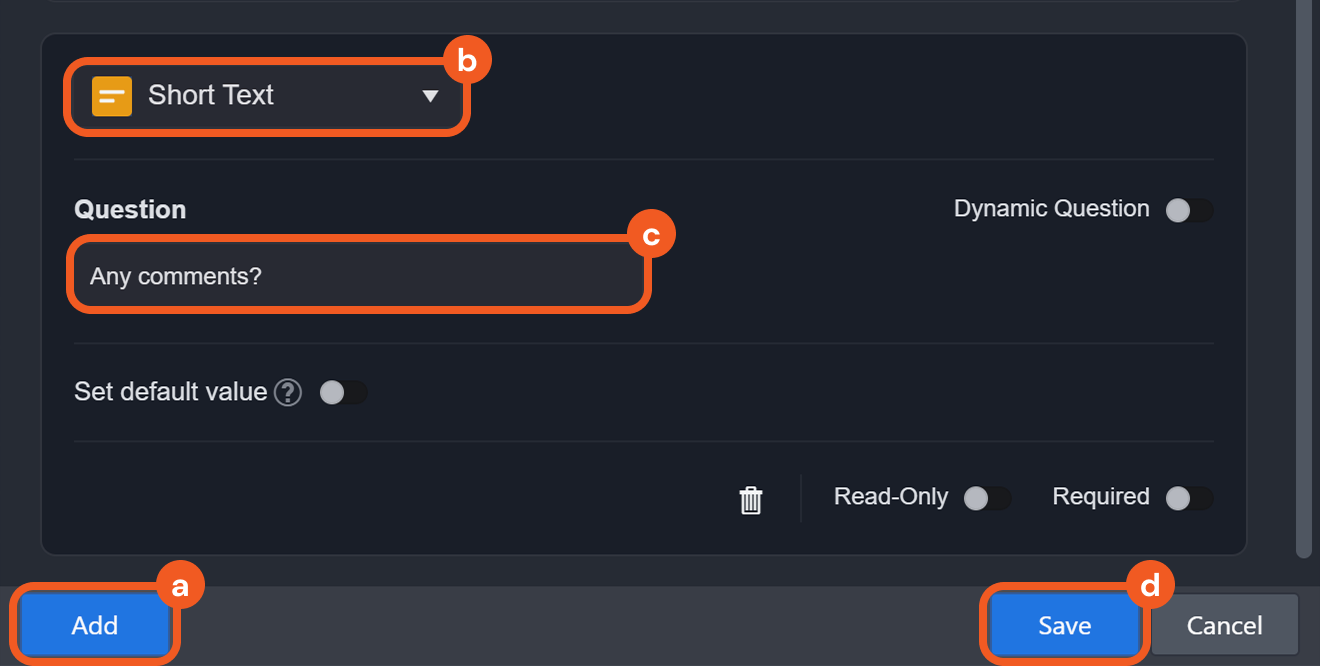
Click the Add button.
Select Short Text using the dropdown.
Enter the question.
Click on the Save button.
Create a response link, then save the task.
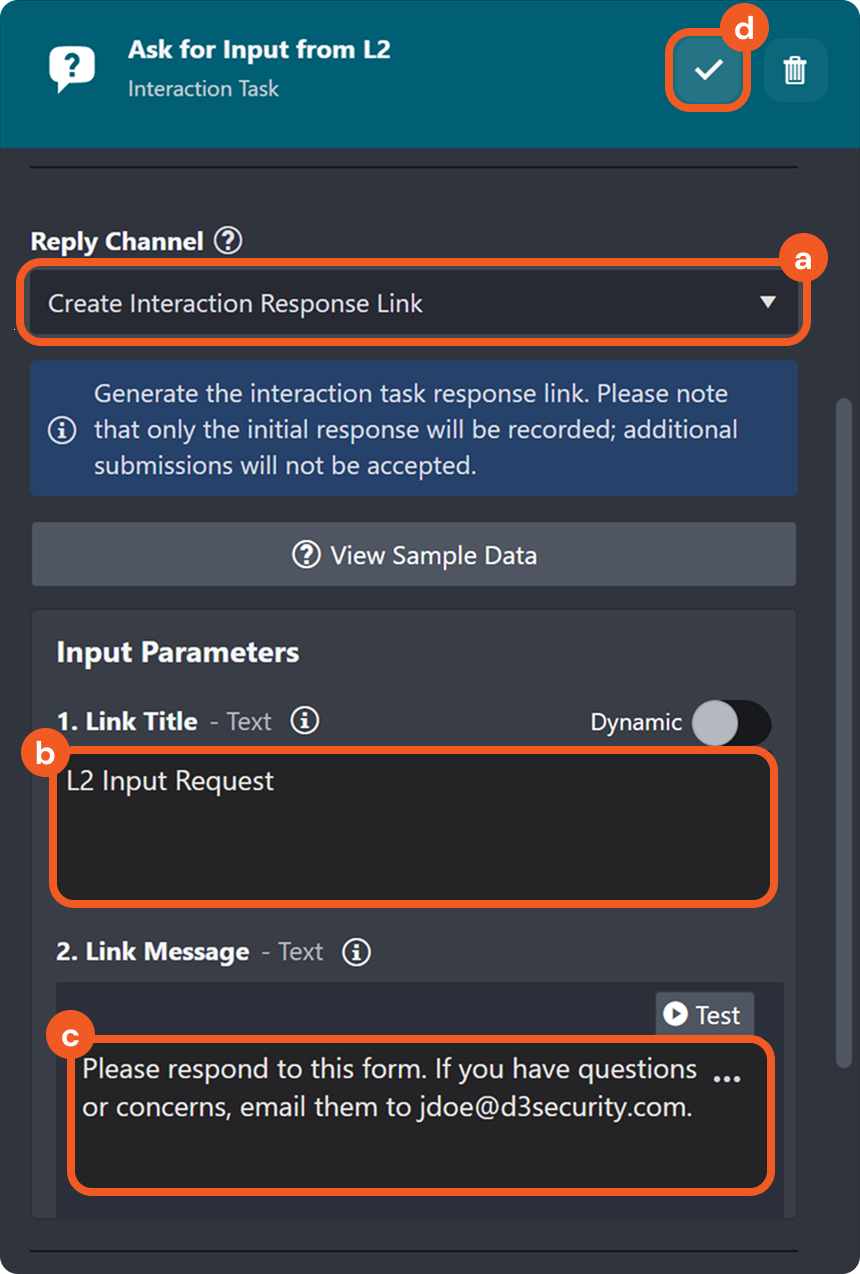
Select the Create Interaction Response Link option as the reply channel.
(Optional) Add a title for the form.
(Optional) Add a message to clarify the intention of the form.
Click the
button to save the task.
Click on the Test Playbook button, then click on the the Run Test button in the popover.
This step helps reveal additional fields for dynamic data selection in step 13.
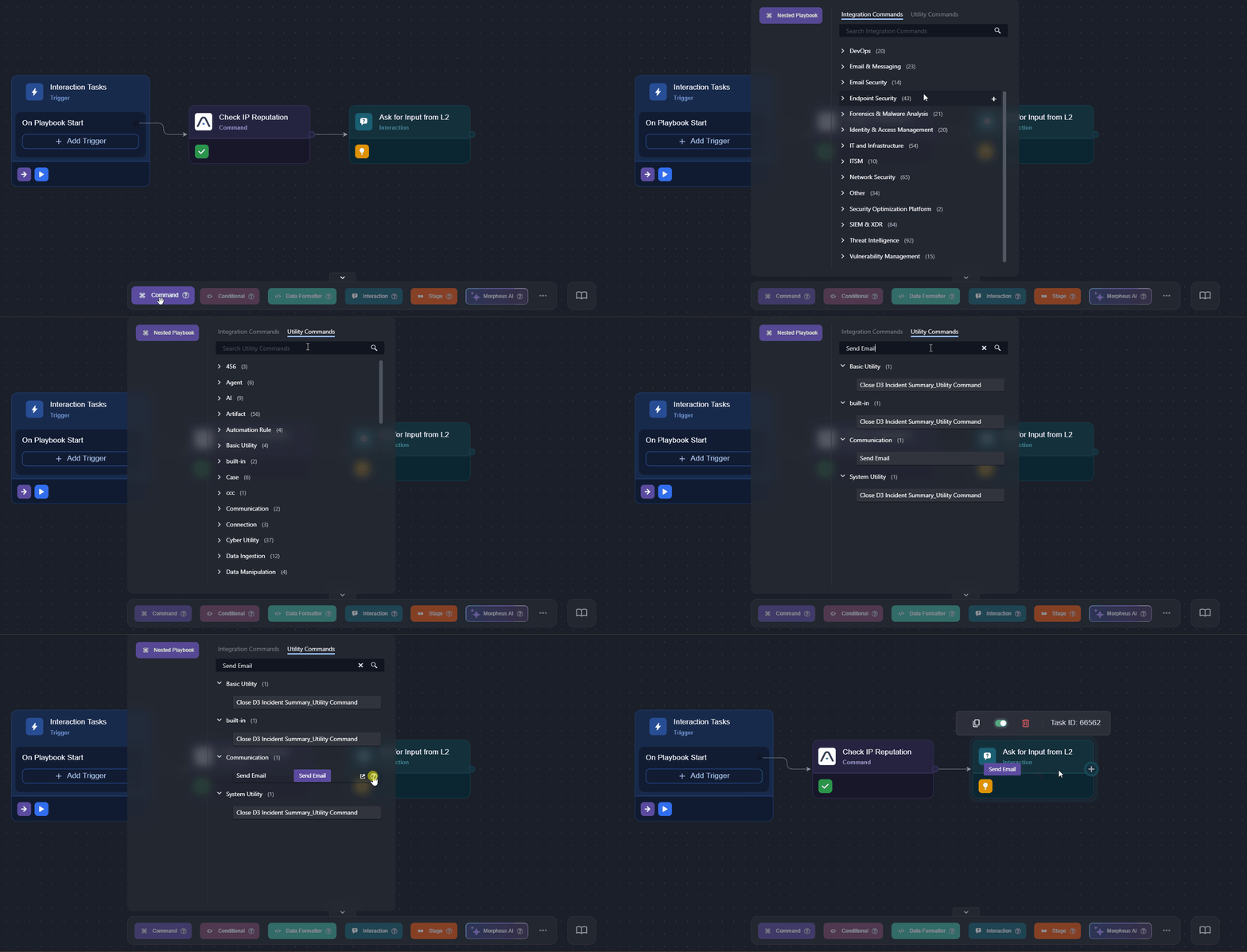
Add the Send Email utility command task to the previous interaction task.
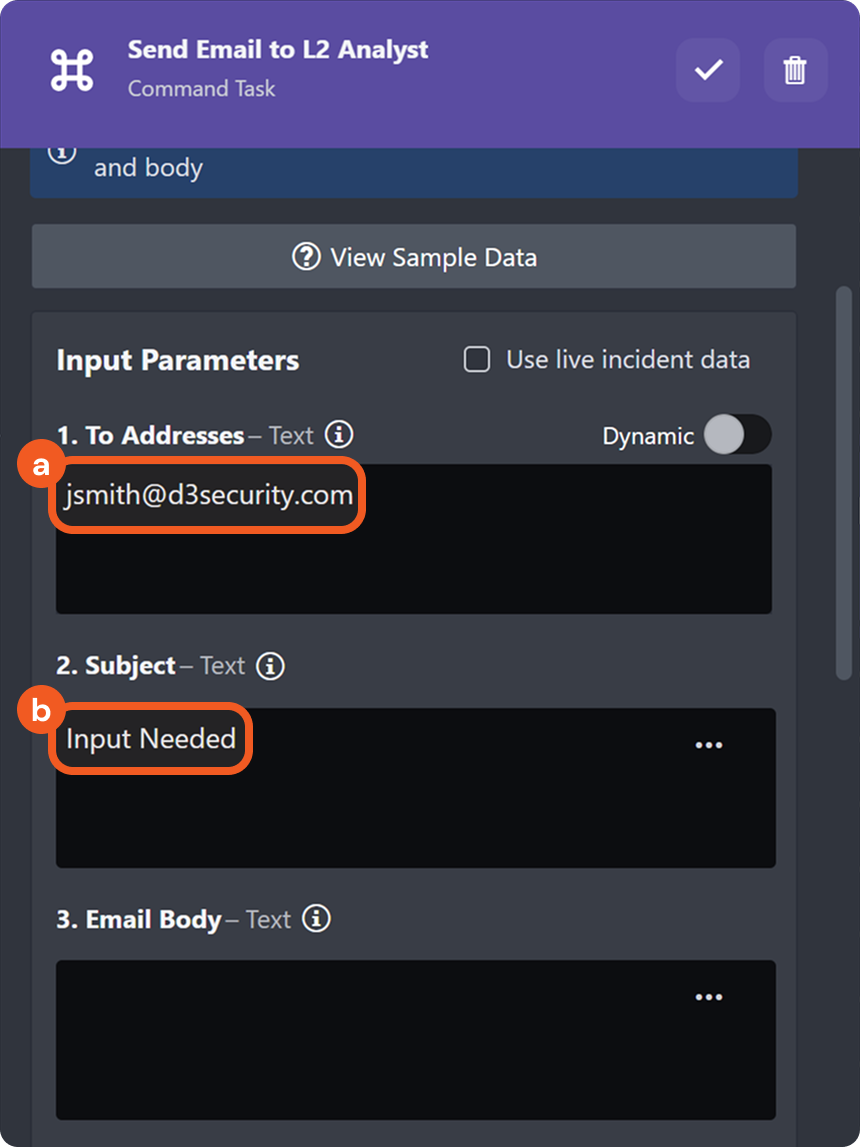
Enter the recipient's email address and the subject.
Paste the code snippet in the email body, then click the
icon to construct the email message..png?inst-v=a9107af0-b04c-4e31-bb5a-938372783868) CODE
CODE<p>Hi Jane,</p> <p>Please review and respond to the required form at your earliest convenience.</p> <p>Click the link below to access the form:</p> <p><a href="placeholder">Form Link</a></p> <p>Your timely response is appreciated.</p> <p>Best regards,</p> <p>John</p>Dynamically select the data containing the response link.
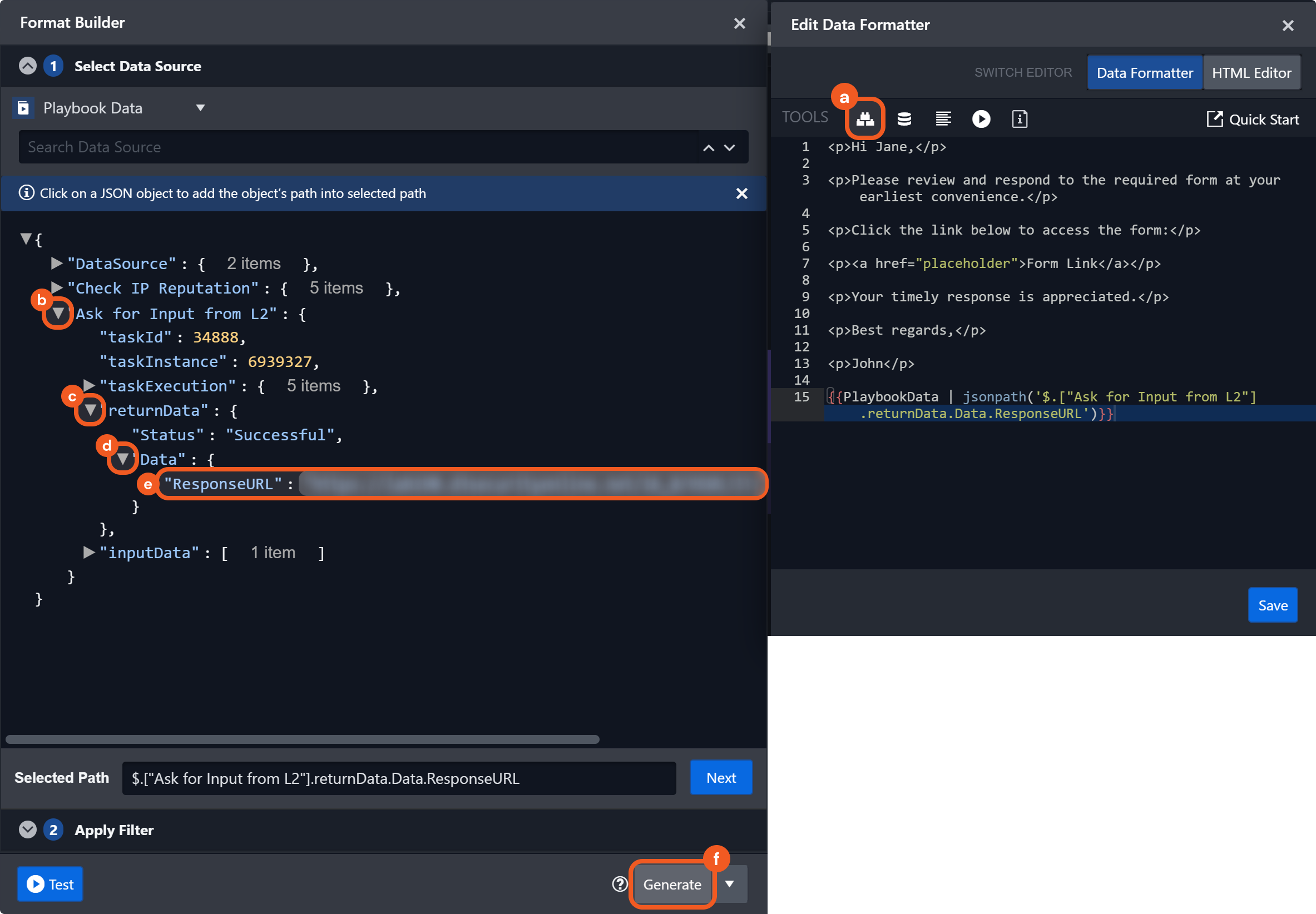
Click the
 icon.
icon.Open the object containing the task that generated the response link.
Open the returnData object.
Open the Data object.
Select the path containing the response link.
Click the Generate button.
Replace
placeholderin the code with the variable, then click the Save button.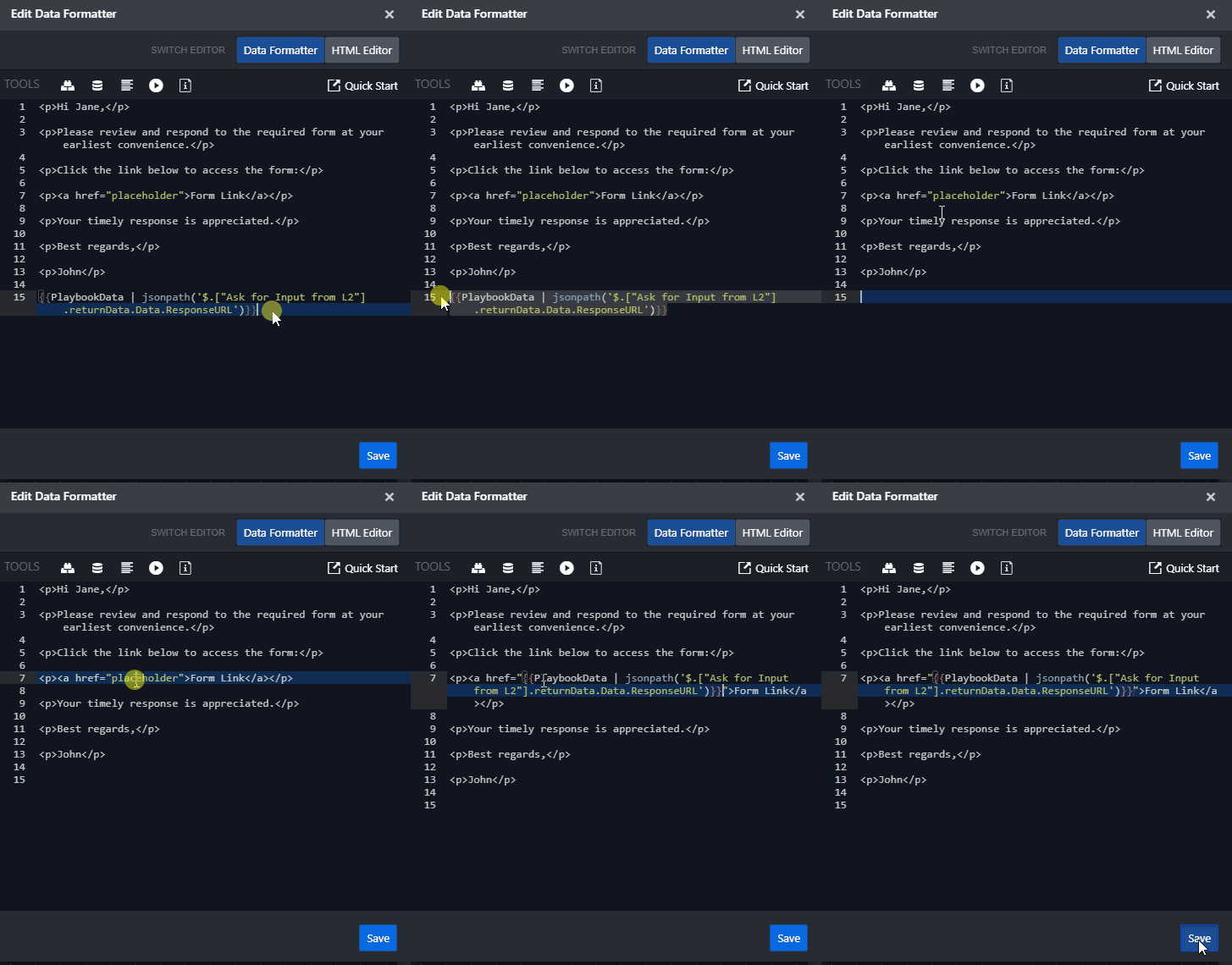
Ensure that the variable is enclosed in double-quotes.
Select the
%201-20250303-220055_2.png?inst-v=a9107af0-b04c-4e31-bb5a-938372783868) checkbox, then click the
checkbox, then click the  button to save.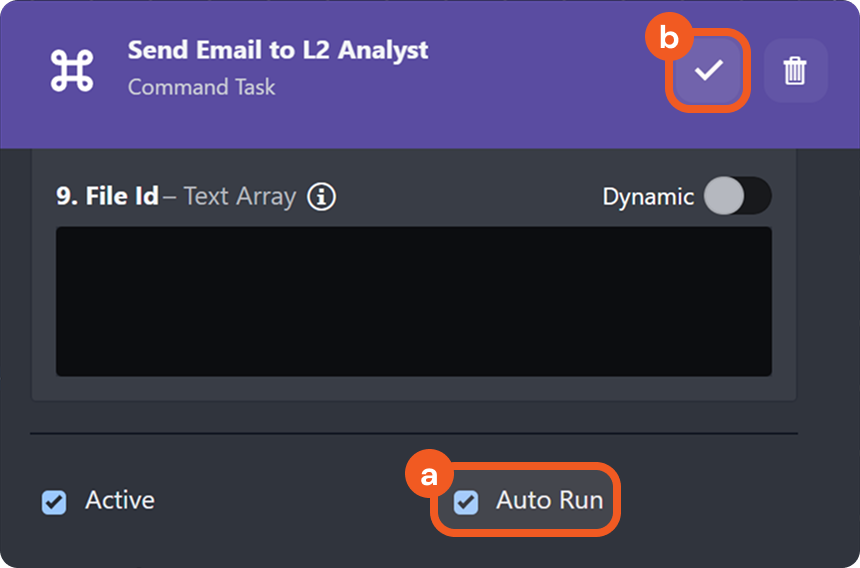
Add another interaction task following the Send Email task to set a due time for the L2 analyst to respond to the form.
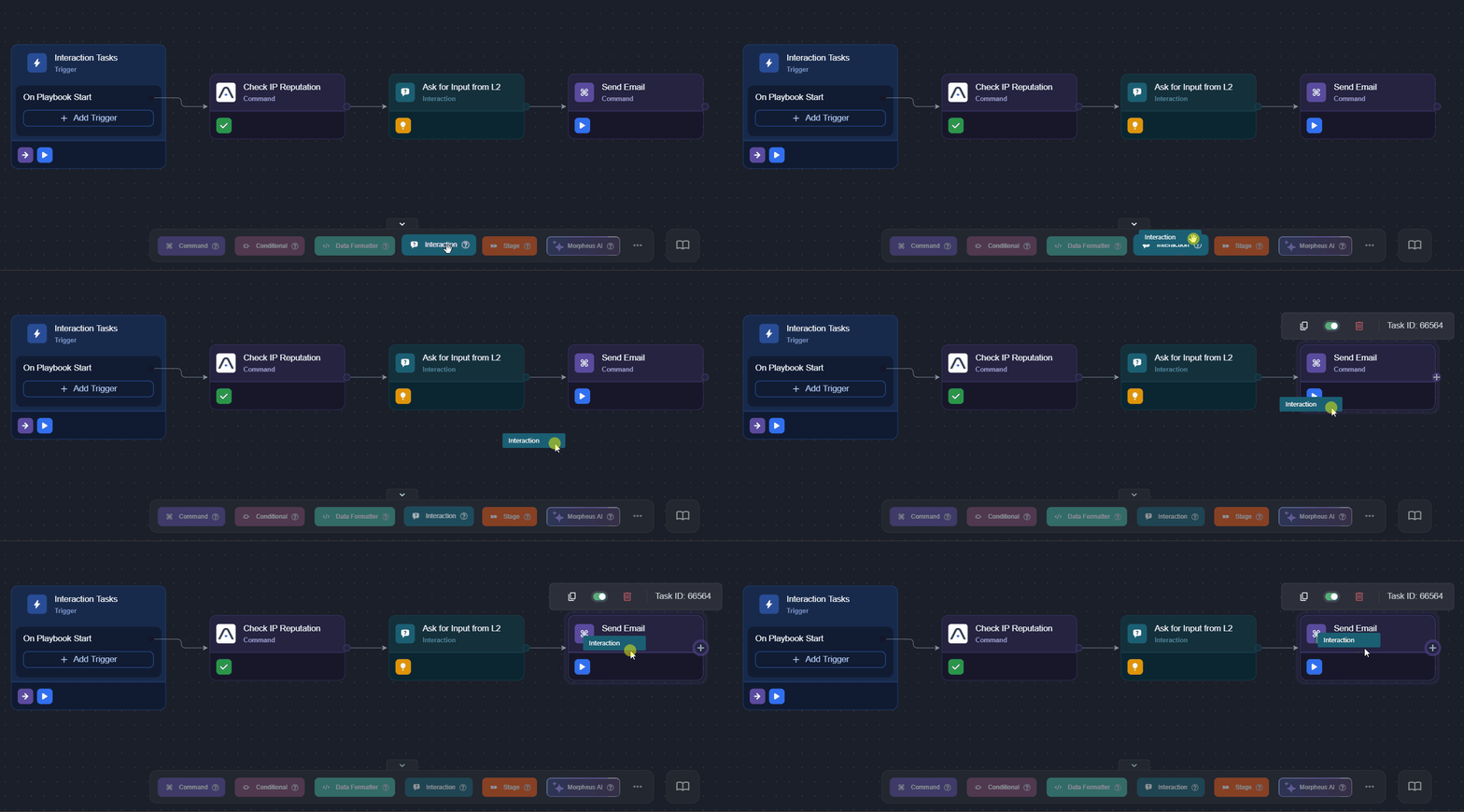
Name the task, then select the Await Interaction Response Result option as the reply channel.
.png?inst-v=a9107af0-b04c-4e31-bb5a-938372783868)
Dynamically select the response link.
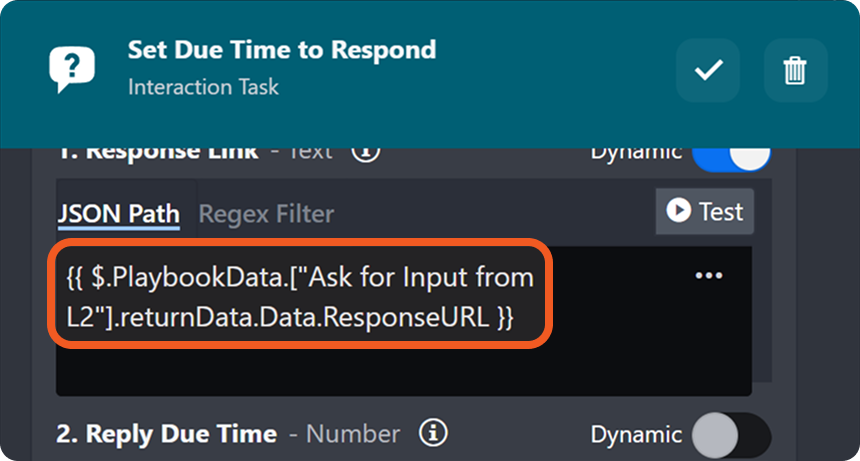
Refer to step 13 for details.
Enter the due time (in minutes) for the preceding interaction task, then click the
button to save the task.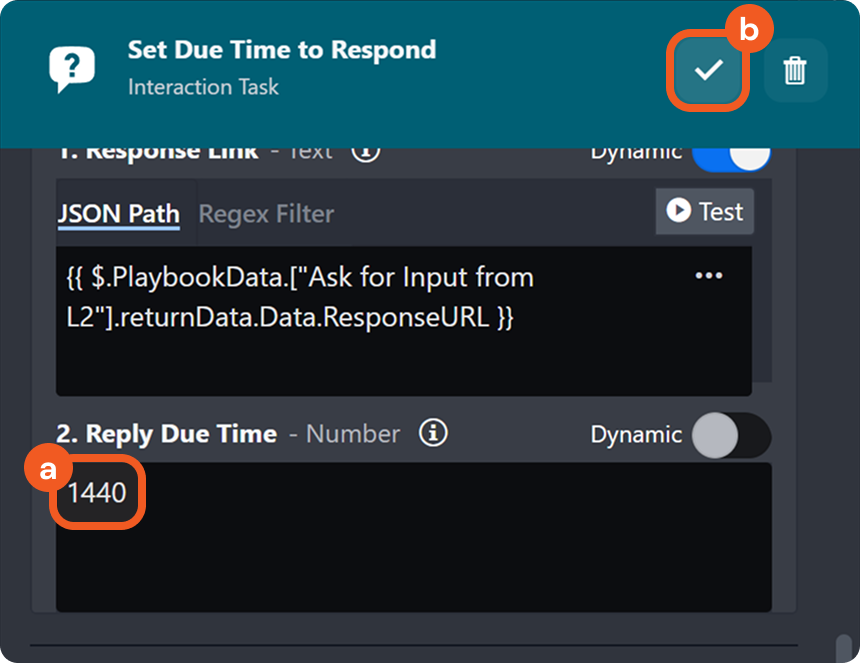
Click the
button to stop the playbook test and restore the Test Playbook button. Click on the Test Playbook button, then click on the the Run Test button in the popover.
RESULTS
The playbook executes from left to right, processing auto-run tasks and the first interaction task, which was configured to generate a response form link.

The execution pauses at the last task—Set Due Time to Respond—indicated by the icon.
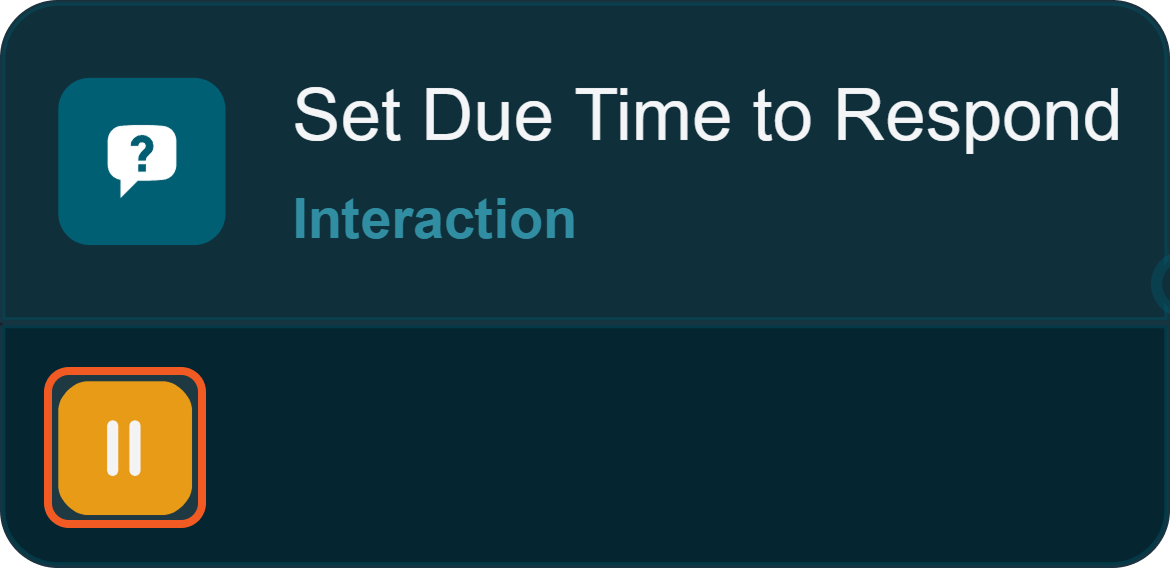
The email recipient of the Send Email task can access the interaction task in form format by clicking the Form Link in the email body.
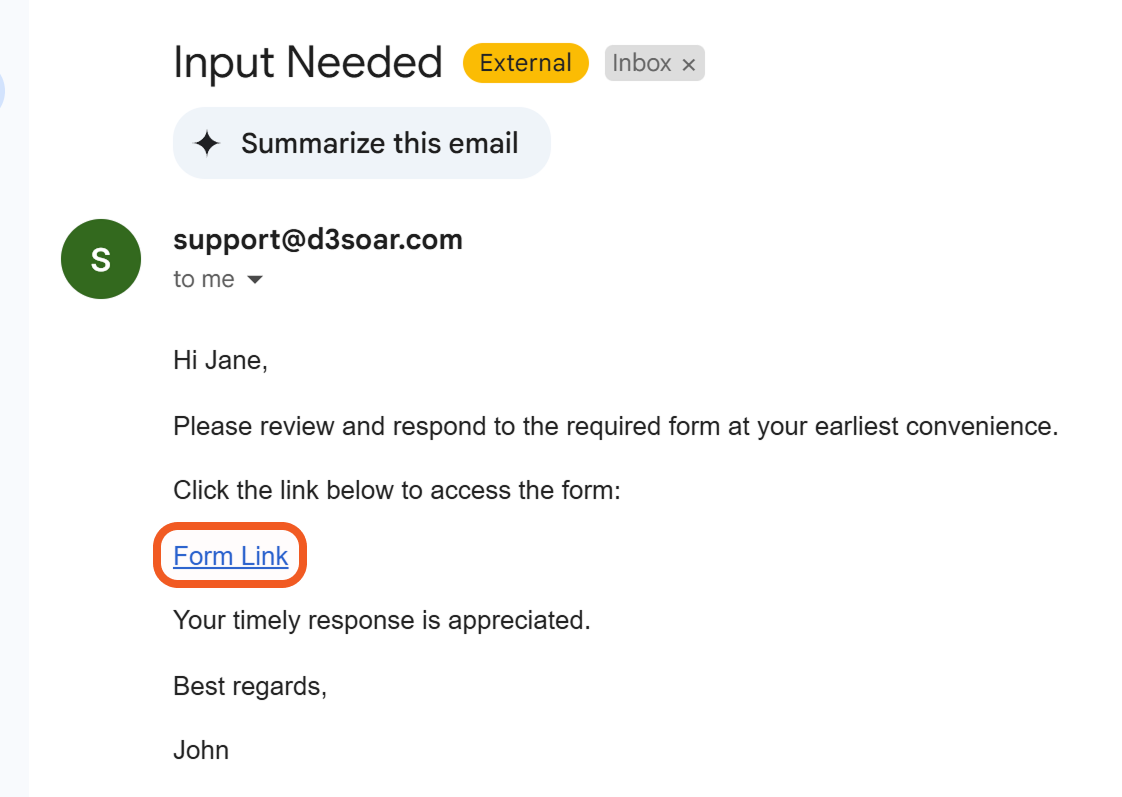
The recipient can respond to the interaction task using the form.
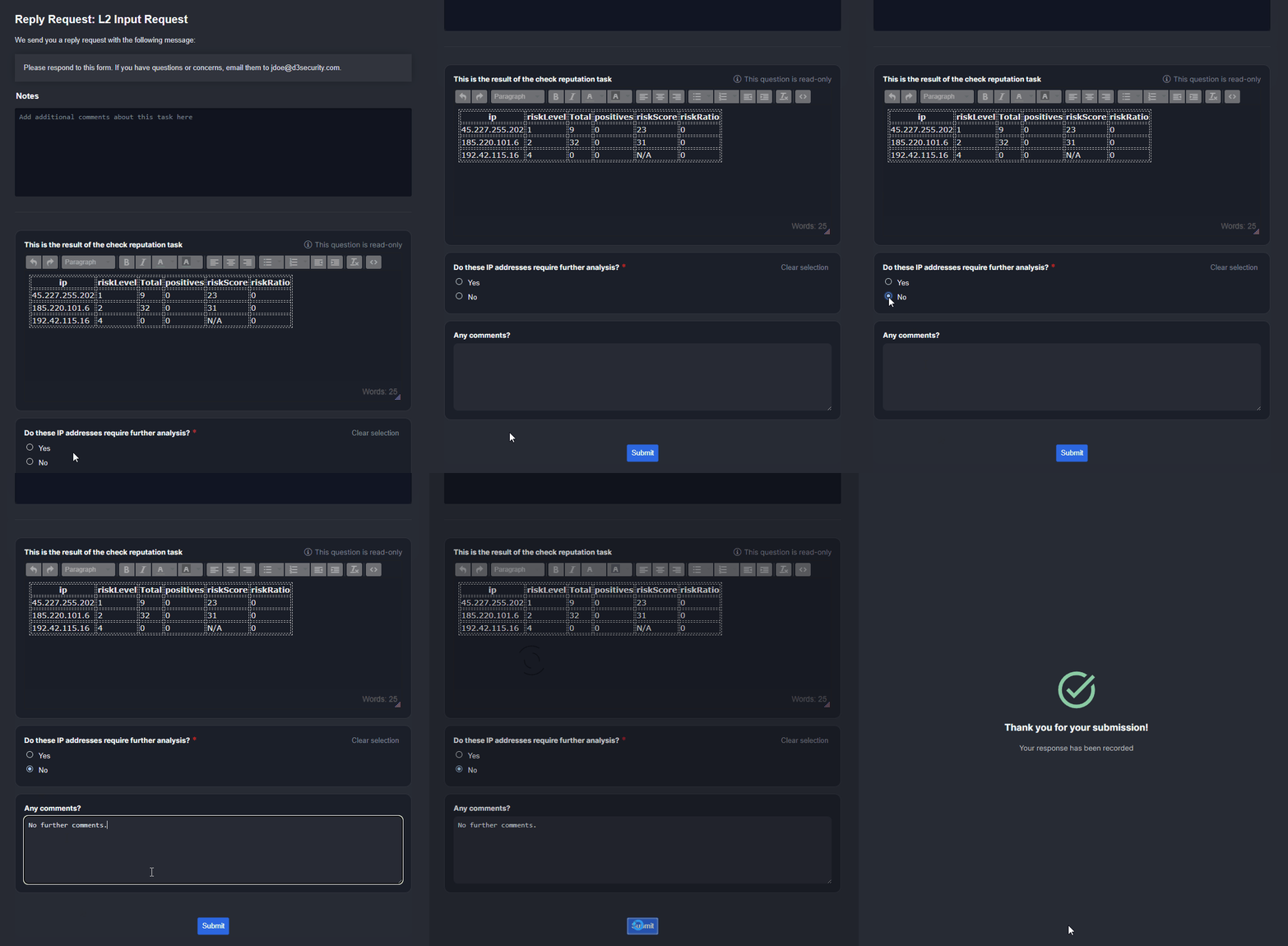
Once the form has been submitted, the icon changes to the icon, indicating that the task is finished.

Appendix
Question Types
.png?inst-v=a9107af0-b04c-4e31-bb5a-938372783868) Short Text | Allows users to input a concise textual answer. 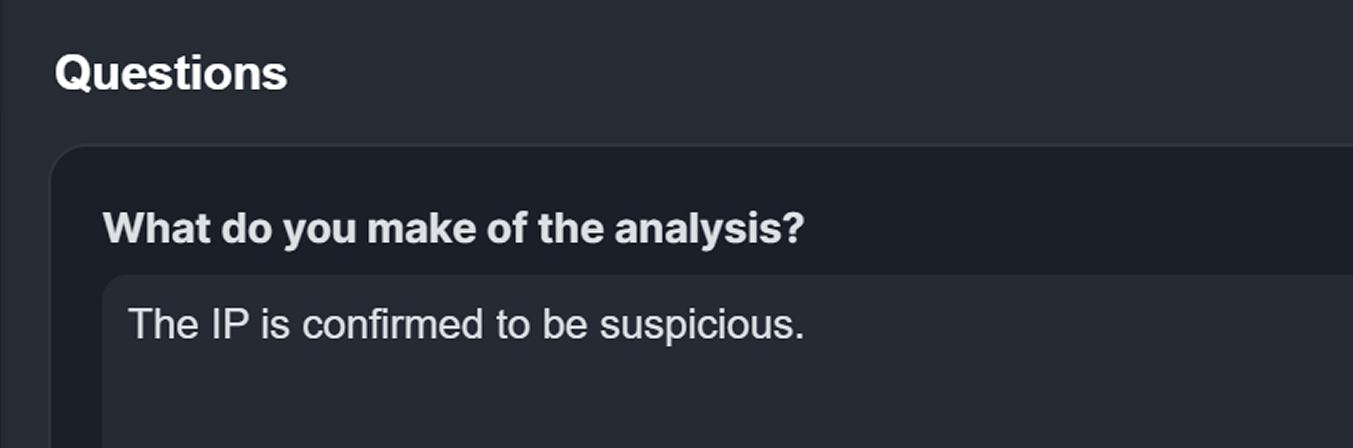 |
 Long Text | Allows users to input a detailed textual answer. .png?inst-v=a9107af0-b04c-4e31-bb5a-938372783868) |
 HTML Text | Allows users to format responses using a rich-text (WYSIWYG) editor. Click the 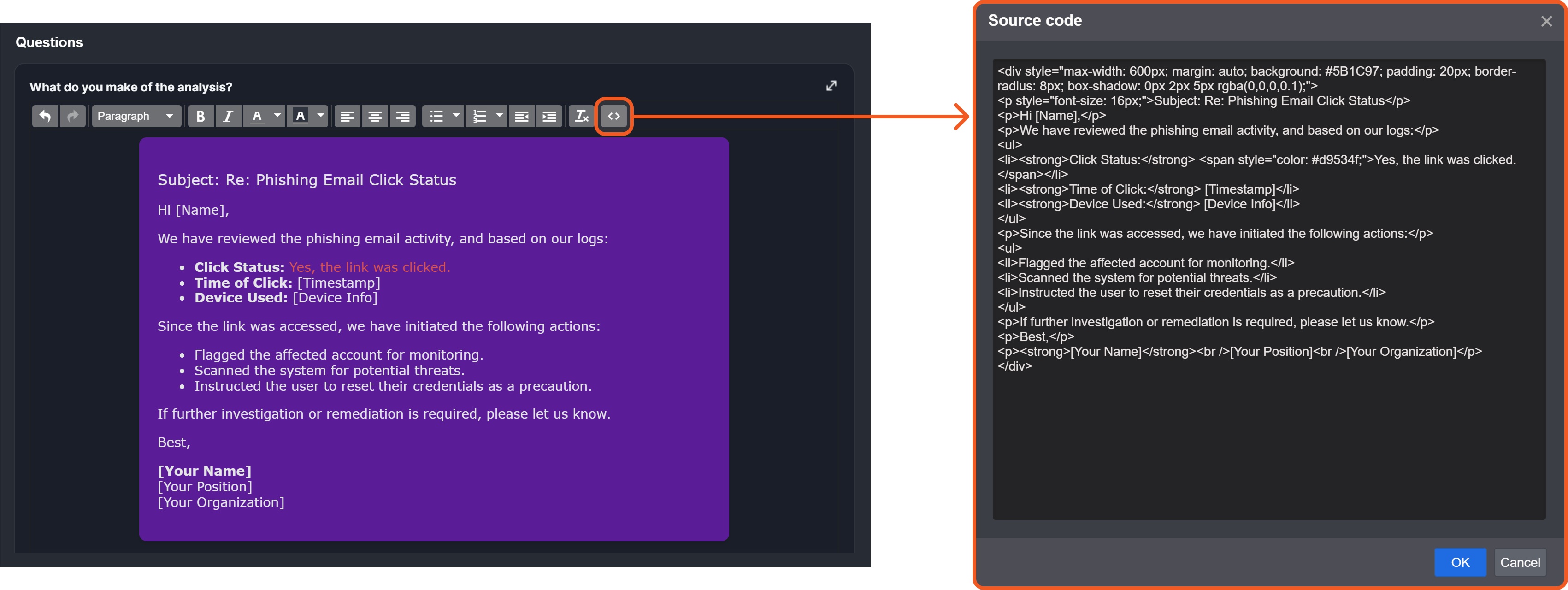
HTML
|
 Checkbox | Allows users to select one or multiple options. To add options, enter each name on a new line. 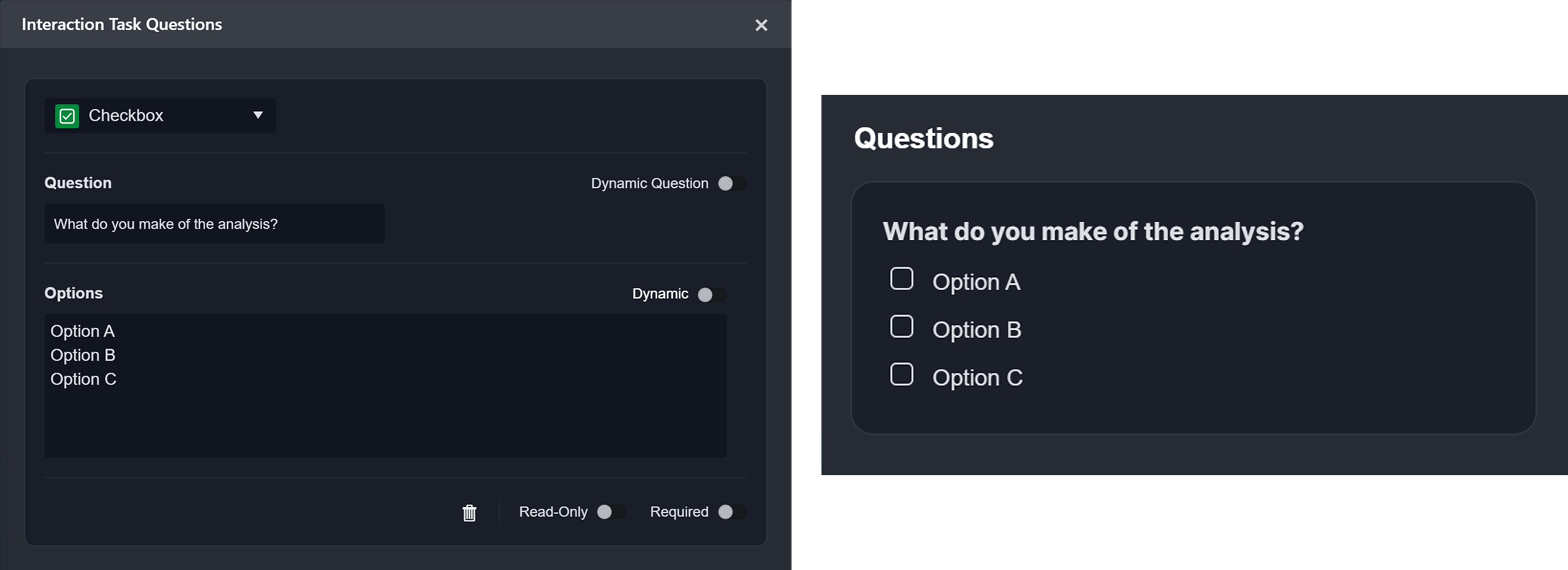 |
 Radio Button | Allows users to select a single predefined choice. To add options, enter each name on a new line. 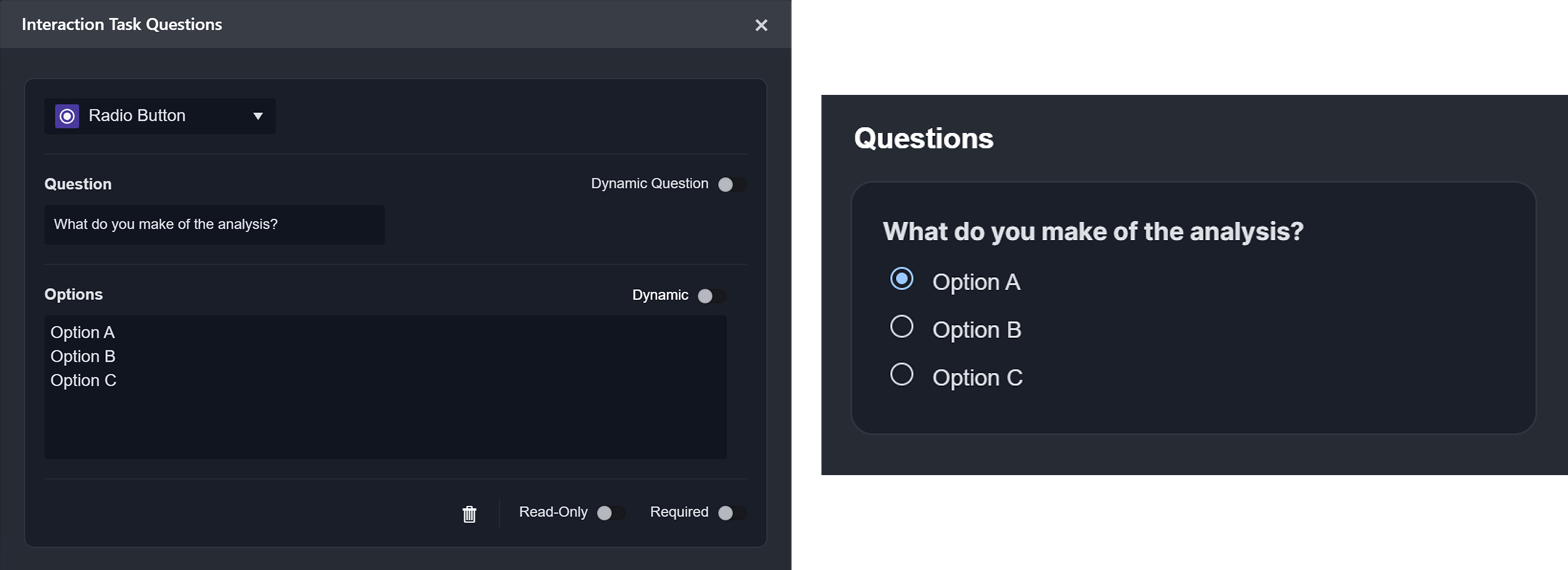 |
 Boolean | Allows users to respond with a True or False selection. 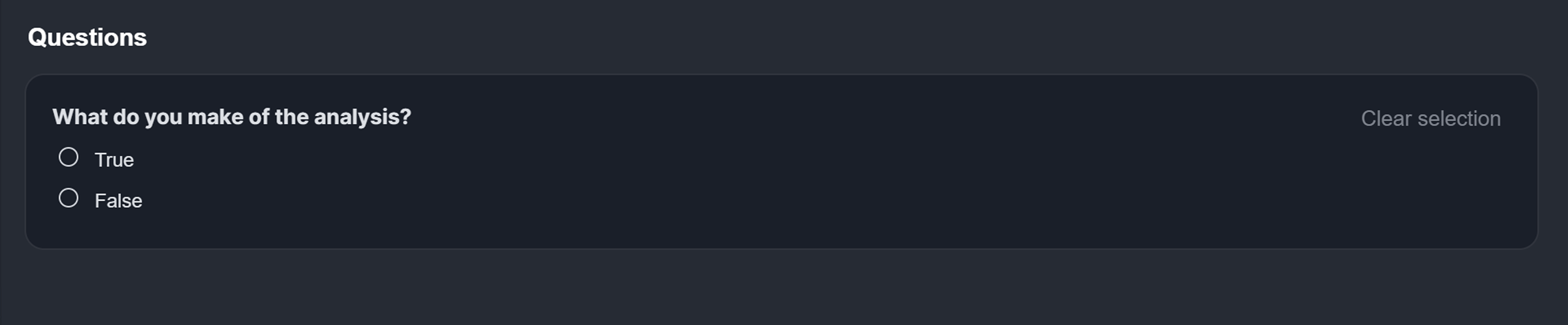 |
 Dropdown | Allows users to select a single option from a collapsible list. To add options, enter each name on a new line. 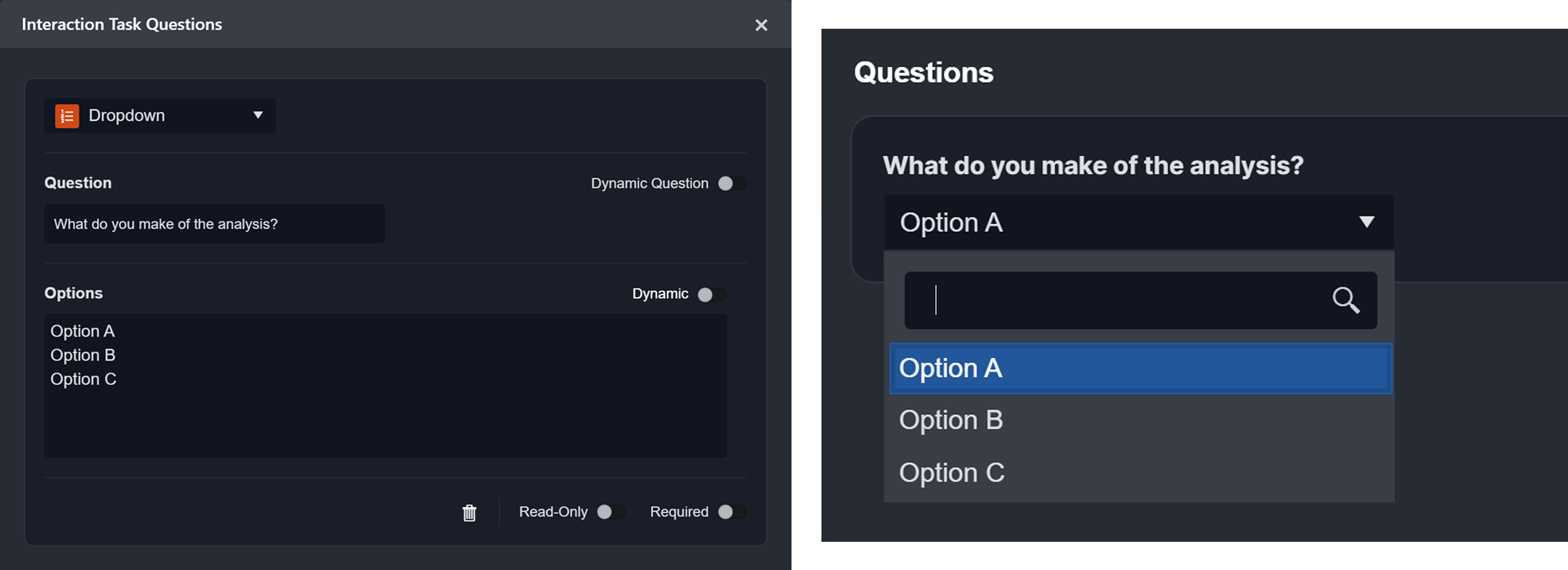 |
 JSON | Allows users to enter structured data in JSON format. .png?inst-v=a9107af0-b04c-4e31-bb5a-938372783868) |
 Number | Allows users to enter a numerical value. 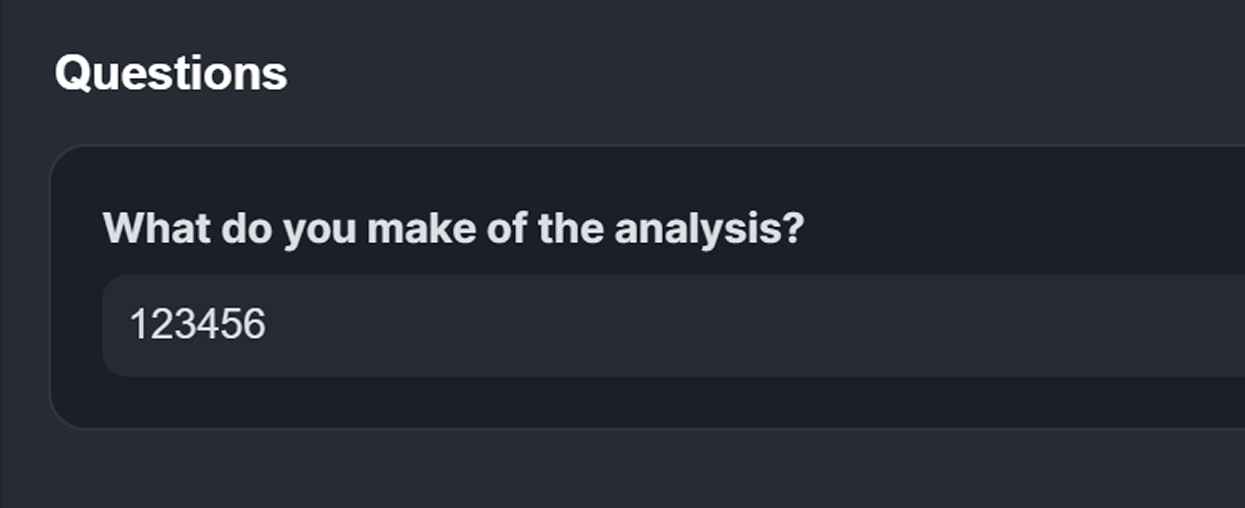 |
 Date | Allows users to choose a date. 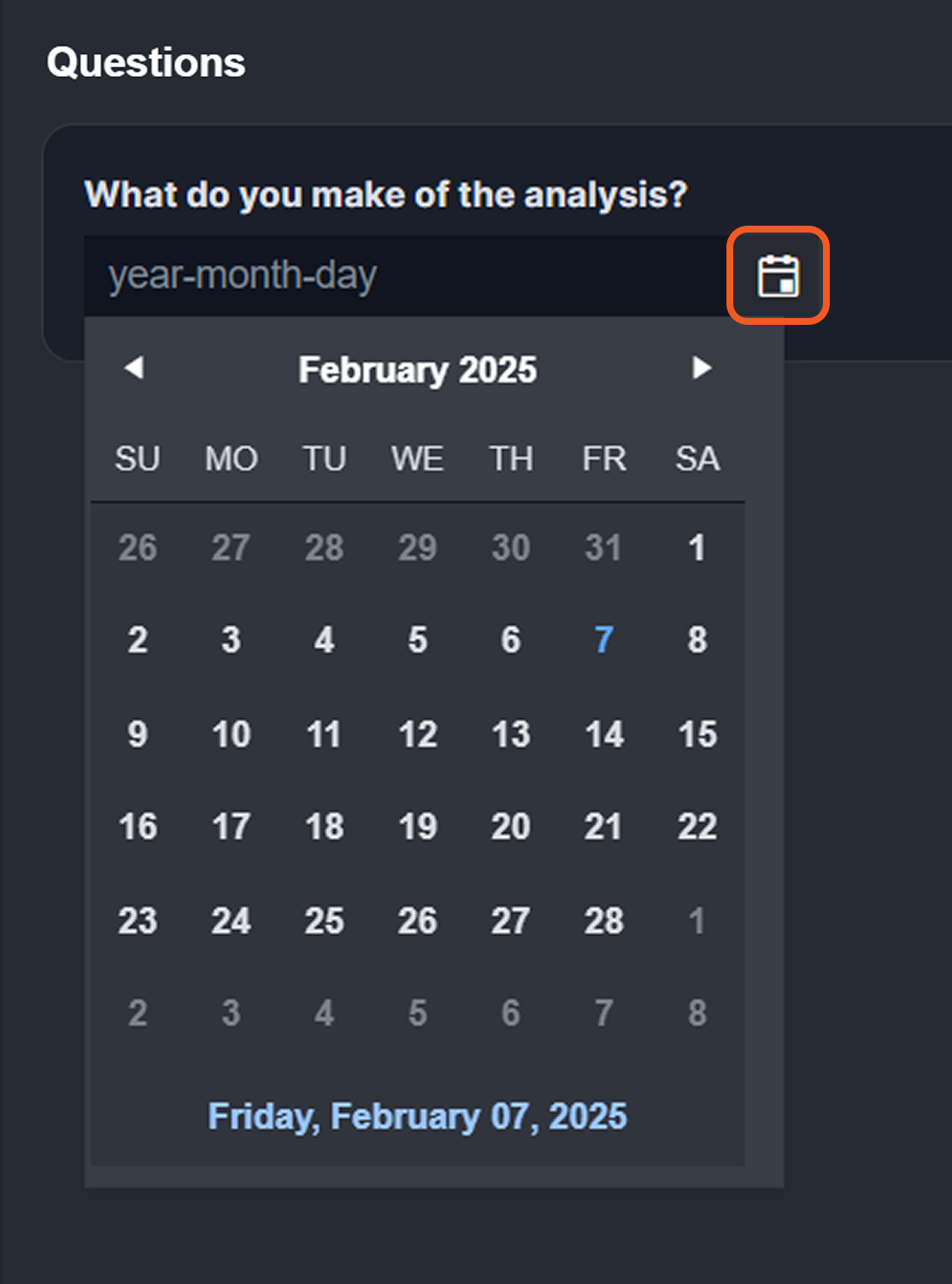 |
 Time | Allows users to choose a specific time. 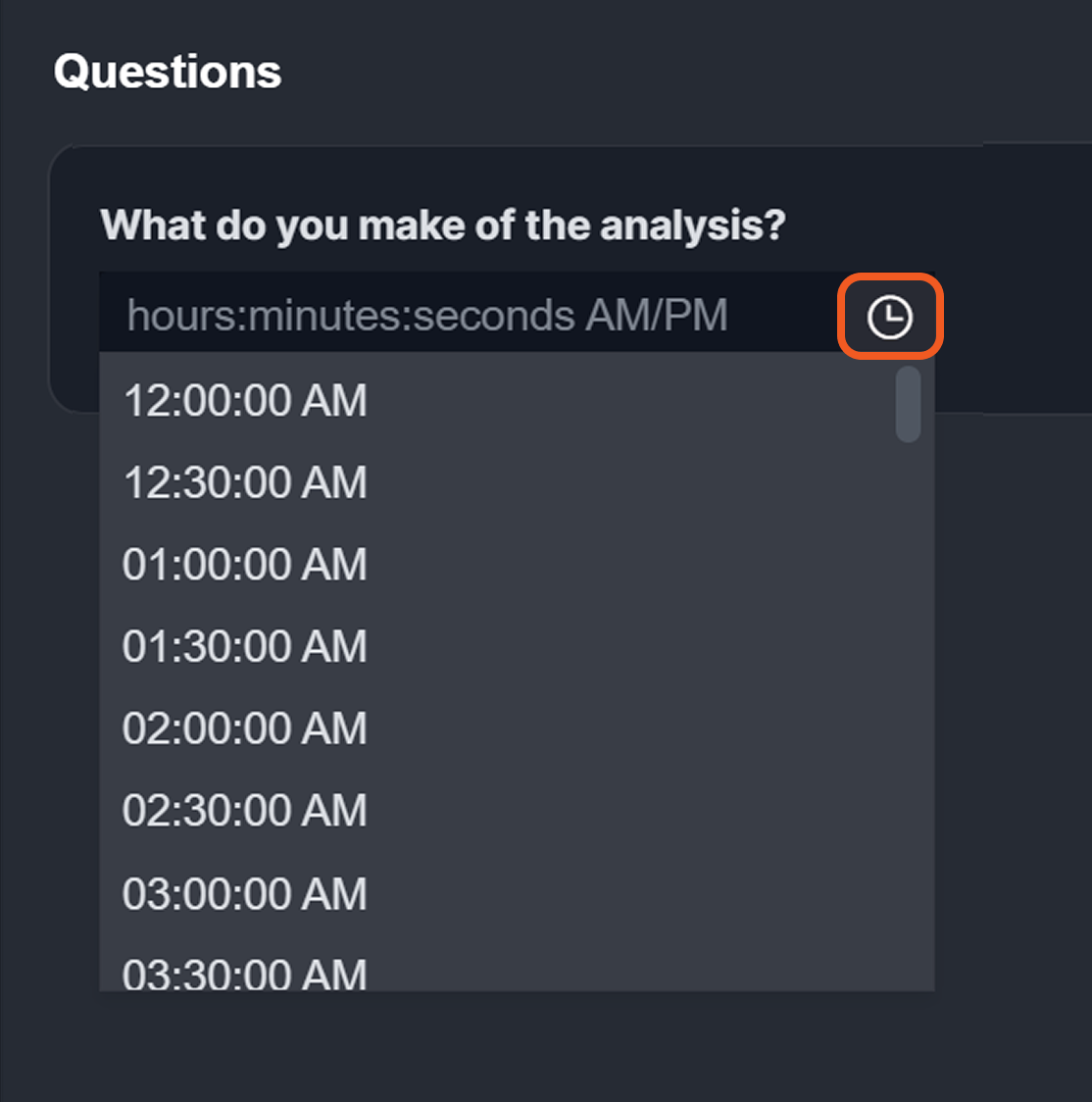 |
 Date and Time | Allows users to choose both a date and time. 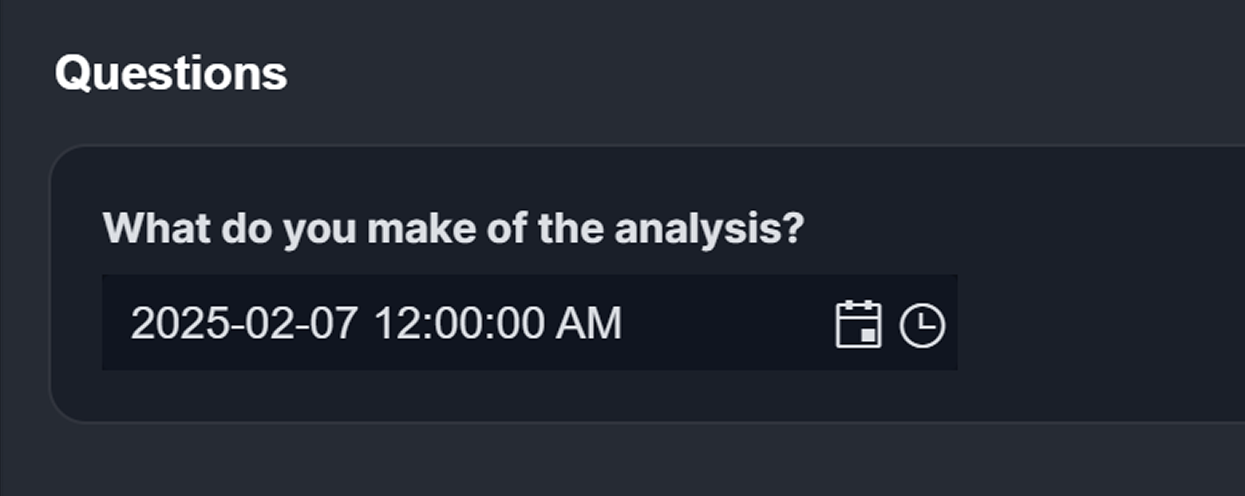 |
