
17.6
Enhancements
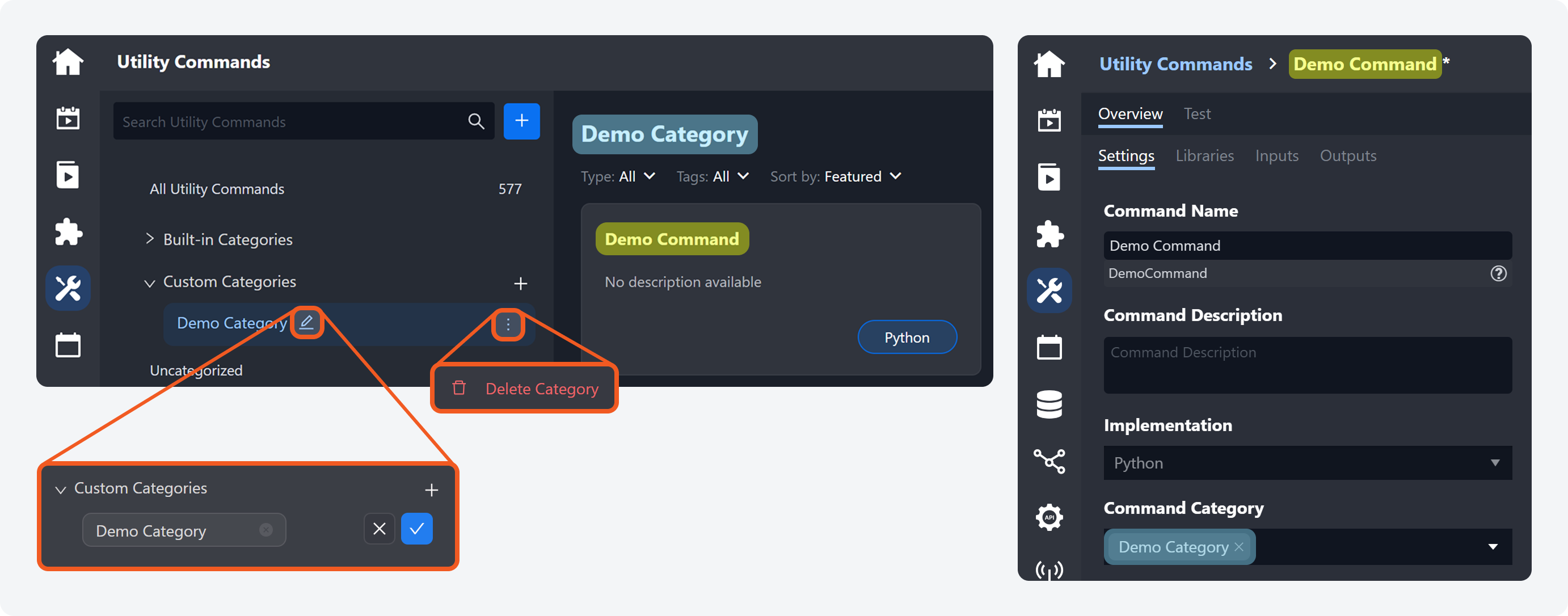
Users can now add, delete, and modify custom categories for utility commands. In edit mode, custom utility commands can be assigned to custom categories by specifying category names in the Command Category section.
Event Dismissal Notes
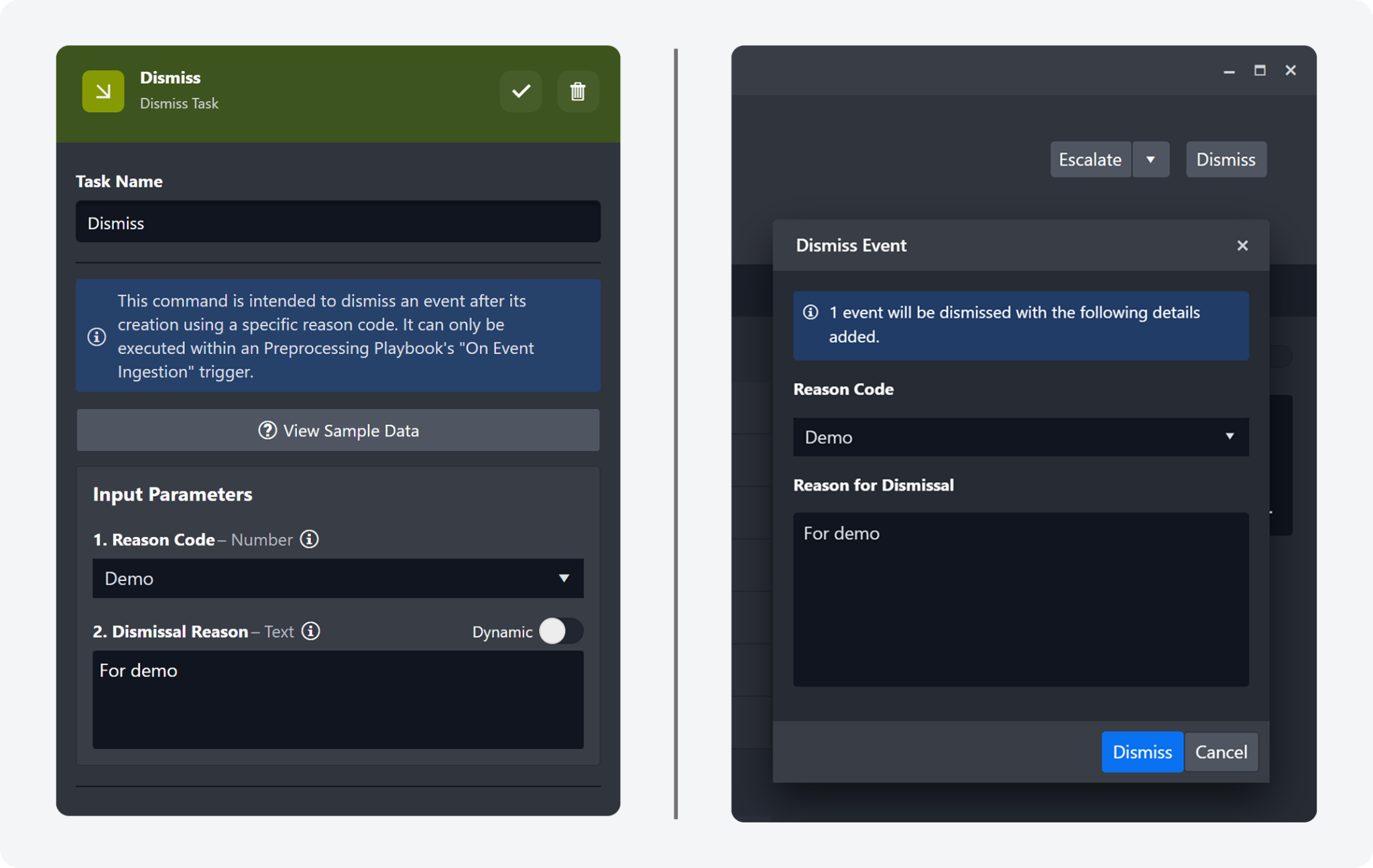
Users can now select a reason code and enter a dismissal note when dismissing an event. These fields are available both as input parameters in the Dismiss playbook task and in the Dismiss Event popover for manual dismissals. Custom reason-code options can be configured in the Configuration > Application Settings > Dismiss Event Reason Code panel.
New Look for Global List
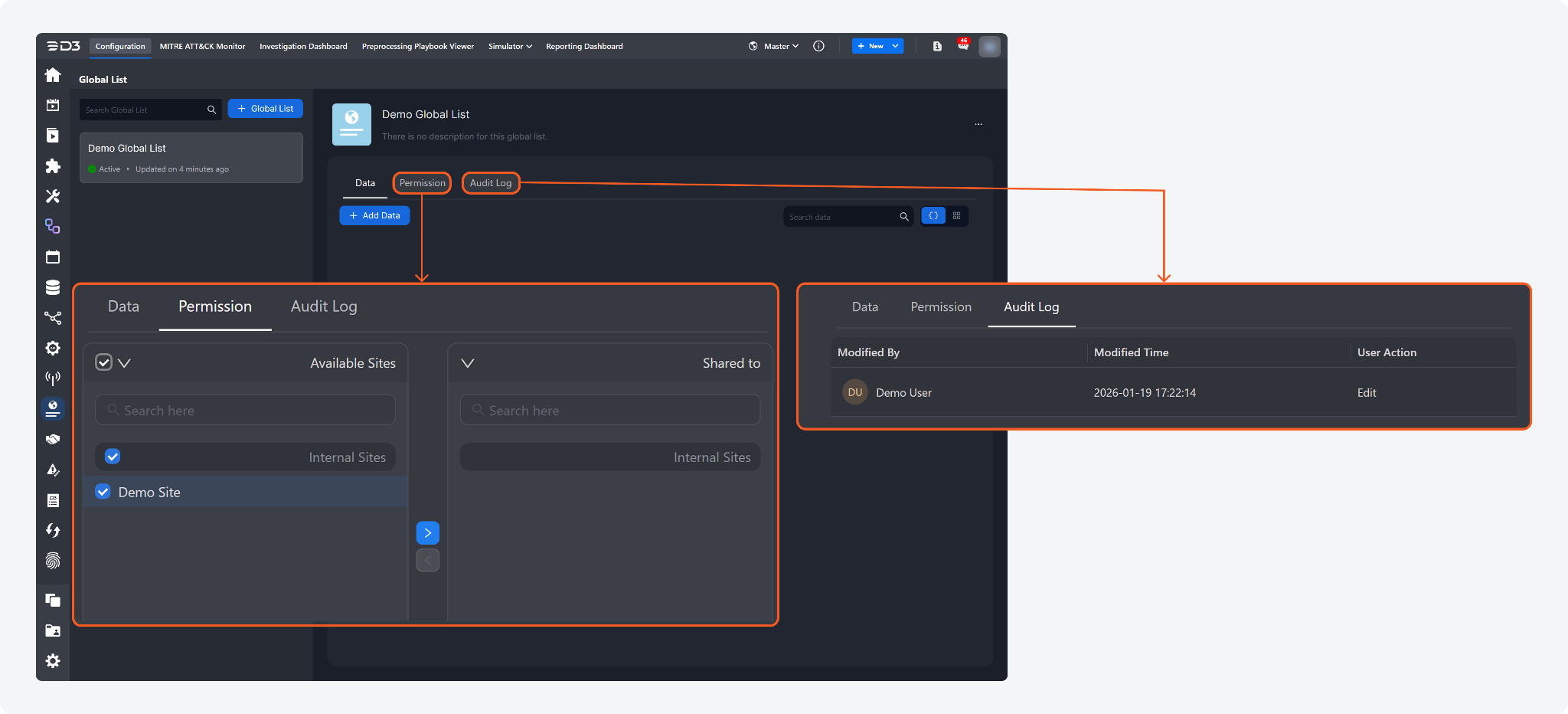
The Global List page has been redesigned with a dedicated left navigation panel for browsing and searching specific global lists, along with tabbed Data, Permission, and Audit Log views. Global list data is now displayed as individual, collapsible JSON records to improve readability. Also supported are within-list JSON value searches, one-click exports for the filtered records or the entire list, and management actions (clone and delete).
Custom View Access Permissions
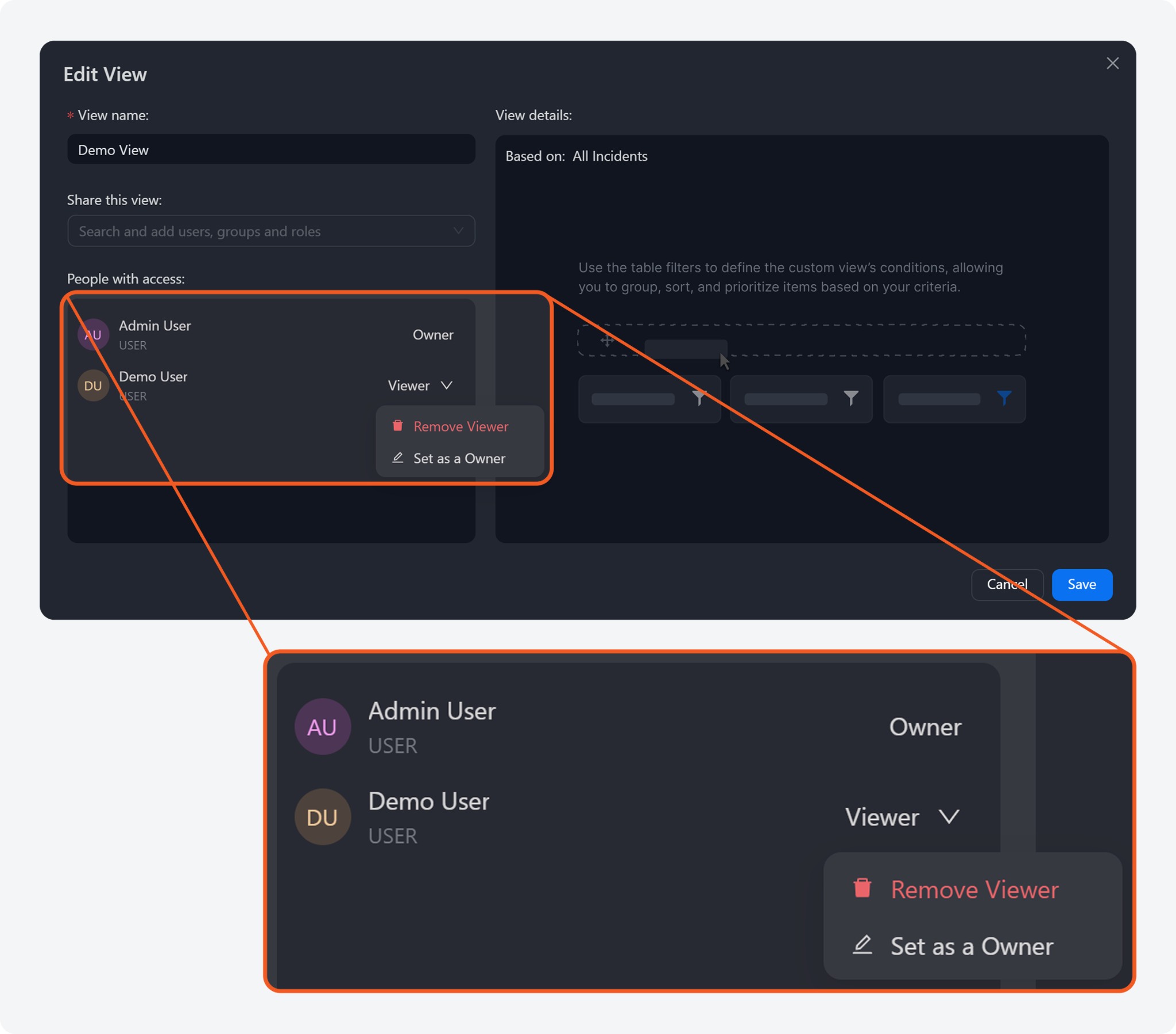
The Edit View UI has been updated to better manage shared access after a custom view is created. Custom view owners can now remove viewers and promote users with viewer access to owner access. This change replaces the previous custom notification message UI with a default notification message.
Utility Commands
New Commands
The following utility commands have been added to this release of D3 SOAR.
Commands | Functionality |
Get Incident Notes | Retrieves the notes for a specified incident. The command requires an incident number as input and returns a structured response containing the incident number, note ID, author, last-modified time (in UTC), and note content. |
Edit Incident Notes | Updates an existing incident note. The command requires the note ID (returned by the Get Incident Notes command) and a new note content value, which will override the existing content for that incident note. |
Stop/Remove Active Playbooks | Allows privileged users to stop and remove active incident playbooks. |
Updated Commands
The following utility commands have been updated in this release of D3 SOAR.
Commands | Changes |
Get Incidents | The Get Incidents utility command now supports filtering incidents by MITRE tactic and technique values. The Filter parameter accepts Tactic or Technique as field values. |
Integrations
New Integrations
The following integrations have been added to this release of D3 SOAR.
Integration Name | Description |
Armis | Armis is a cybersecurity company that provides complete visibility and protection for all connected assets — including IT, OT, IoT, and cloud devices. Its AI-powered platform identifies and monitors every device on a network, detects risks, and helps organizations secure their digital environments in real time. |
Azure OpenAI | Azure OpenAI Service is a Microsoft-managed service that provides access to OpenAI's advanced language models through the Azure cloud platform. It enables developers and businesses to integrate powerful natural language processing (NLP) and machine learning (ML) capabilities into their applications, leveraging models such as GPT-4, GPT-3.5, Codex, and DALL·E. |
Hunters SIEM | Hunters SIEM is a cloud-native, next-generation Security Information and Event Management platform designed to automate the entire TDIR (Threat Detection, Investigation, and Response) process. |
MalwareBazaar | MalwareBazaar is a community-driven platform operated by abuse.ch for sharing and analyzing malware samples. It collects and distributes malware files submitted by researchers and security teams worldwide to support threat intelligence and malware research. Each sample is enriched with metadata such as hashes, tags, file type, and detection information, making it a valuable resource for identifying, classifying, and tracking malware campaigns. |
Nozomi Vantage | Nozomi Vantage is a cloud-based platform that delivers real-time visibility, monitoring, and threat detection for OT, ICS, IoT, and IT environments. It centralizes security and network data from distributed sites, helping organizations detect anomalies, investigate incidents, and strengthen resilience across critical infrastructure. |
Updated Integrations
The following integrations have been updated in this release of D3 SOAR.
Integration Name | Changes |
Anomali ThreatStream | New Command(s)
|
Atlassian Jira Service Management | Connection
|
Atlassian Jira Software | |
AWS S3 | New Command(s)
|
ConnectWise PSA | New Command(s)
|
CrowdStrike | Enhanced Command(s)
|
Darktrace | New Command(s)
Enhanced Command(s)
|
Dell Secureworks Taegis XDR | New Command(s)
Enhanced Command(s)
|
Elasticsearch | Enhanced Command(s)
|
FortiGate | New Command(s)
|
Microsoft Defender for Endpoint | New Command(s)
|
Microsoft Defender XDR | The integration name was changed from Microsoft 365 Defender to Microsoft Defender XDR. |
Office 365 | Enhanced Command(s)
|
Silent Push | Connection
New Command(s)
Enhanced Command(s)
|
Trellix McAfee ESM | Connection
|