
17.3.6
New Features
Built-In Syslog Forwarding
.png?inst-v=227f4752-e216-4f5d-80a9-4f9b1f7e7567)
Syslog forwarding from D3 to third-party SIEM applications has been available through the Syslog Sender integration. This update adds a built-in option in Configuration > Application Settings > SIEM Log Synchronization that automatically sends logs every minute via a job queue, including user login attempts, incident changes, role and permission updates, playbook changes, and Proxy Agent logs.
.png?inst-v=227f4752-e216-4f5d-80a9-4f9b1f7e7567)
Click the + Add Siem Log Configuration button.
Input the hostname and port.
Select the protocol (UDP or TCP).
Select the Enabled checkbox.
Save the settings to enable automated Syslog generation and forwarding.
Verify log ingestion in the third-party SIEM by performing test actions in D3 and monitoring real-time feeds.
Utility Commands
New Commands
The following utility commands have been added to this release of D3 SOAR.
Commands | Functionality |
Cancel Connected Tasks | This command can cancel any tasks before it in the same path. For a task to be canceled, it must meet three conditions:
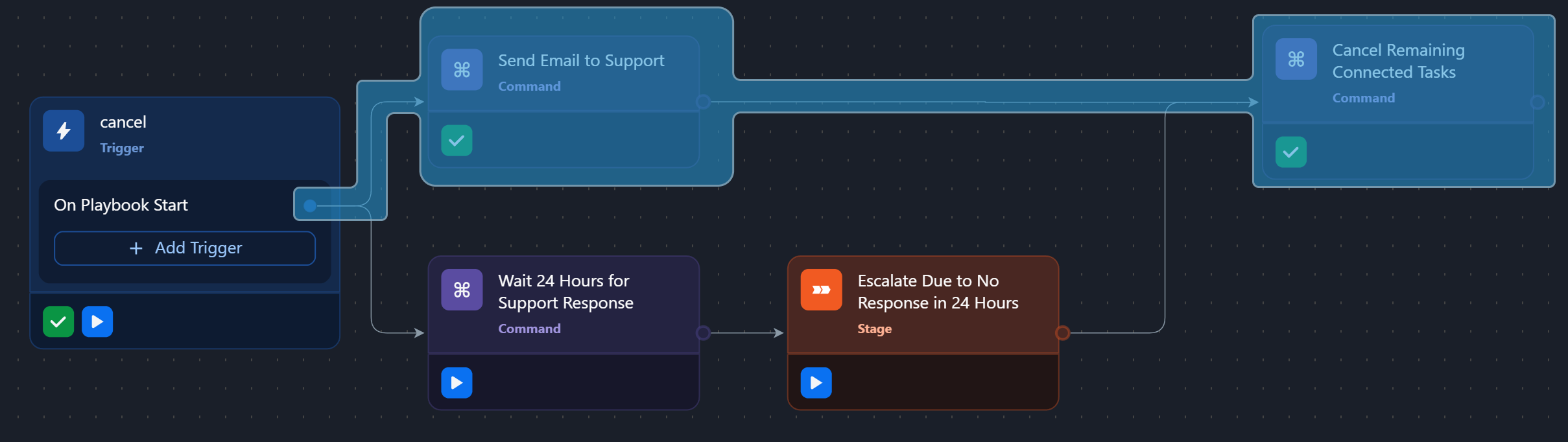
This command ensures that any unresolved tasks are automatically canceled, helping to maintain the integrity of the playbook execution and prevent unintended behavior. SCENARIO Use the Cancel Remaining Connected Tasks command to terminate an escalation path when vendor support responds to a help request within 24 hours. Consider the following playbook: 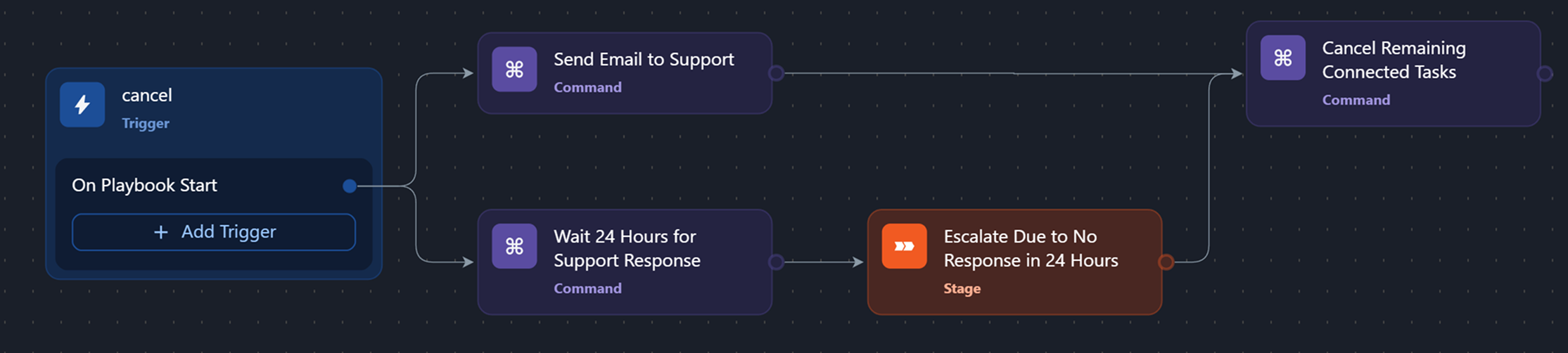 The playbook automates vendor support outreach with a fallback escalation path set to execute after a delay of 24 hours. It has two parallel execution paths:
This sample workflow ensures a single resolution, preventing redundant actions and minimizing operational overhead and expenses associated with escalation. |
.png?inst-v=227f4752-e216-4f5d-80a9-4f9b1f7e7567)