
Incident Overview Enhancement
Timeline
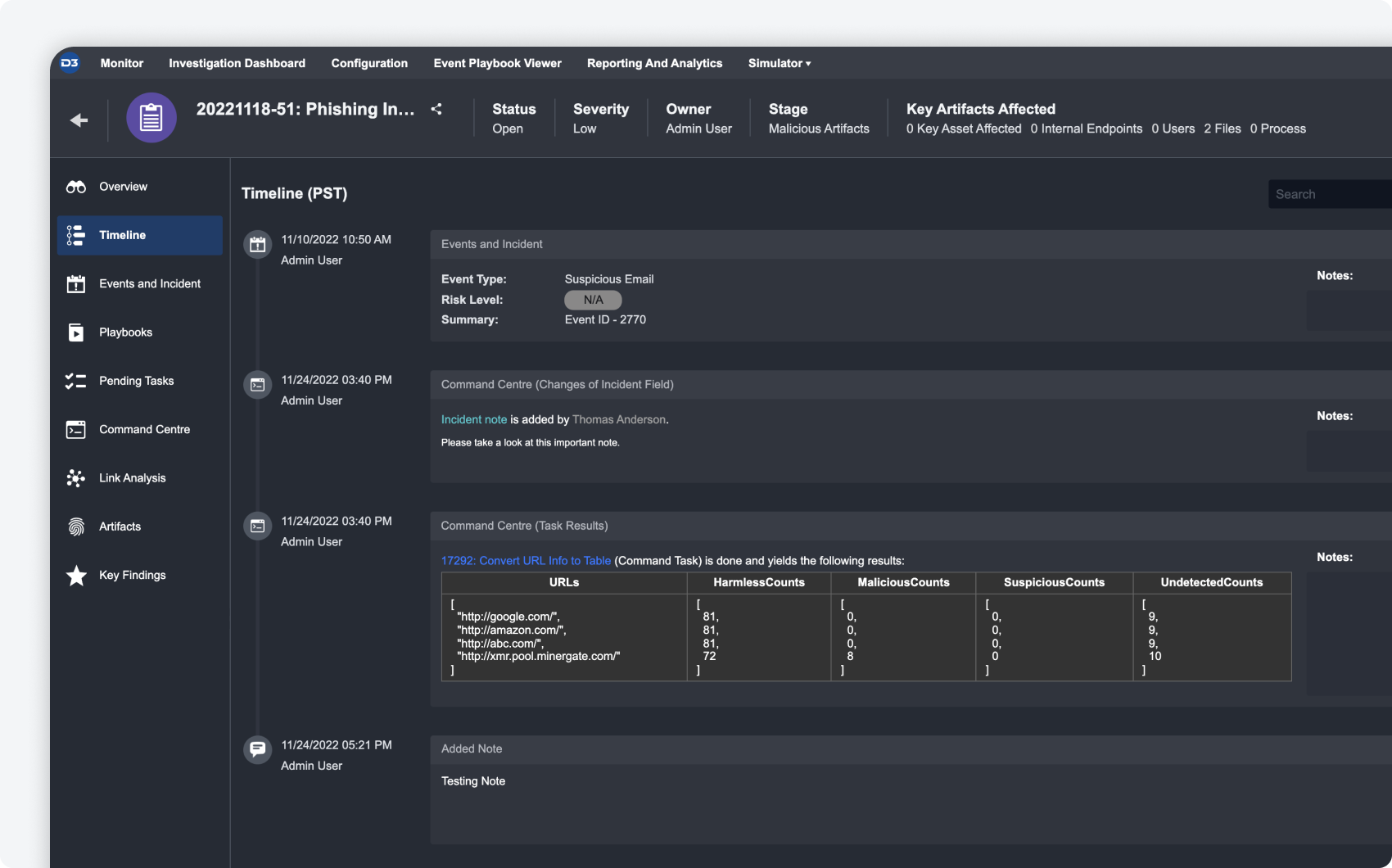
The new timeline feature within the incident workspace allows you to add investigation details and order them chronologically to visualize the lifecycle of the incident. Add details from the command centre or related events and incidents, or create your own custom supplementary notes.
|
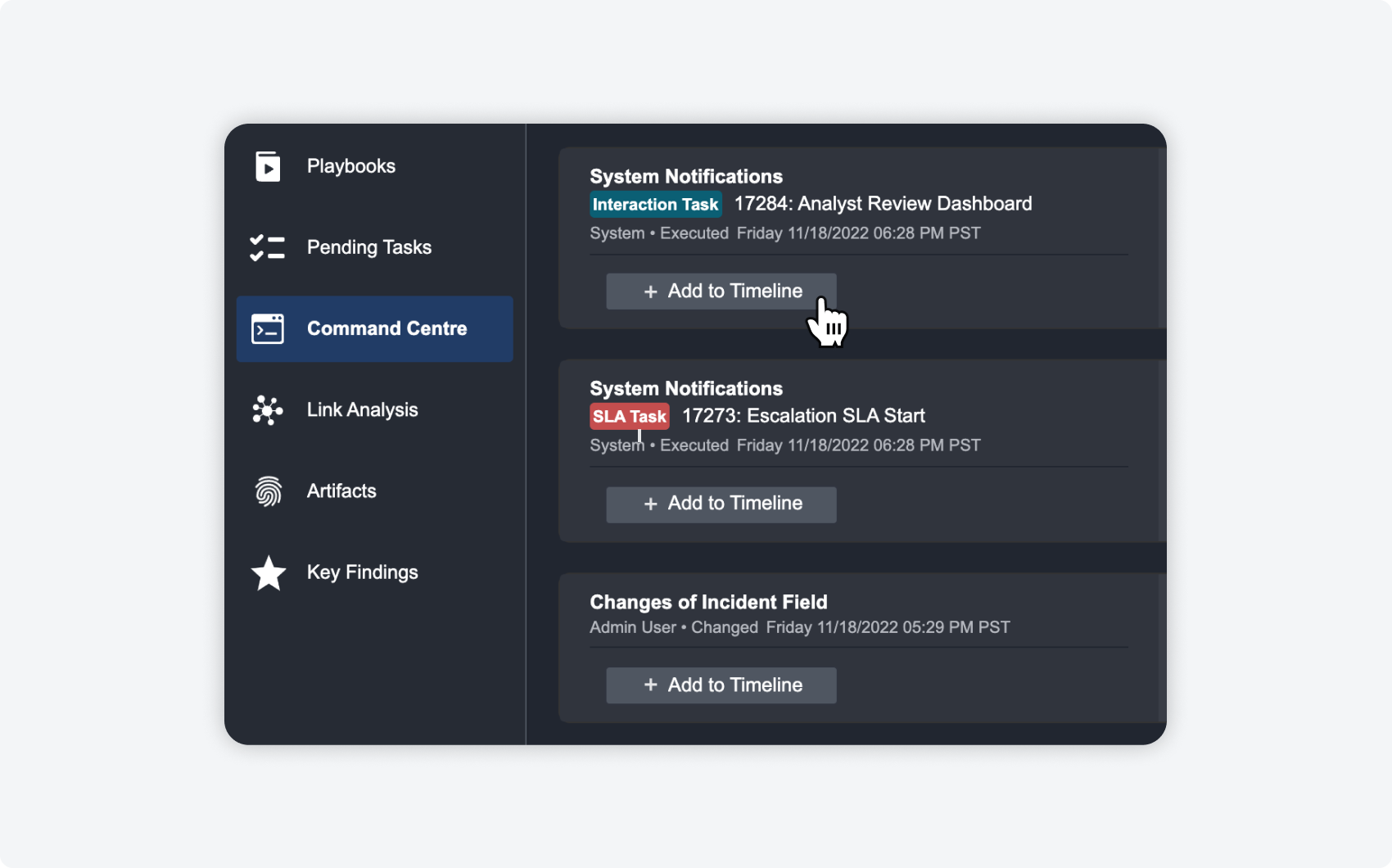
ADDING ITEMS FROM THE COMMAND CENTRE
You can now add investigation details, such as playbook results and changes to the incident, from the command center to the timeline. |
|
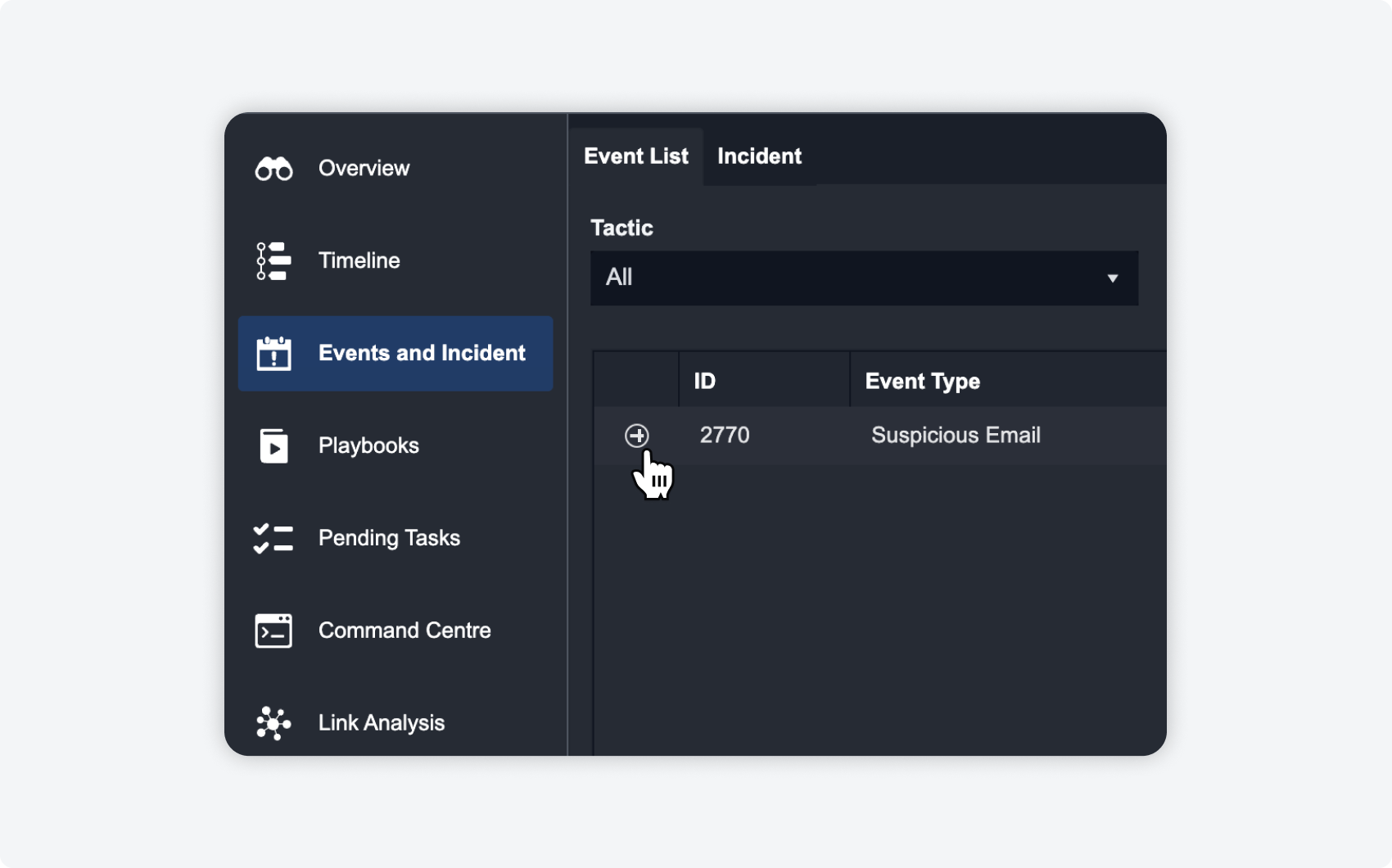
ADDING RELATED EVENTS AND INCIDENTS
Related events and incidents, such as the escalated event, can also be added to the timeline to show event and incident relationships within the incident lifecycle. |
|
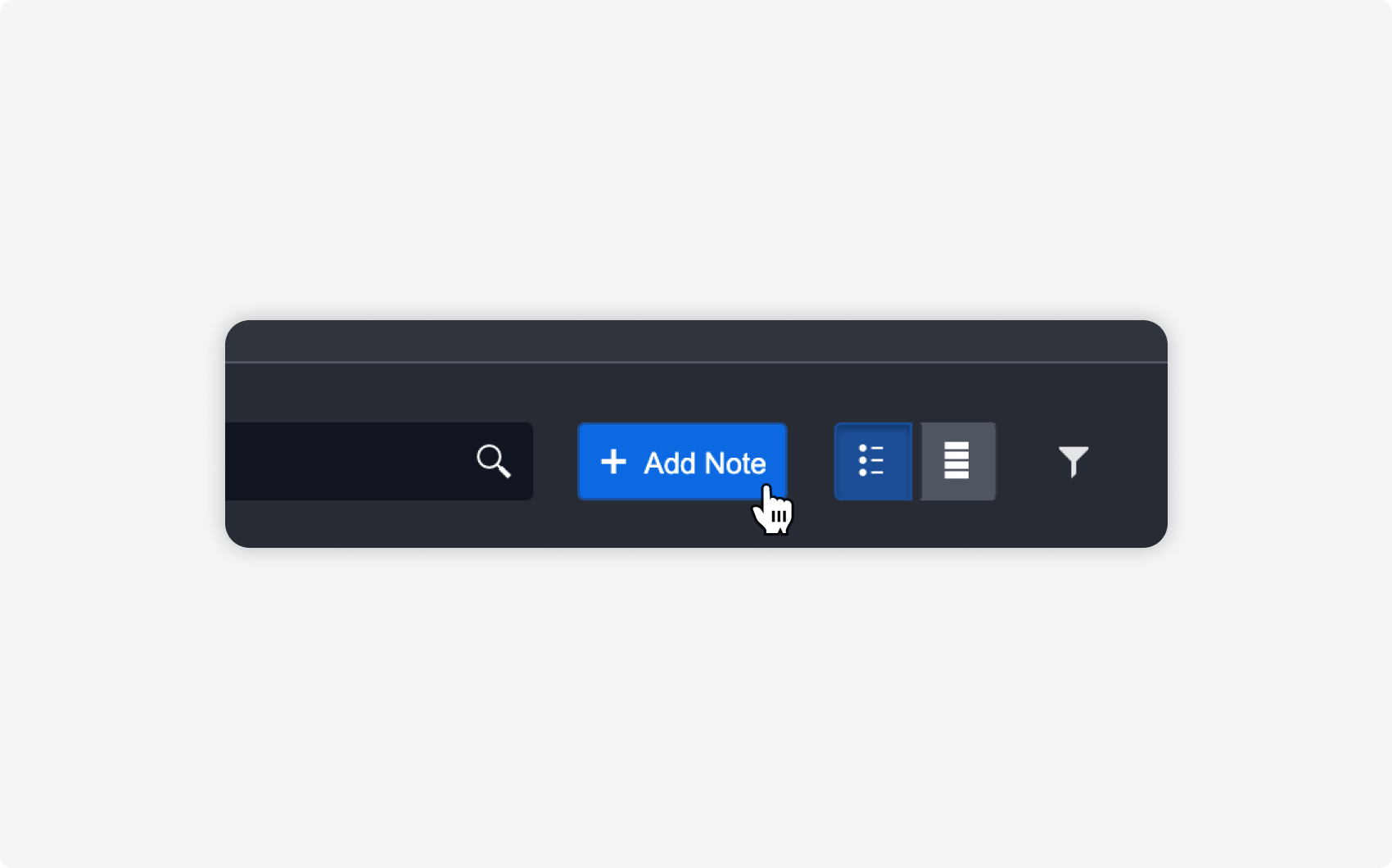
CUSTOM TIMELINE NOTES
And of course, if there are custom notes or additional details you’d like to add to the timeline, you can do so right on the timeline. |
Playbook Notes
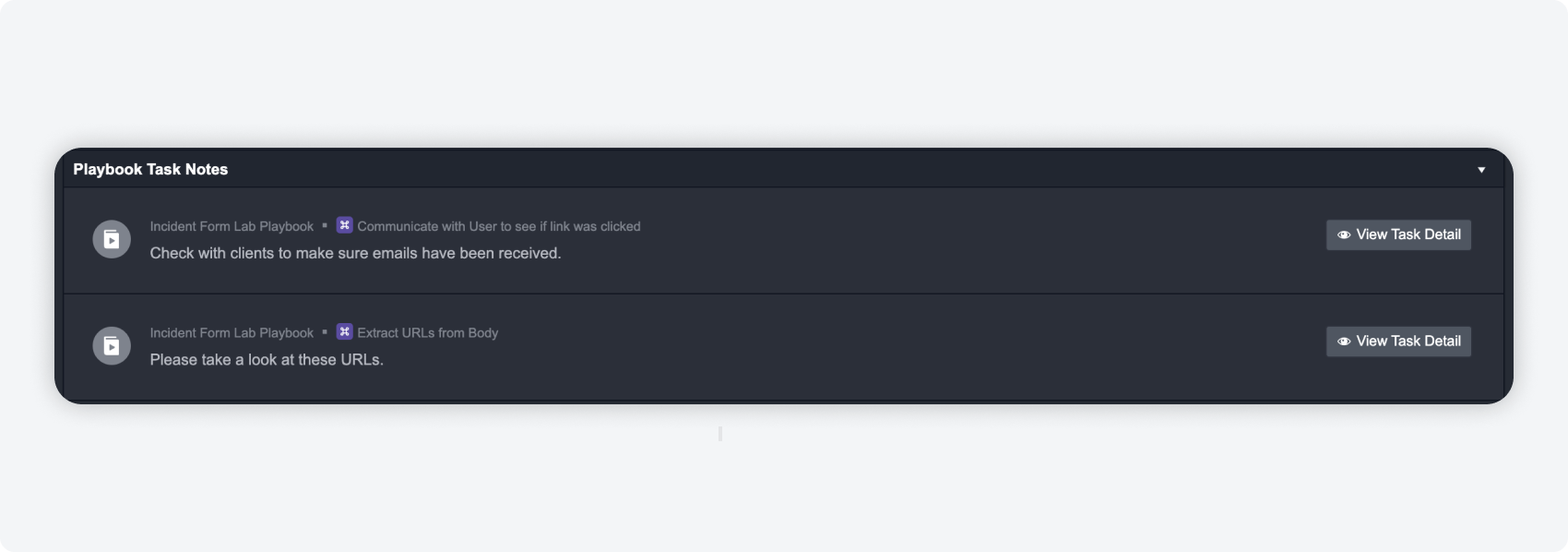
Notes added in playbook tasks will appear in the incident overview under notes in its own category, for ease of track keeping and organization.
Incident Form Section
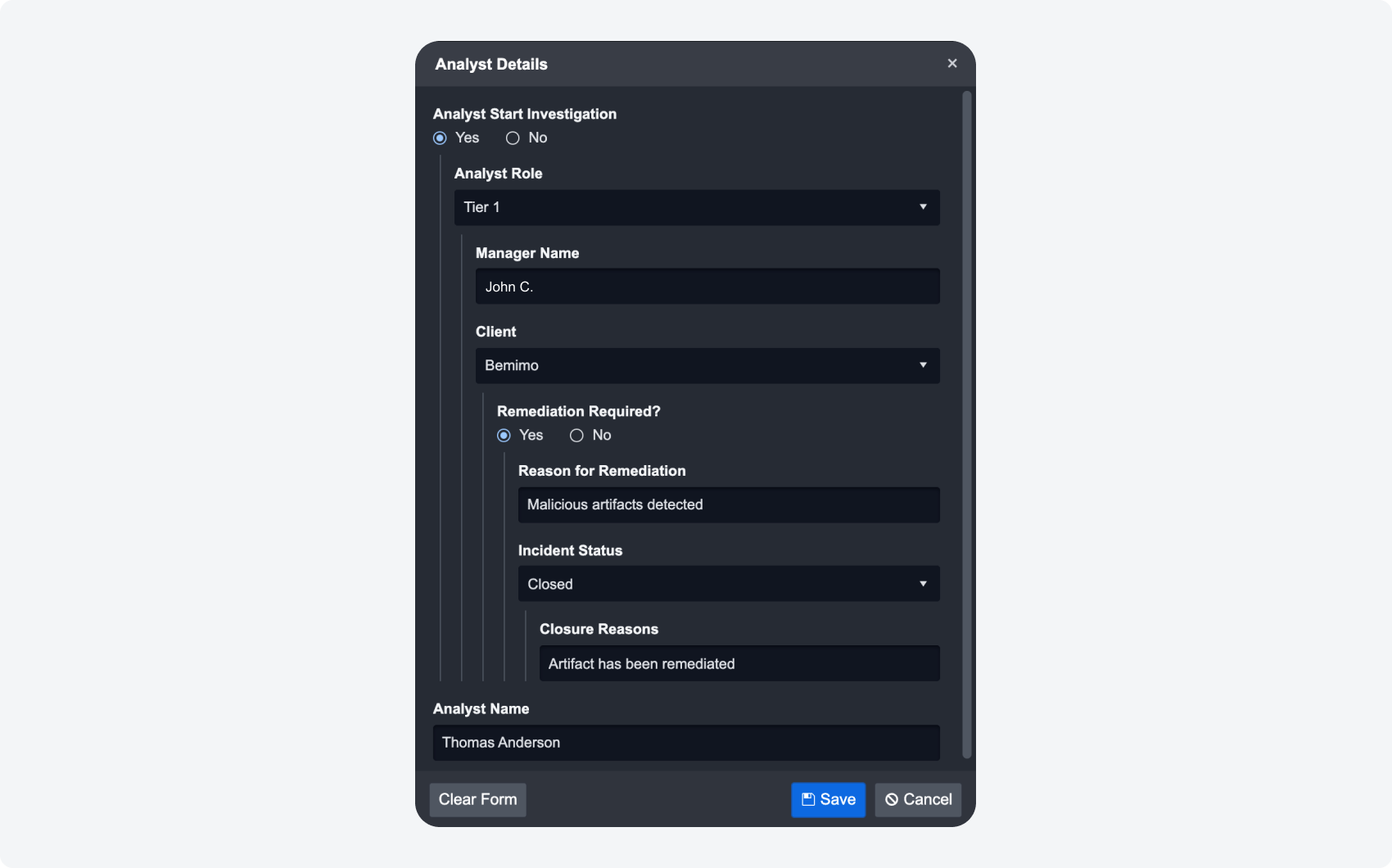
We made enhancements to the UI of the incident form section for filling out nested responses. The new design has better clarity and overall user experience improvements for analysts during their investigation.
Playbook Enhancements
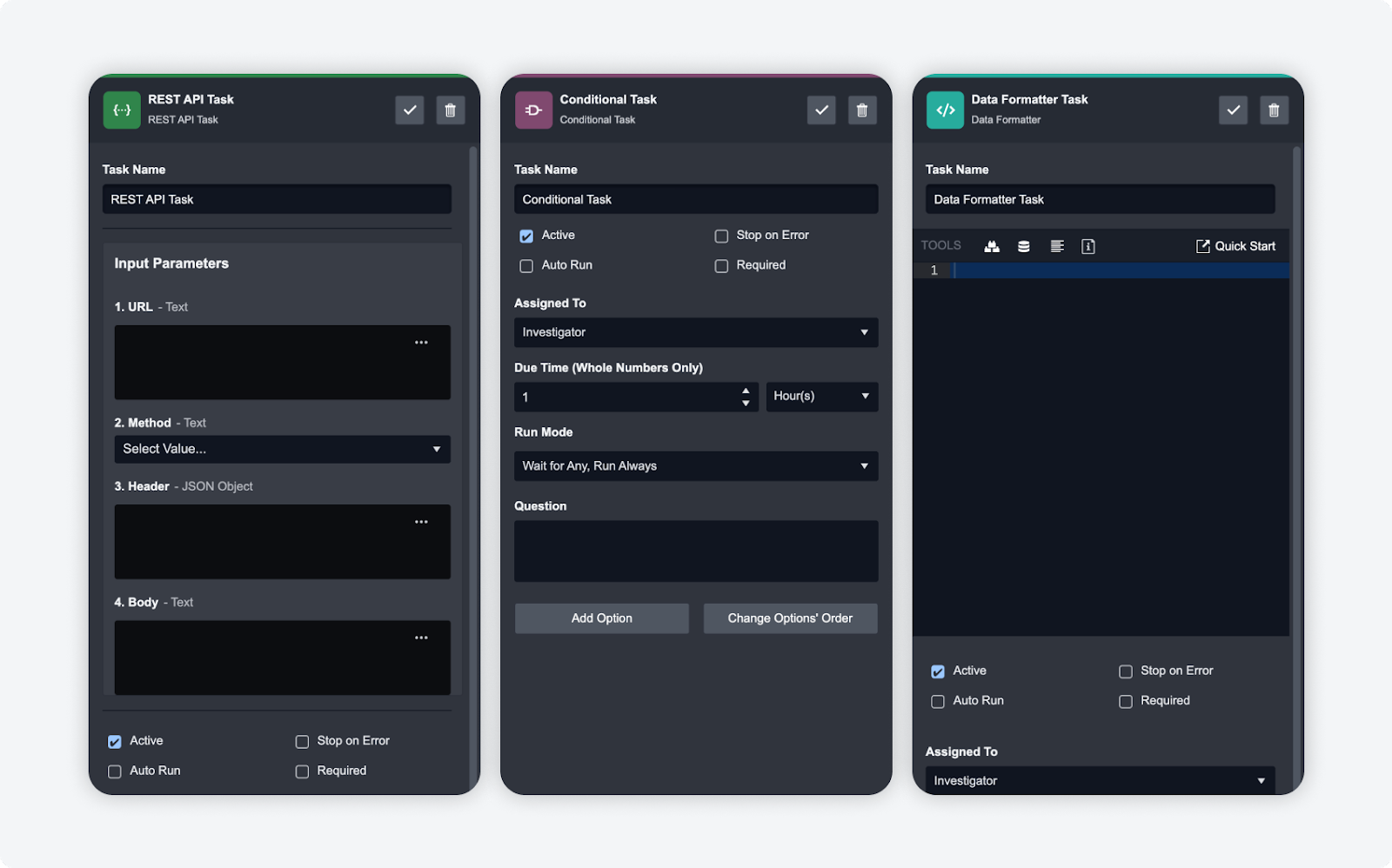
In order to enhance the capabilities of our playbooks, we have enhanced REST API, conditional, and data formatter tasks such that they can stop on error. This can be useful for debugging and further ensuring that your playbooks run smoothly without issue.
Schedules and Data Ingestion
In the schedules and data ingestion modules, you are able to create multiple recurring schedules for different integration commands. We observed that these schedules can quickly add up and make it difficult to locate what you are looking for – therefore we have added the ability to filter and sort through all of your schedules and data ingestions.
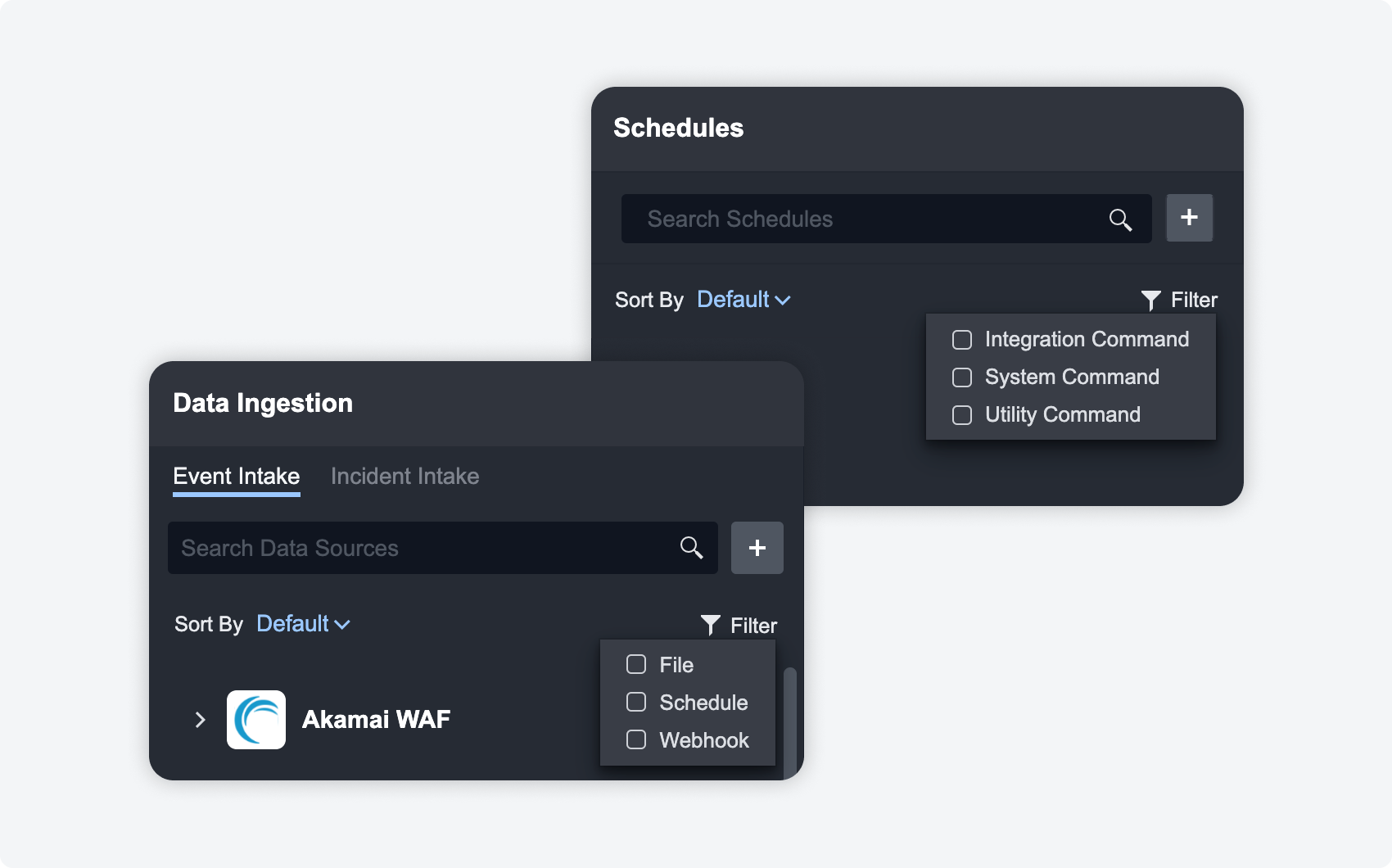
Filter by file, schedule and webhook for data ingestion, and filter by integration command, system command, and utility command for schedules.
Investigation Dashboard
Bulk Action Enhancements
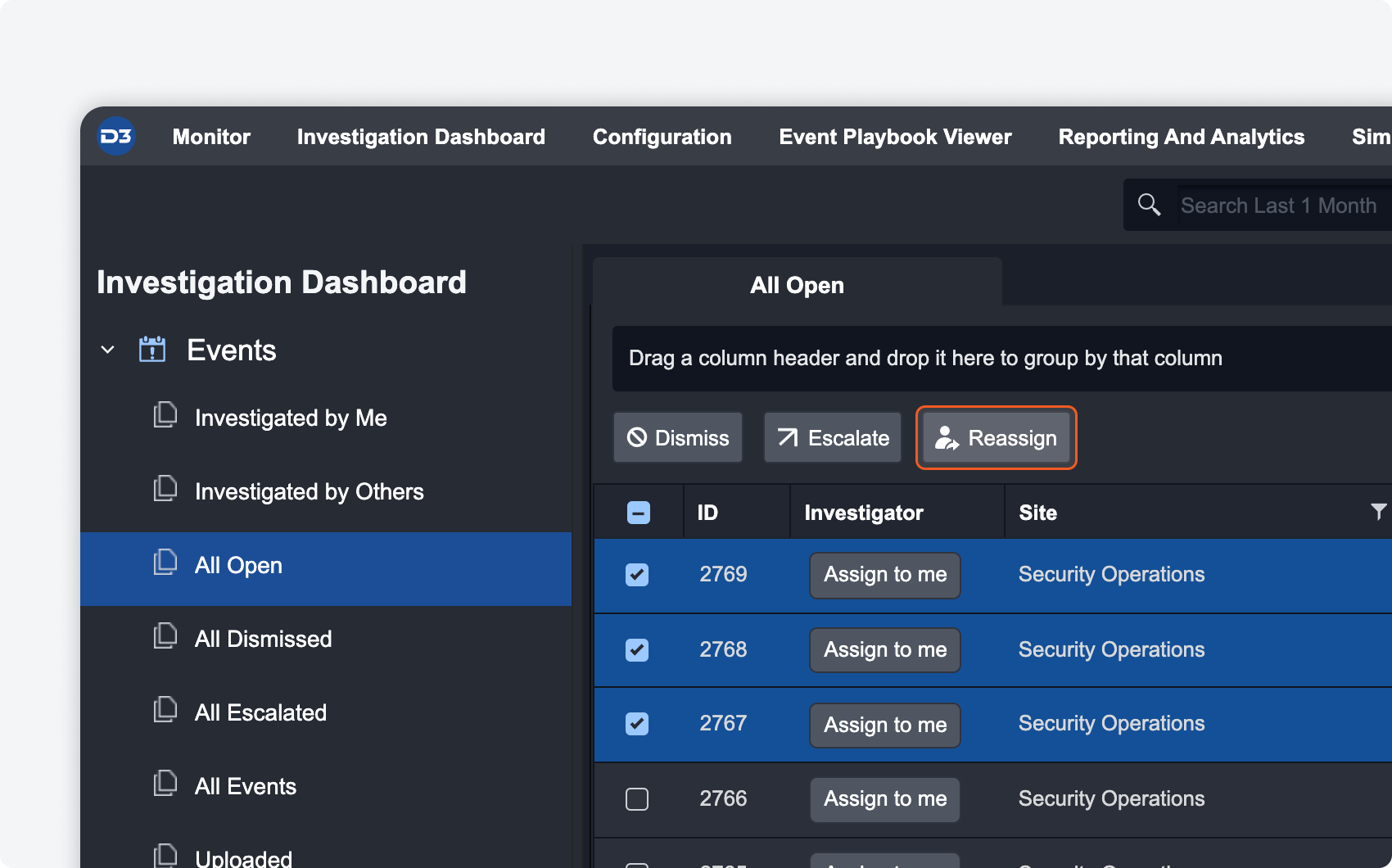
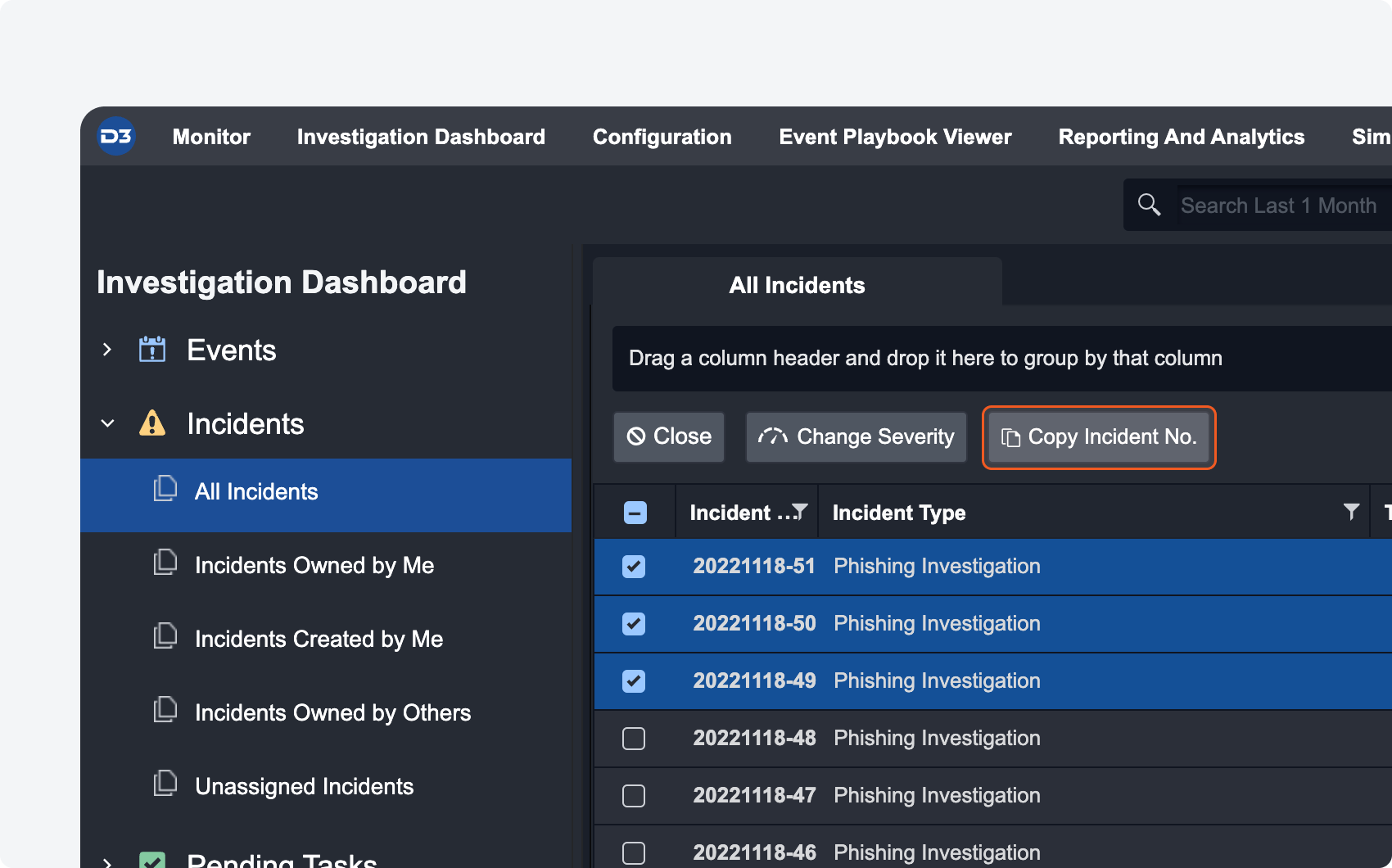
More bulk actions have been added to the investigation dashboard so you can perform actions quickly on multiple events and incidents at once.
|
REASSIGN EVENTS
If you have several events that need to be taken over by a new investigator, you can batch select them and click on the batch action to reassign. |
|
COPY INCIDENT NO.
If you need the incident number of several incidents at once, select all the ones you need and click on the batch action to copy their incident number. |
Event Details Concurrent Users
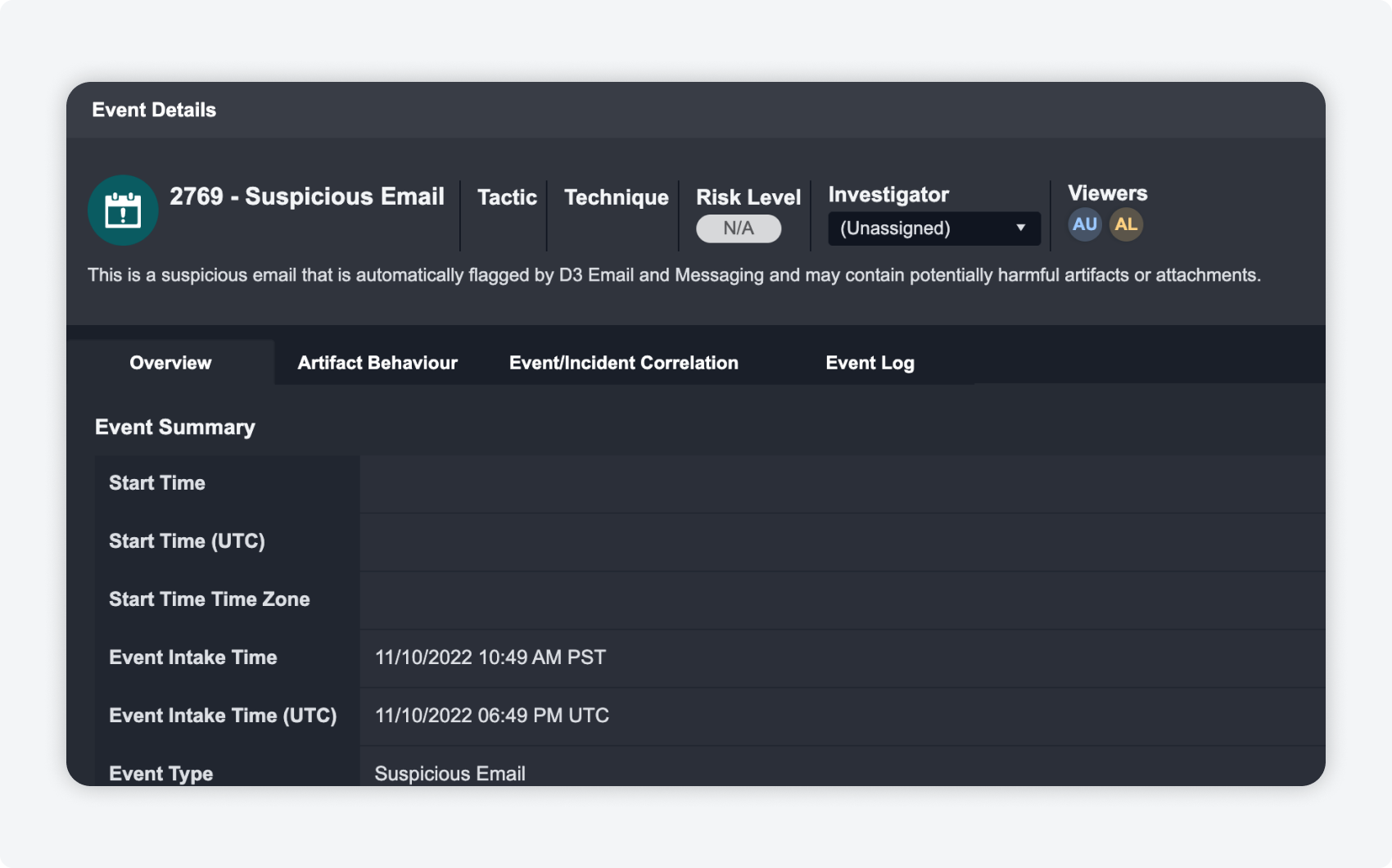
Multiple investigators on the same event details? Now you can see everyone who is working on each of the events at once to help identify and track changes.
Application Settings
Tactics and Techniques Update
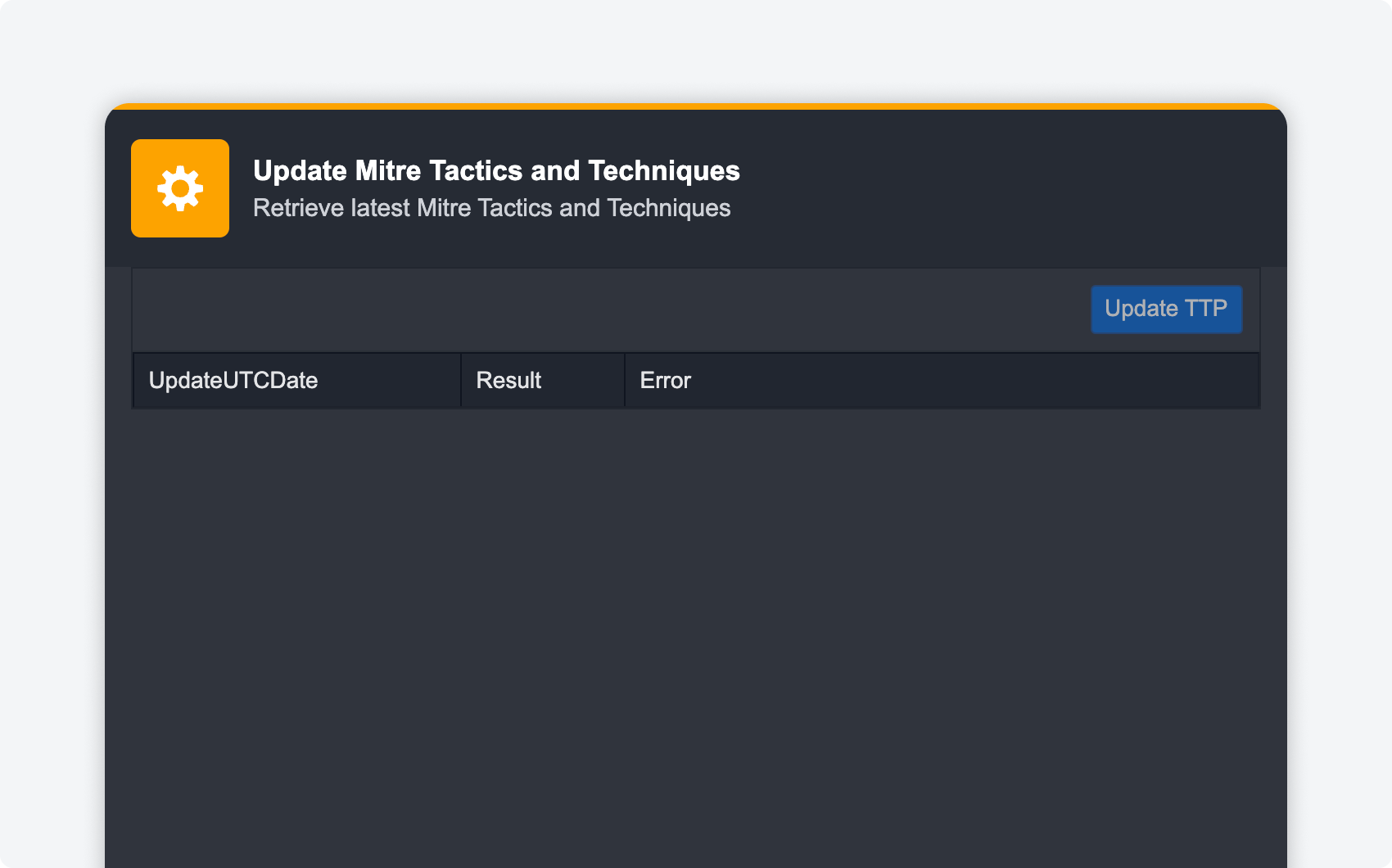
D3 SOAR uses the latest tactics and techniques based upon the MITRE ATT&CK framework. We know how important keeping up to date with the latest security frameworks is, therefore we have made it easy for you to keep your TTPs up to date with the latest MITRE updates with the click of a button.
Integrations
We are always adding more to our out-of-the-box integrations, as well as making enhancements to existing ones. Below are some of the latest updates to integrations.

BITDEFENDER New!
Bitdefender Control Center APIs allow developers to automate business workflows. D3's integration with Bitdefender provides the ability to manage groups and endpoints, create scan tasks, quarantine items and retrieve report results for each predefined report.
Below are the available commands:
listEndpoints
getEndpointDetails
deleteEndpoints
moveEndpoints
updateEndpointLabels
createScanTask
listScanTasks
addToBlocklist
removeFromBlocklist
listBlocklist
isolateEndpoints
restoreEndpoints
quarantineFiles
restoreQurantineFiles
listQuarantineItems
listReports
downloadReports
createGroup
listGroups
updateGroups

THREATFOX New!
ThreatFox is a cybersecurity platform that collects and shares indicators of compromise (IOCs), helping IT security researchers and threat analysts protect their constituencies and customers from cyber threats. D3's integration with the ThreatFox latest REST API (version v1) provides the ability to get detailed IOC information from the ThreatFox platform.
Below are the available commands:
getIOCs
searchIOC
searchIOCByHash
listMalwares
getIOCsbyMalwareFamilyName
listIOCThreatTypes
listTags
getIOCByTag
Enhanced

|
AUTOMOX |
Overall improvement made to the integration, all 22 commands have been updated |
|
AWS S3 |
All 13 commands have been updated |

|
GMAIL |
The following commands have been updated:
deleteEmails trashEmails untrashEmails downloadAttachment |

|
RECORDED FUTURE |
checkIPReputation command has been updated |

|
SOLAR CYBER |
fetchEvent command has been updated
The following commands have updated descriptions: updateEvents getEventDetails |